Lenovo ThinkVision P27Q-40




anything for a smile
312,-
27 inches - Quad HD - IPS - USB-C
Delivered tomorrow
Choose your monitor
Product number | 973195 | |
|---|---|---|
Manufacturer code | 64A7GAT6EU | |
Brand | Lenovo | |
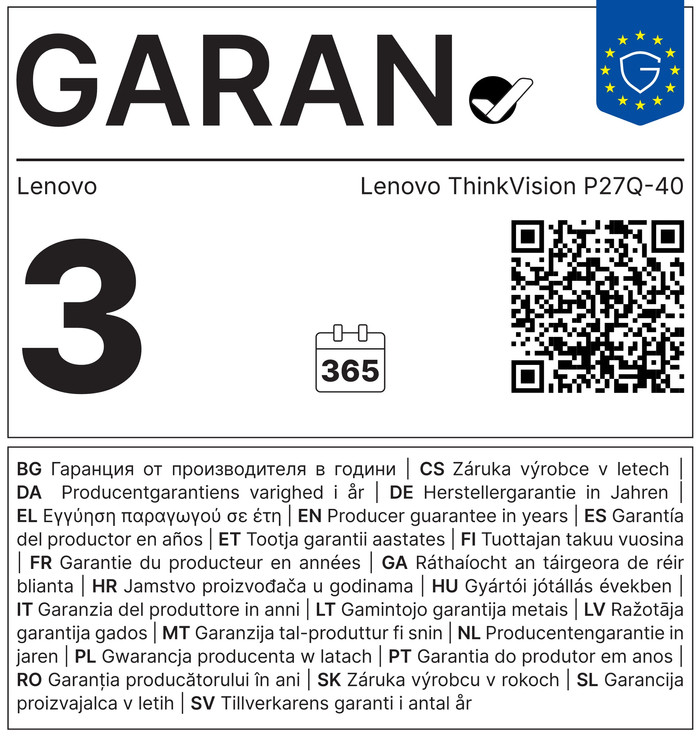
Warranty | 3 years | |
Processing of your defect | Direct replacement warranty (if in stock) |
Screen size | 27 inches | |
|---|---|---|
Recommended display resolution | 2560x1440 | |
Sharpness | Quad HD (1440p) | |
Aspect ratio | Standard (16:9) | |
Refresh rate | 120 Hz | |
Response time | 4 ms | |
Panel type | IPS panel | |
Brightness | 350 cd/m2 | |
Local dimming | ||
HDR support | ||
Contrast ratio | 3000000 | |
Touchscreen | ||
Type of HDR | HDR10 | |
Screen reflection | Anti-glare | |
Blue light filter | ||
Flicker-free technology | ||
Color space | Adobe RGB, DCI-P3 | |
Adobe RGB color coverage percentage | 99 % | |
Color depth | 17 million colors (8-bit) | |
Adaptive Sync | ||
Resolution width | 2560 pixels | |
Resolution height | 1440 pixels | |
Anti-reflection type | Anti glare | |
Horizontal viewing angle | 178 ° |
Height | 35,71 cm | |
|---|---|---|
Width | 61,36 cm | |
Depth | 4,6 cm | |
Weight | 6,4 kg | |
Color | Black | |
Including stand | ||
Material | Plastic | |
Cable management | ||
Appearance | Business, Neutral | |
Curved |
Number of HDMI connectors | 1 | |
|---|---|---|
Number of Female HDMI type A 2.1 ports | 1 | |
Number of USB-C ports | 1 | |
Version female micro usb-B (3.0 form) port | 3.2 | |
Number of female micro usb-B (3.0 form) ports | 1 | |
Number of Female Standard DisplayPort 1.4 ports | 2 | |
Number of female standard USB-A ports | 3 | |
Female standard USB-A port version | 3.2 | |
Number of Female RJ-45 ports | 1 | |
Type of USB port | Micro USB-B (3.0 form), Standard USB-A, USB-C | |
Number of USB ports | 5 | |
Suitable for daisy chaining | ||
USB-C dock | ||
Maximum USB-C dock power | 100 W |
Not included by default | HDMI cable |
|---|
Adjustable in height | ||
|---|---|---|
Tiltable | ||
Pivotable stand | ||
Pivot function | ||
VESA mount option | ||
VESA mount | 100x100mm |
Energy label | D | |
|---|---|---|
Energy consumption standby | 0,5 W | |
Energy consumption active | 15 W | |
Energy consumption per 1000h | 15 kWh | |
Annual energy consumption | 21,9 kWh | |
Annual energy costs | 8,76 euros |
Built-in speakers | ||
|---|---|---|
Webcam | ||
Split screen | ||
Kensington lock |
Recommended for use | Image editing and graphic design, Internet, email, and text processing, Office work, Watching movies in Full HD |
|---|
Receive more coverage in case of damage than with your standard warranty. Coolblue takes care of everything: from taking out the insurance to repairs. Is a repair not possible? You receive the purchase price as CoolblueCredit.
XCover is allowed to arrange and process insurances on behalf of the insurer. The insurances are governed by Belgium law. If you have a complaint, you can contact the or our customer service.
First, add your monitor to your shopping cart. On the next page, choose the Protection Plan below. You always have a 30-day return window and pay no deductible in case of damage.
The insurance can be canceled every year, even if you have paid in advance. If you cancel earlier, you will receive a refund for the overpaid amount.
The Lenovo ThinkVision T24D-40 monitor is a display for office work and using Office programs. Thanks to the USB-C dock functions, I charge connected peripherals such as a workstation or a business laptop. The monitor has ergonomic features, ensuring I do not experience neck or back pain. The screen has low brightness, but due to the high contrast ratio of 1500:1, text and videos are clearly visible on the screen when I work in the office.
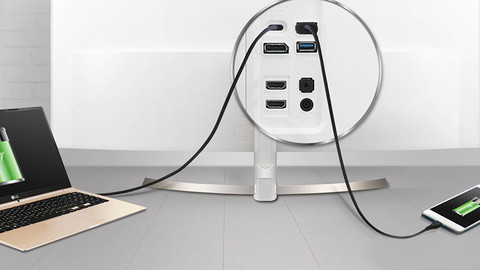
Convenient connections The monitor features many USB ports, 2 DisplayPort connections, and an HDMI port. This allows me to connect multiple monitors, a laptop, or other peripherals to the display. Thanks to the USB-C dock with 100 watts of power, I can quickly charge a workstation or business laptop. This allows me to work on multiple programs simultaneously, which is useful for programming or performing data analysis. Additionally, the ThinkVision T24D-40 is suitable for daisy chaining. Thanks to this support, I can connect a second screen to the monitor with a single cable. This is handy when I need a second screen for Google Sheets or other Office programs. Using the built-in Ethernet port, I connect my laptop to a stable corporate network via the monitor, without a separate dock or adapter. The necessary cables are included, allowing me to connect my peripherals immediately.
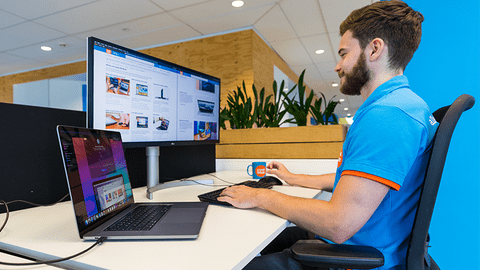
Beautiful design Thanks to its compact size, the ThinkVision T24D-40 fits on any desk. I easily click the screen onto the monitor arm and attach the monitor stand to the arm without tools. I can also rotate, tilt, and adjust the height of the monitor. This allows me to work all day long without straining my neck or back. Because the monitor has a pivot function, I can rotate it 90 degrees to a vertical position. This is useful when reading long text documents or programming, as I can see a lot of code at a glance. Thanks to the 120Hz refresh rate, I scroll smoothly through spreadsheets and navigate quickly through various dashboards. This also ensures that I do not get tired eyes. Despite the screen having low brightness, I can see the images on the monitor well thanks to the high contrast ratio.
Job. Monitor specialist.
29 July 2026
Automatically translated from Nederlands
312,-
Delivered tomorrow
Our digital expert will help you, but it can sometimes make mistakes, like humans do.
Standard (16:9)
Ultrawide (21:9)
Standard (16:9)
Ultrawide (21:9)
Ultrawide (21:9)
120 Hz
100 Hz
120 Hz
100 Hz
120 Hz
4 ms
5 ms
4 ms
5 ms
4 ms
According to our monitor expert
Sharp image: work with sharp images thanks to the Quad HD resolution.
Realistic colors: thanks to the DCI-P3 color space, you can edit photos and videos with realistic colors.
Wide viewing angles: the IPS panel still shows bright colors when you view it from an angle.
No built-in webcam: you'll need a separate one if you want to make video calls.
No built-in speakers: this monitor doesn't have built-in speakers for your music or other audio.
Current product

312,-
424,-
376,-
389,-
462,-