anything for a smile
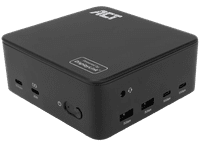
Product number | 980768 | |
|---|---|---|
Manufacturer code | AC7148 | |
Brand | ACT | |
Warranty | 5 years | |
Processing of your defect | Via Coolblue |
Made for laptop models | Universal |
|---|
Extra functionalities docking station | Charge laptop via docking station, Charge laptop via own charger, Connect headphones, Connect wired network | |
|---|---|---|
Type of main connector | USB-C | |
Supported video technology on Docking Station | DisplayLink | |
Number of USB ports | 7 | |
Type of USB port | Standard USB-A, USB-C | |
Number of female standard USB-A ports | 2 | |
Female standard USB-A port version | 3.0 | |
Power standard USB-A port | 12 W | |
Number of USB-C ports | 6 | |
Protocol Female USB-C port | USB, USB electricity | |
USB version Female USB-C port | 2.0, 3.0, 3.1 | |
Number of USB 3.1 Female USB-C port | 2 | |
Number of USB 3.0 Female USB-C ports | 2 | |
Number of USB 2.0 Female USB-C ports | 2 | |
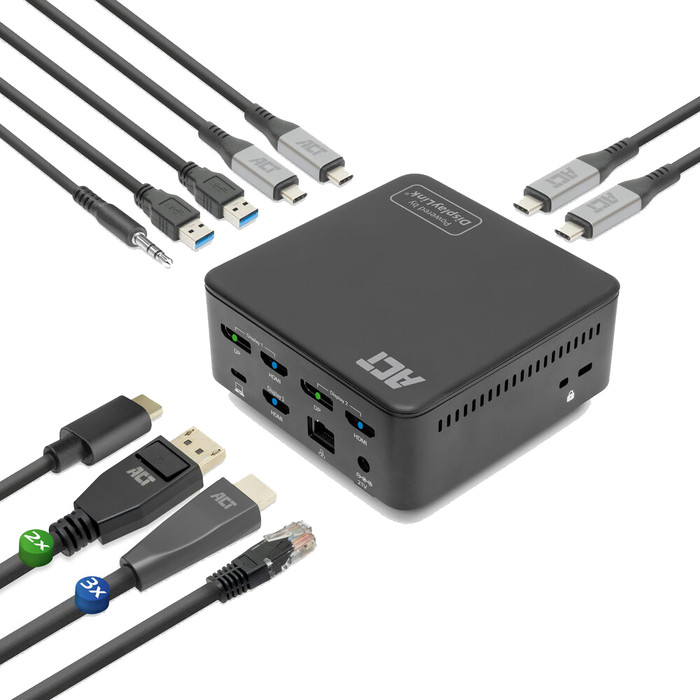
Total available video outputs | 2x DisplayPort, 3x HDMI | |
Number of HDMI connectors | 3 | |
Female HDMI Type A port version | 2.0 | |
Number of Ethernet ports | 1 | |
Ethernet speed | Gigabit Ethernet (1000Mbps) | |
Type of DisplayPort connector | standard DisplayPort | |
Number of Female Standard DisplayPort 1.4 ports | 2 | |
Version Female Standard DisplayPort port | 1.4 | |
Number of headphone jacks | 1 | |
Type of headphone connection | 3.5mm (TRS) | |
Memory card reader | ||
Number of connectable monitors | 2 | |
Maximum image resolution 1 monitor | 4K (3840x2160) | |
Maximum refresh rate 1 monitor | 60 Hz | |
Maximum image resolution 2 monitors | 4K (3840x2160) | |
Maximum refresh rate of 2 monitors | 60 Hz |
Cable length | 1 m | |
|---|---|---|
Color | Black | |
Height | 5,4 cm | |
Width | 10,7 cm | |
Depth | 10,7 cm | |
Weight | 0,4 kg |
Receive more coverage in case of damage than with your standard warranty. Coolblue takes care of everything: from taking out the insurance to repairs. Is a repair not possible? You receive the purchase price as CoolblueCredit.
XCover is allowed to arrange and process insurances on behalf of the insurer. The insurances are governed by Belgium law. If you have a complaint, you can contact the or our customer service.
First, add your dock for laptops to your shopping cart. On the next page, choose the Protection Plan below. You always have a 30-day return window and pay no deductible in case of damage.
The insurance can be canceled every year, even if you have paid in advance. If you cancel earlier, you will receive a refund for the overpaid amount.
Easy to use. I didn't have to install any extra software. I think DisplayLink is already standard on most laptops.
Levi
4 September 2026
Automatically translated from Nederlands
189,-
189,-
Extra functionalities docking station | Charge laptop via docking station, Charge laptop via own charger, Connect headphones, Connect wired network | |
|---|---|---|
Type of main connector | USB-C | |
Total available video outputs | 2x DisplayPort, 3x HDMI | |
Number of connectable monitors | 2 | |
Type of USB port | Standard USB-A, USB-C | |
Cable length | 1 m |
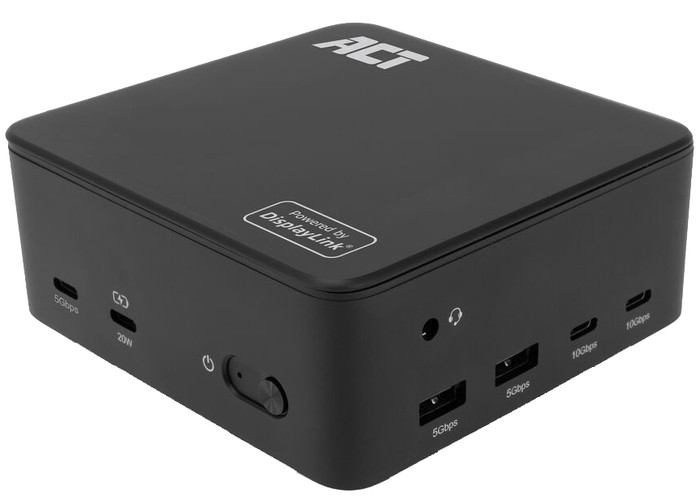
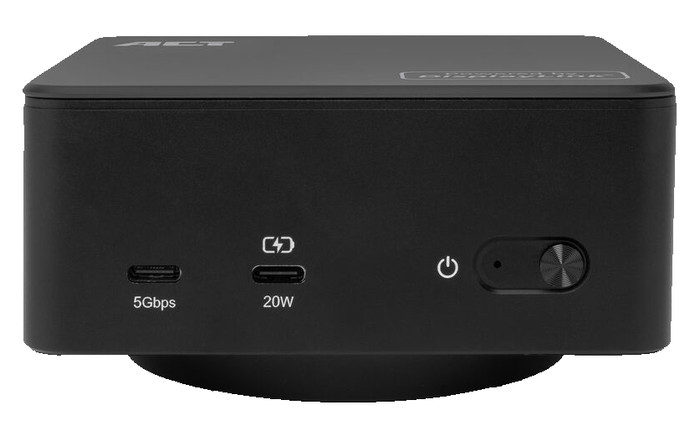
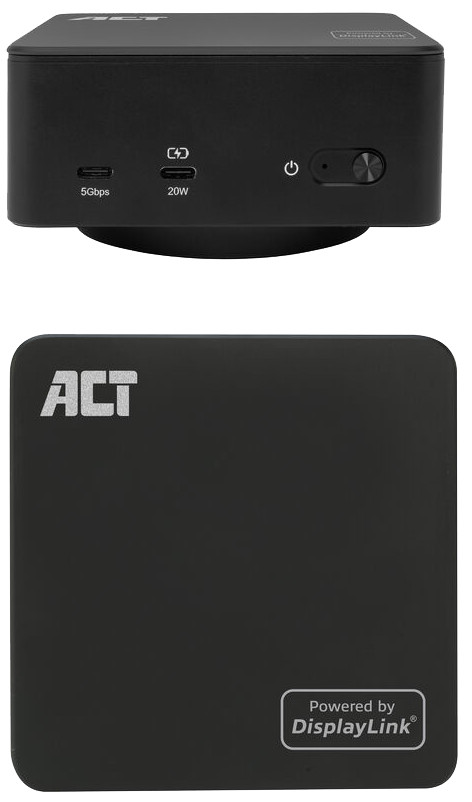
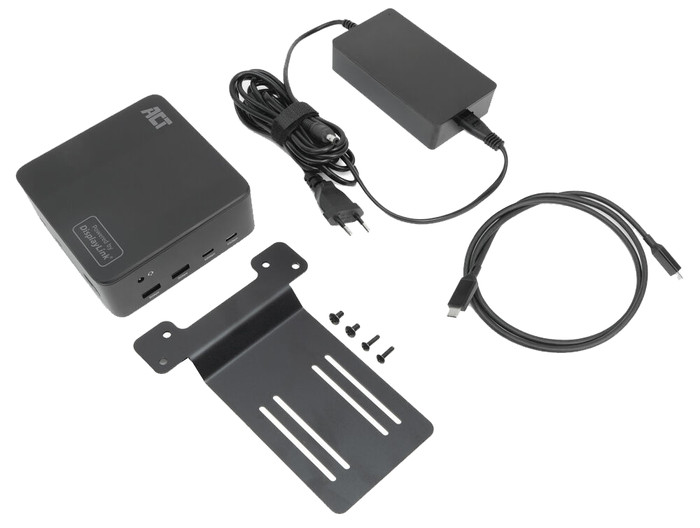
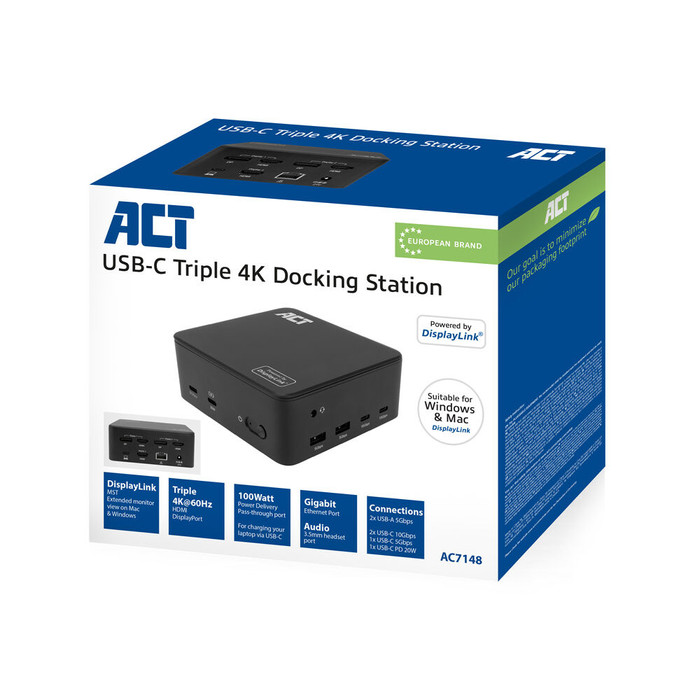
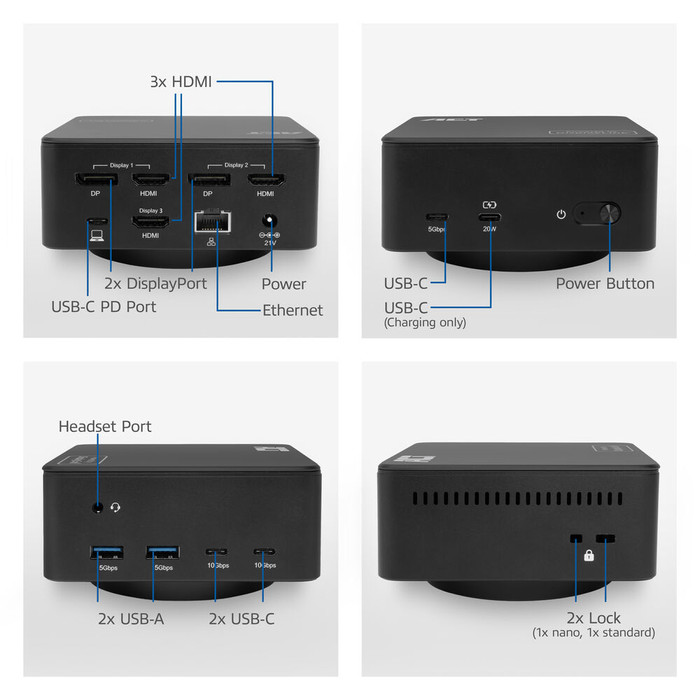
With the ACT Usb C Triple 4K DisplayLink Docking Station, you can turn your laptop into a complete workstation. You can connect up to 3 monitors and work on all your screens in 4K at 60 hertz. This way, you can keep spreadsheets, dashboards, and presentations clearly organized side by side. Thanks to DisplayLink, this docking station works with many different laptops. You can connect your accessories via the 2 USB-A ports and 3 USB-C ports. The dock also has an Ethernet port for stable wired internet and a 3.5-millimeter connector for your headset. With the included USB-C to USB-A adapter, you can also connect the dock to laptops without a USB-C port. This docking station works with all Windows laptops and MacBook models with a USB-C port that sends a video signal. This is how you can check if your laptop has a suitable USB-C port.
What can you do with this docking station?
What can't you do with this docking station?
If you connect 1 to 3 monitors to this docking station, you get a maximum resolution of 4K at 60 hertz.
USB-C
USB-C
USB-C
USB-C
USB-C
Charge laptop via docking station, Charge laptop via own charger, Connect headphones, Connect wired network
Charge laptop via own charger, Charge phone via docking station, Connect wired network
Charge laptop via docking station, Charge laptop via own charger, Connect headphones, Connect wired network
Charge laptop via docking station, Charge laptop via own charger, Charge phone via docking station, Connect headphones, Connect wired network
Charge laptop via docking station, Charge laptop via own charger, Charge phone via docking station, Connect headphones, Connect wired network
3
1
2
2
2
Standard USB-A, USB-C
Standard USB-A, USB-C
Standard USB-A, USB-C
Standard USB-A, USB-C
Standard USB-A, USB-C
According to our dock for laptops expert
With this dock, you can connect up to 3 4K monitors to your laptop.
Connect accessories like a mouse, a keyboard, or a hard drive to this docking station.
You can create a stable wired internet connection via the Ethernet port.
This docking station only works properly after you install the DisplayLink software.
You can¿t read files from a memory card with this docking station.
Current product
189,-
170,-
229,-
169,-
169,-
Delivered tomorrow
Delivered tomorrow