Welcome to your environment! You can order everything from your assortment with your personal budget here.

You can always return to the normal Coolblue website by clicking here.

Your outstanding budget (incl. VAT) is always visible here, so you know exactly how much you can spend.

Coolblue home

Help with your product
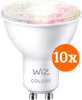
WiZ Spot 10-pack - Smart LED Lighting - Colored and White

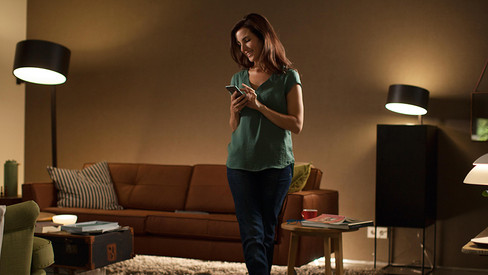
With WiZ Smart LED lighting, you can choose the ambiance in your home. This WiZ LED lights have a GU10 fitting, so they fit in the fitting of a spot light. The smart light can light up in 16 million different light colors and every shade of white. This allows you to choose the right color for any situation. While you work, you can choose a bright white light that improves your concentration, and you can set the light to a matching color during a movie in the evening. To use the WiZ light optimally, you don't need a bridge. That's because these lights have built-in Bluetooth and WiFi. This way, you can also control the lights remotely, and you can use pre-programmed light settings. In addition, you can connect your lights to your favorite voice assistant to control the lights with your voice.

Read all tips here

How do you install WiZ smart lights?

Before you can use WiZ lights, you have to set them up via the app. After you connect them to your WiFi network, you can control them everywhere. In this article, we'll take you through the setup of the WiZ smart lights step by step. We'll also explain what to do if the setup wasn't successful.

How do you install WiZ smart lights?

Before you can use WiZ lights, you have to set them up via the app. After you connect them to your WiFi network, you can control them everywhere. In this article, we'll take you through the setup of the WiZ smart lights step by step. We'll also explain what to do if the setup wasn't successful.
How do you install WiZ smart lights?

Before you can use WiZ lights, you have to set them up via the app. After you connect them to your WiFi network, you can control them everywhere. In this article, we'll take you through the setup of the WiZ smart lights step by step. We'll also explain what to do if the setup wasn't successful.

How do you install WiZ smart lights?

Before you can use WiZ lights, you have to set them up via the app. After you connect them to your WiFi network, you can control them everywhere. In this article, we'll take you through the setup of the WiZ smart lights step by step. We'll also explain what to do if the setup wasn't successful.
How do you install WiZ smart lights?

Before you can use WiZ lights, you have to set them up via the app. After you connect them to your WiFi network, you can control them everywhere. In this article, we'll take you through the setup of the WiZ smart lights step by step. We'll also explain what to do if the setup wasn't successful.
How do you install WiZ smart lights?

Before you can use WiZ lights, you have to set them up via the app. After you connect them to your WiFi network, you can control them everywhere. In this article, we'll take you through the setup of the WiZ smart lights step by step. We'll also explain what to do if the setup wasn't successful.
Subjects
Didn't find your answer?

Find an answer to your question quickly and easily via our customer service.

Coolblue specialist
Personal chat Digitalk.
You're now chatting with Coolblue customer service
This chat is closed
foo
Oeps File size is larger than 5MB. Upload a smaller file.