Welcome to your environment! You can order everything from your assortment with your personal budget here.

You can always return to the normal Coolblue website by clicking here.

Your outstanding budget (incl. VAT) is always visible here, so you know exactly how much you can spend.

Coolblue home

Help with your product

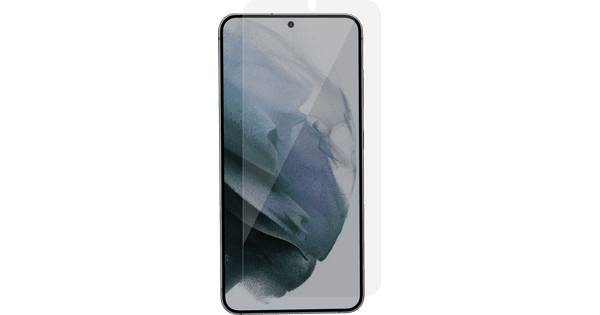
BlueBuilt Samsung Galaxy S25 Back Cover Black + Screen Protector Glass
0 reviews

Protect your Samsung Galaxy S25 screen for a longer time with the BlueBuilt Samsung Galaxy S25 Back Cover Black and BlueBuilt Samsung Galaxy S25 Screen Protector Glass. With the case and screen protector, you can absorb both scratches on your screen and bumps on the sides. This keeps your smartphone protected all around. The privacy screen protector prevents that others can watch along on your screen. Thanks to this case, your smartphone is less likely to get damaged by scratches from keys, for example. That means you can feel free put it in your bag with your other stuff. The edges of the case come up to above the screen, so you can place your smartphone screen-side down without it touching the surface. This way, it's protected from scratches even better. The case doesn't make your phone thicker, so you can put it in your jacket or pant pocket more easily. You'll receive a 5-year warranty on the case. It's made of recycled plastic, which is better for the environment than a standard plastic case.

Read all tips here

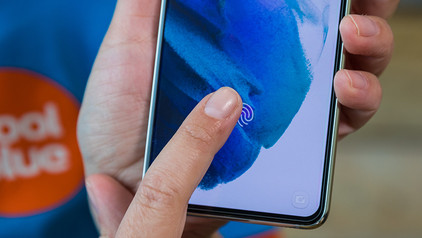
How do you apply a glass screen protector with a fingerprint scanner under the screen?

Sometimes, your fingerprint scanner doesn't work properly when you stick a glass screen protector onto your screen. As a result, you suddenly can't unlock your smartphone with your fingerprint anymore. You can fix this by changing your phone settings. We'll explain what you have to do to make your in-screen fingerprint scanner work again in 3 steps here.


How do you apply a glass screen protector with a fingerprint scanner under the screen?

Sometimes, your fingerprint scanner doesn't work properly when you stick a glass screen protector onto your screen. As a result, you suddenly can't unlock your smartphone with your fingerprint anymore. You can fix this by changing your phone settings. We'll explain what you have to do to make your in-screen fingerprint scanner work again in 3 steps here.
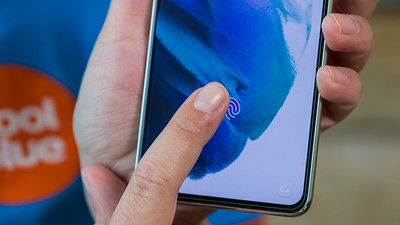
How do you apply a glass screen protector with a fingerprint scanner under the screen?

Sometimes, your fingerprint scanner doesn't work properly when you stick a glass screen protector onto your screen. As a result, you suddenly can't unlock your smartphone with your fingerprint anymore. You can fix this by changing your phone settings. We'll explain what you have to do to make your in-screen fingerprint scanner work again in 3 steps here.

How do you remove your old screen protector from your screen?

Before you apply a new screen protector, you have to remove the old screen protector from your device first. Often, it's not a good idea to just pull it off. The glass of the screen protector can break and give shards, for example. That's why we explain 3 ways to safely remove your screen protector.

How do you apply a glass screen protector with a fingerprint scanner under the screen?

Sometimes, your fingerprint scanner doesn't work properly when you stick a glass screen protector onto your screen. As a result, you suddenly can't unlock your smartphone with your fingerprint anymore. You can fix this by changing your phone settings. We'll explain what you have to do to make your in-screen fingerprint scanner work again in 3 steps here.
How do you apply a glass screen protector with a fingerprint scanner under the screen?

Sometimes, your fingerprint scanner doesn't work properly when you stick a glass screen protector onto your screen. As a result, you suddenly can't unlock your smartphone with your fingerprint anymore. You can fix this by changing your phone settings. We'll explain what you have to do to make your in-screen fingerprint scanner work again in 3 steps here.
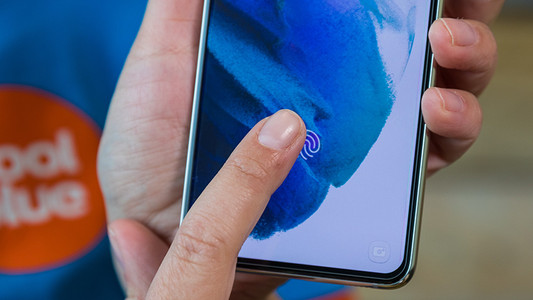
How do you apply a glass screen protector with a fingerprint scanner under the screen?

Sometimes, your fingerprint scanner doesn't work properly when you stick a glass screen protector onto your screen. As a result, you suddenly can't unlock your smartphone with your fingerprint anymore. You can fix this by changing your phone settings. We'll explain what you have to do to make your in-screen fingerprint scanner work again in 3 steps here.
How do you remove your old screen protector from your screen?

Before you apply a new screen protector, you have to remove the old screen protector from your device first. Often, it's not a good idea to just pull it off. The glass of the screen protector can break and give shards, for example. That's why we explain 3 ways to safely remove your screen protector.

Didn't find your answer?

Find an answer to your question quickly and easily via our customer service.

Coolblue specialist
Personal chat Digitalk.
You're now chatting with Coolblue customer service
This chat is closed
foo
Oeps File size is larger than 5MB. Upload a smaller file.