Welcome to your environment! You can order everything from your assortment with your personal budget here.

You can always return to the normal Coolblue website by clicking here.

Your outstanding budget (incl. VAT) is always visible here, so you know exactly how much you can spend.

Coolblue home

Help with your product
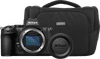
Nikon Z5II FTZ Adapter Kit

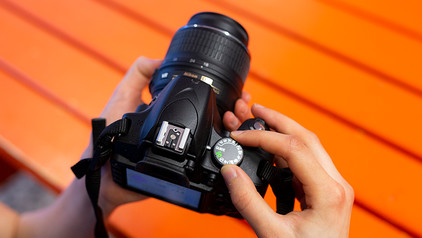
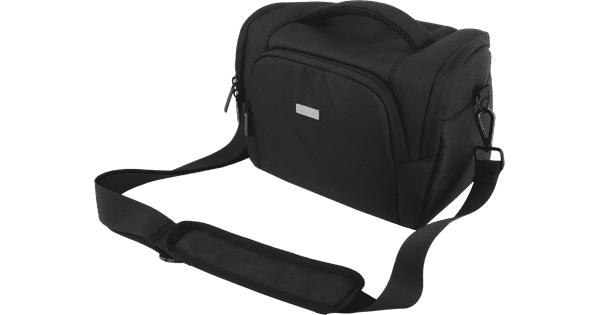
With the Nikon Z5II FTZ Adapter Kit, you can easily switch from an SLR camera to a mirrorless camera without getting rid of your lenses. With the FTZ II adapter, you can use the lenses of your Nikon SLR camera on a Nikon mirrorless camera. Often take your camera with you on the go? Take everything with you in the BlueBuilt shoulder bag. The bag has space for a camera with 1 fixed lens and 1 separate lens. You can take your photos and videos to the next level with the Nikon Z5II Body. The camera has a large 24.5-megapixel full-frame image sensor. That way, you can take detailed photos that look professional. Sharp images thanks to IBIS The built-in 7.5-stops image stabilization reduces motion blur while you take photos and record. As a result, you can take sharp handheld photos when you use long shutter speeds. During a recording, the footage looks smooth thanks to the image stabilization. As a videographer, you record in 4K resolution with 30 fps with the Z5II. Pre-release capture As soon as you semi-press the shutter release button, the camera already records footage. This function is called pre-release capture. When you press the shutter release button completely, the camera stores footage that it recorded 1 second early. That way, you won't miss a single moment. Flexible photography The improved Z5II viewfinder has a high 3000-nits brightness. That way, you can watch bright images and determine your frame accurately. That's mostly useful when you take photos in sunny situations. The touchscreen of the camera is fully tiltable. That way, you can take photos close to the ground or from difficult angles, for example. When you record a vlog, you can tilt the screen to the front. That way, you can see yourself during recording. On the top of the camera, there's a Picture Control button to quickly adjust the color settings. You can choose from various color filters to give your images a special effect.

Read all tips here

Subjects

Didn't find your answer?

Find an answer to your question quickly and easily via our customer service.

Coolblue specialist
Personal chat Digitalk.
You're now chatting with Coolblue customer service
This chat is closed
foo
Oeps File size is larger than 5MB. Upload a smaller file.