

Coolblue's Choice Acer Chromebook models
4 laptops
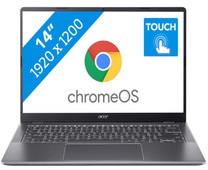
Our choice for a Chromebook for your school or studies
|
14 inches
|
Touchscreen
|
Intel Core 3
processor
- You can smoothly switch between multiple apps, so you can write your reports while doing research via your browser.
- You can easily take this Chromebook to your school thanks to the low weight.
- You can easily take notes and quickly swipe through apps via the touchscreen.
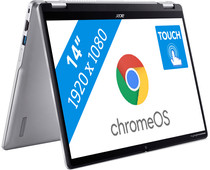
Our choice for a Chromebook that you can also use as a tablet
|
14 inches
|
Touchscreen
|
Intel N
processor
- You can flip the touchscreen 360 degrees and turn the Chromebook into a tablet.
- You can smoothly take notes or make sketches and swipe through apps via the touchscreen.
- You can easily work on your files on the go, because this Chromebook has a lot of local storage and it only weighs 1.4kg.

Our choice for a Chromebook for watching movies and series
|
15,6 inches
|
None touchscreen
|
Intel N
processor
- You can comfortably watch all your favorite movies and series and see all details well on the Full HD screen.
- You're less bothered by reflections or light thanks to the anti-glare screen.
- You can smoothly open different apps like Disney+, Netflix, or YouTube.


Our choice for a Chromebook for light graphic tasks
|
15,6 inches
|
Touchscreen
|
Intel Core i5
processor
- You can work smoothly on light, graphic tasks thanks to the powerful processor and RAM.
- You can smoothly perform graphics tasks and use AI while you work, because this powerful Chromebook is a Chromebook Plus.
- You can smoothly take notes or make sketches and quickly swipe through apps via the touchscreen.
