Coolblue's Choice Chromebooks for primary school
5 laptops
Our choice for a Chromebook for internet, email, and text processing
|
None touchscreen
|
MediaTek Kompanio 520
processor
|
4 GB
RAM
- You can smoothly work in different apps like Google Chrome, Google Docs, or YouTube.
- You can easily use this Chromebook easily in different places and take it with you carefree thansk to the low weight.
- You're less bothered by light glare or fingerprints thanks to the anti-glare screen.
Our choice for a Chromebook for making spreadsheets and presentations
|
None touchscreen
|
Intel N
processor
|
8 GB
RAM
- You can smoothly switch between different apps, so you can listen to your favorite music during work.
- You acn store files both online and offline, this Chromebook has enough local storage space for that.
- You can charge this Chromebook quickly thanks to the HP Fast Charge technology.
Our choice for a Chromebook that you can also use as a tablet
|
Touchscreen
|
Intel N
processor
|
8 GB
RAM
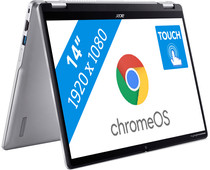
- You can flip the touchscreen 360 degrees and turn the Chromebook into a tablet.
- You can smoothly take notes or make sketches and swipe through apps via the touchscreen.
- You can easily work on your files on the go, because this Chromebook has a lot of local storage and it only weighs 1.4kg.
Our choice for a Chromebook for watching movies and series
|
Touchscreen
|
MediaTek
processor
|
4 GB
RAM
- You can place this Chromebook easily on your lap or take it with you thanks to the low weight and you can fold it into a tablet.
- You can comfortably watch all your favorite movies and series and see all details well on the Full HD screen.
- You can swipe easily through light apps like Netflix or Disney+ via the touchscreen.
Our choice for a Chromebook for on the go
|
Touchscreen
|
Intel N
processor
|
4 GB
RAM
- You can take this Chromebook easily with you thanks to the low 1.5kg weight.
- You can also store files locally on this Chromebook thanks to the 128GB storage, so you can easily keep working online.
- You can flip the touchscreen 360 degrees to use this Chromebook as a tablet.