
Written by Jesper
Edited on
21 April 2023
·
14:42
How do you reset a Xiaomi smartphone?
When you reset your Xiaomi smartphone, you delete all your personal information. What's more, your phone returns to factory settings. A reset can be a good solution if your phone is too slow or crashes quite often. It might also be smart to reset your device if you're trading it in or reselling it. You can easily reset your Xiaomi smartphone by going through these 6 steps.
Soft reset
A soft reset is a good solution to many problems. With a soft reset, none of your data will be lost. Go through the following steps to perform a soft reset on your Xiaomi smartphone:
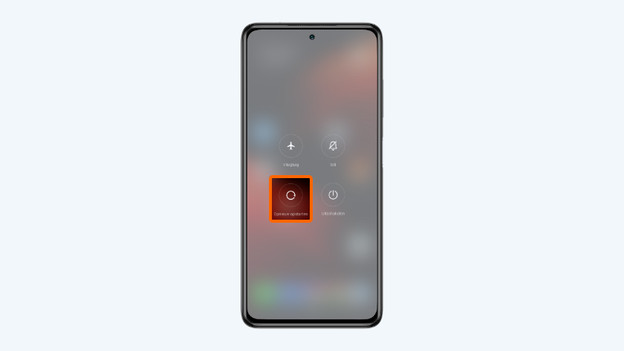
- Press and hold the standby button. This button is located on the right side of the device.
- Tap Restart.
Press and hold the standby button.
2. Choose Restart

Before you start: create a backup
When you reset your phone, you return it to factory settings. That means you loose all of your contacts, photos, and videos. Be sure you make a backup beforehand. That way, you can store your files and information in the cloud or on a memory card.
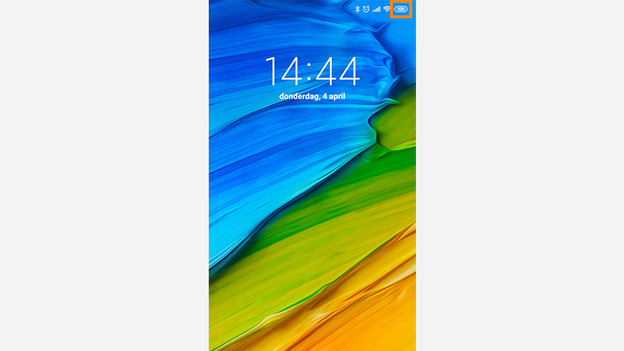
Step 1: make sure your device is charged
Resetting your device takes a lot of power. You don't want to run the risk that your smartphone shuts down during the reset. That's why you should make sure your phone is at least 60% charged or perform the reset while it charges.
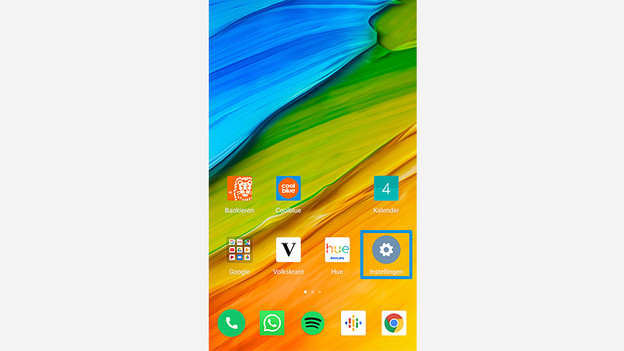
Step 2: choose settings
Go to 'Settings' by tapping the gearwheel icon.
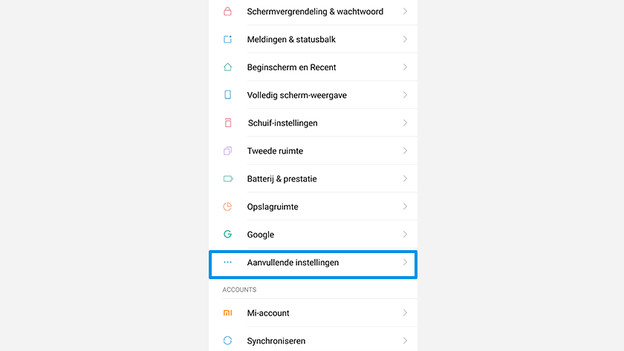
Step 3: choose Additional Settings
Scroll down and choose 'Additional Settings'.
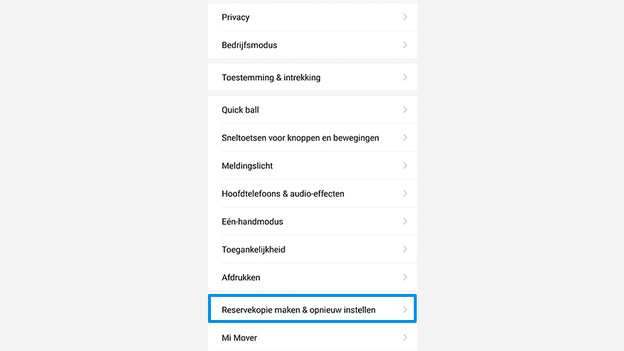
Step 4: backup & reset
Scroll down and choose 'Backup & Reset'.
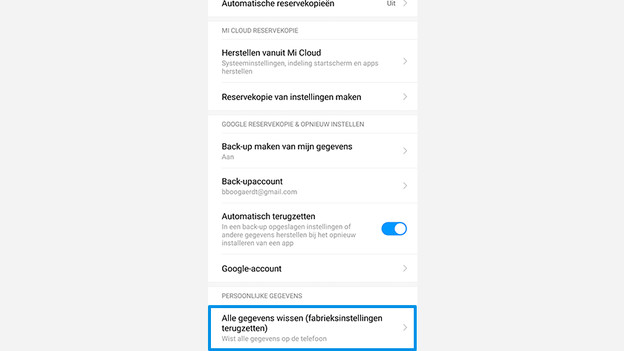
Step 5: erase all data
Scroll down and select the option 'Erase all Data (Factory Reset)'.
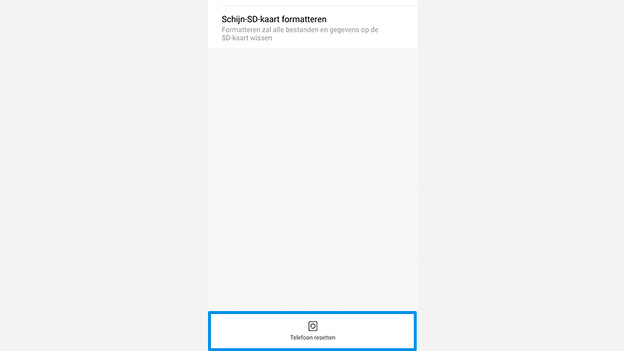
Step 6: reset phone
Tap the bar with the words 'Reset Phone'. Your Xiaomi smartphone will ask you to enter your password. This is the pin code that you've set up to unlock your phone. Your phone will automatically start resetting your phone 10 seconds after you've entered your password.
