
Written by Jesper
Edited on
2 August 2023
·
13:36
How do you download an app on your Android smartphone?
A smartphone is meant to make calls with, but it's much more fun to use all kinds of apps. For example, you can order a new washing machine with the Coolblue app or watch a movie on Netflix. In this article, we'll explain step by step where and how you download an app.
Download an app in 3 steps
Step 1. Open the Google Play Store.
Step 2. Find the app you want to download.
Step 3. Download the app.
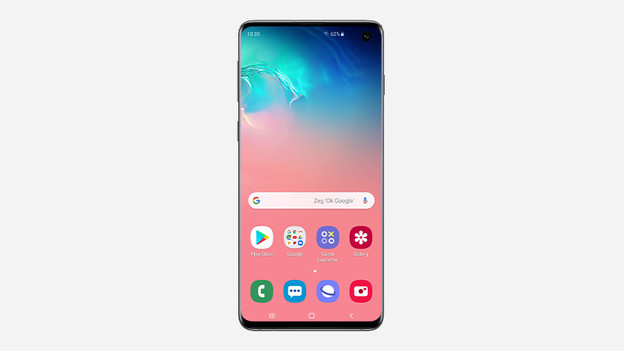
Step 1: open the Google Play Store
If you have an Android phone, you can safely download apps in the Google Play Store. Tap on the icon to open the Play Store.
Step 2: find the app you want to download
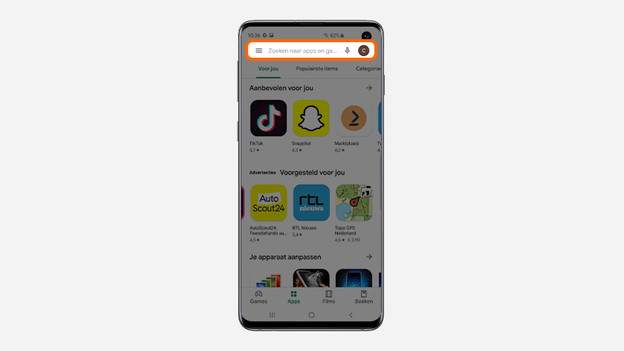
- Tap the search bar at the top of the screen.
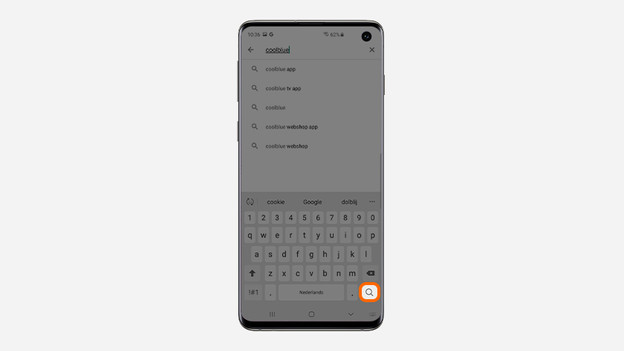
- Enter the name of the app you're looking for and then the looking glass at the bottom right of the keyboard.
You'll see the most relevant app according to Google at the top of the list. In most cases, this is the app you're looking for. Isn't that the case? Scroll down and tap the app you want to download.
1. Tap the search bar.
2. Enter the name of the app and tap the looking glass.
Step 3: download the app
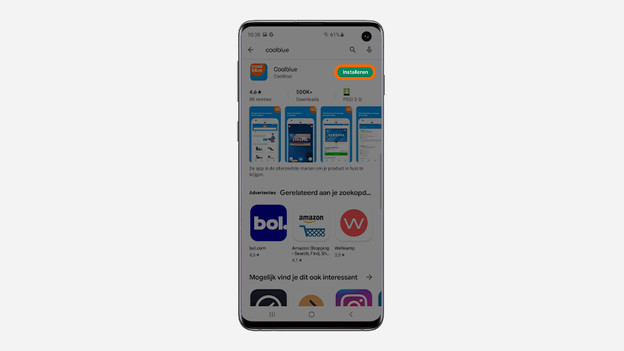
- Tap Download.
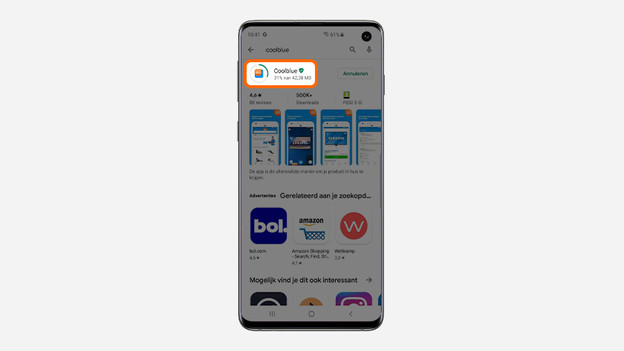
- The app will be downloaded. The circle around the icon of the app indicates the progress.
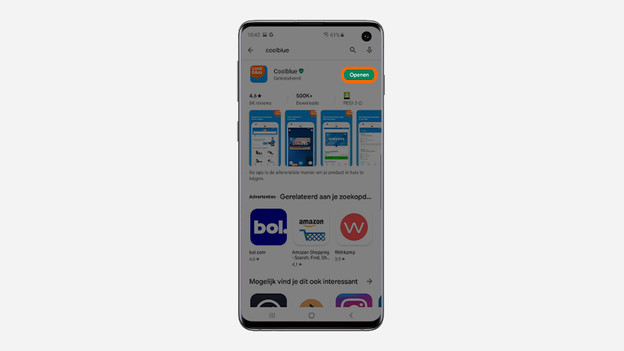
- Tap Open to use the app.
Your mobile phone automatically creates a shortcut to the app. You'll find this icon among your other apps. So next time, you can open the app in no time.
1. Tap download.
2. View the progress in the circle around the icon.
3. Tap open.
Article by Jesper
Smartphone Expert.
