Written by Lucinda
Edited on
3 September 2024
·
07:25
What's Apple AirPlay
You can use Apple AirPlay 2 to stream video or audio from your Apple device to another screen or speakers. In addition, you can also use AirPlay to share your screen with another screen. In this article, you'll find out what AirPlay is exactly and what the different options AirPlay has to offer.
What's AirPlay?
With Apple AirPlay, you can stream media from your Apple device to an external screen or a suitable speaker. AirPlay 2 works with smart televisions with integrated Apple TV function or televisions connected with an Apple TV box. Prefer to stream music? Thanks to AirPlay 2, you can stream music to multiple compatible speakers at the same time. You'll be able to hear your favorite tunes throughout your house. On top of that, AirPlay allows you to duplicate the current screen of your device to another screen.

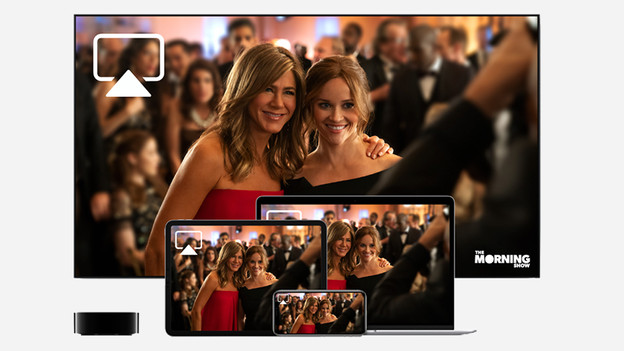
Stream videos with AirPlay
You can use Apple AirPlay 2 to stream videos from your Apple device to your television. You can only do this with televisions which are connected with Apple TV or smart televisions which are compatible with AirPlay 2. Use the icon at the video and choose the device you want to stream to. This allows you to show your vacation video via YouTube on a bigger screen, so your family can easily watch it with you. You don't need a remote to rewind or pause, because you can do all that with your iPad, iPhone, or MacBook.

Stream music with AirPlay
You can use AirPlay 2 to stream music and other audio to a television, headphones, or speaker. You need HomePod, Apple TV, AirPlay 2 compatible speakers, or a smart television. Find the AirPlay music icon in the app, the lock screen, or the Control Center, and find the speakers or headphones you want to use as playback device. If you have multiple speakers connected to HomePod or that are compatible with AirPlay 2, you can play audio on multiple speakers at the same time. On top of that, playing music via AirPlay is the solution for Apple Watch, because it doesn't have built-in speakers.
Which speakers work with Apple AirPlay?
More and more speakers are compatible with Apple AirPlay. These brands have suitable speakers:
- Beats
- Bose
- Bowers & Wilkins
- Libratone
- Marshall
- Sonos
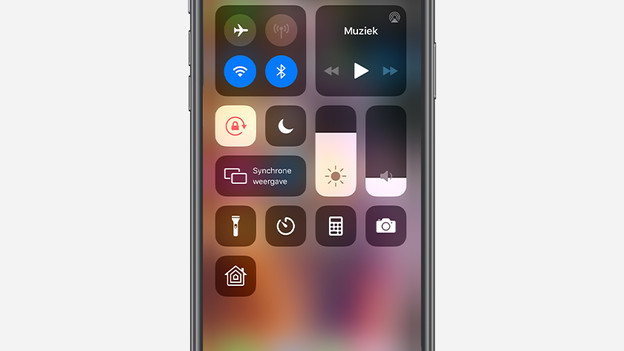
Mirroring with AirPlay
You use screen mirroring to share the screen of your iPhone, iPad, iPod, or MacBook to another screen. This allows you to show a presentation on your MacBook on a large TV, so the audience can see what is going on. You can do this as follows:
- Swipe down and tap 'Screen Mirroring' in the Control Center on the iPhone or iPad or in the menu bar of your Mac.
- Choose the appliance you want to share the screen with and you can get started right away.