

Coolblue's Choice Business hardware
100 results


Our choice for a gaming monitor for Elden Ring
|
32 inches
| 3840x2160 resolution
| HDMI, DisplayPort

- Thanks to the 4K resolution on the large 32-inch screen, the Elden Ring landscapes look even more realistic.
- You can enjoy the best color contrasts and black levels thanks to the OLED panel with DisplayHDR 400 support.
- Thanks to the 165Hz refresh rate, you can control your character smoothly through the Elden Ring world.

Our choice for a MacBook for students
|
Apple M5 chip
| 16GB RAM
| 10 graphics cores
- With the M5 chip, you can easily write reports and make presentations.
- Thanks to the low weight, you can easily take your MacBook with you in your school bag.
- You can use your MacBook the entire day without charging thanks to the 18-hour battery life.
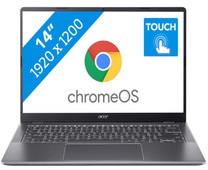
Our choice for a Chromebook for your school or studies
|
ChromeOS instead of Windows
| Intel Core 3 - 8GB - 128GB SSD
| Touchscreen
| Chromebook Plus
- You can smoothly switch between multiple apps, so you can write your reports while doing research via your browser.
- You can easily take this Chromebook to your school thanks to the low weight.
- You can easily take notes and quickly swipe through apps via the touchscreen.
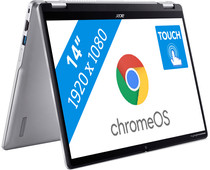
Our choice for a Chromebook that you can also use as a tablet
|
ChromeOS instead of Windows
| Intel N100 - 8GB - 128GB eMMC
| Foldable touchscreen
- You can flip the touchscreen 360 degrees and turn the Chromebook into a tablet.
- You can smoothly take notes or make sketches and swipe through apps via the touchscreen.
- You can easily work on your files on the go, because this Chromebook has a lot of local storage and it only weighs 1.4kg.
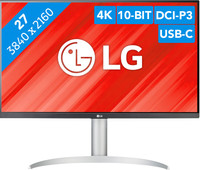
Our choice for a monitor with USB-C for your MacBook or iMac
|
27 inches
| 3840x2160 resolution
| HDMI, DisplayPort, USB-C

- You can connect your MacBook or iMac to this USB-C monitor without a converter.
- Thanks to the 4K resolution, this monitor displays images from your MacBook or iMac sharply and in detail.
- You can adjust the monitor in height or tilt it for an ergonomic sitting posture, so you're less bothered by neck or back complaints.

Our choice for a gaming monitor for 4K gaming or better with an RTX 4090 video card
|
32 inches
| 3840x2160 resolution
| HDMI, DisplayPort
- You can game with the sharpest images and the best color contrasts thanks to the 4K resolution and the OLED panel.
- Because of the 240Hz refresh rate and 0.03ms response time, opponents come into frame quickly and sharply.
- The G-Sync support adjusts the fps of your video card to the monitor refresh rate, so you can game without screen tearing.
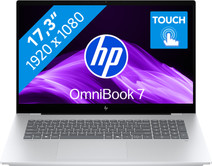
Our choice for a 17-inch Windows laptop for light video editing
|
Suitable for demanding programs
| Intel Core Ultra 7 | 16GB | 1TB SSD
| Touchscreen
| Copilot+ PC
- You can see all the details of your videos well and you can easily work with 2 windows side by side on the large 17-inch screen.
- You can edit photos and videos comfortably and switch between demanding programs smoothly thanks to the powerful processor.
- You can easily make edits to your videos via the touchscreen.
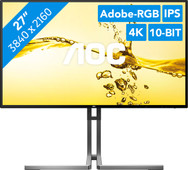
Our choice for a 27-inch monitor for photo and video editing
|
27 inches
| 3840x2160 resolution
| HDMI, DisplayPort
- You can edit the tiniest details of photos and videos thanks to the 4K resolution, DisplayHDR 400 support, and DCI-P3 color coverage.
- Thanks to the IPS panel, you can see bright colors and sharp images from every viewing angle.
- Thanks to the USB-C dock, you can charge your laptop, transfer data, and transmit image signals with 1 cable.

Our choice for a Windows laptop that you can also use as a tablet
|
Internet, email, and text processing
| Intel Core 5 | 16GB | 512GB SSD
| Backlit keyboard
| Anti-glare screen
- You can easily turn this HP laptop into a tablet, so you can smoothly take notes and make sketches via the touchscreen.
- You can comfortably watch movies and series, because you can easily put this 2-in-1 laptop in different positions.
- You can easily continue working at night, because you can quickly see the right keys with the backlit keyboard.
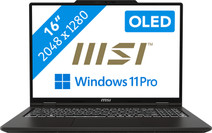
Our choice for a business laptop for video editing
|
Powerful enough for business use
| Intel Core Ultra 9 | 64GB | 2TB SSD
| NVIDIA GeForce RTX 4050
| Copilot PC
| 2K OLED
- You work smoothly in demanding video editing programs thanks to the Intel Core Ultra 9 processor and 64GB DDR5 RAM.
- Thanks to the OLED panel, you can work with good color contrasts, so you can see more details between light and dark contrasts.
- Thanks to the 2TB storage space, you can easily store your large files locally on the laptop.
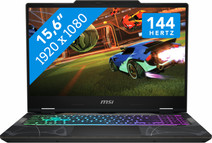
Our choice for a gaming laptop that you can use to smoothly play Fortnite
|
Powerful enough for gaming and streaming
| Intel Core 7 | 16GB | 1TB SSD | RTX 5050
| 144Hz
| RGB backlit keyboard
- You can enjoy fast-moving images and you can stay one step ahead of your opponent thanks to the RTX 5050 video card and the 144HZ screen.
- You can stream your Fortnite gameplay via Twitch in Full HD thanks to the Intel Core i7 processor and 16GB RAM.
- You can enjoy a true light show while gaming thanks to the RGB backlit keyboard.

Our choice for a 27-inch monitor for demanding graphic design
|
27 inches
| 5120x2880 resolution
| HDMI, DisplayPort
- You can enjoy razor-sharp details and realistic colors thanks to the 5K screen and HDR support.
- Thanks to the IPS panel, you can see bright colors from different viewing angles.
- Thanks to the DCI-P3 color space, you can work withvibrant and precise colors.

Our choice for a Chromebook for light graphic tasks
|
ChromeOS instead of Windows
| Intel Core i5 - 8GB - 256GB SSD
| Touchscreen
| Backlit keyboard
- You can work smoothly on light, graphic tasks thanks to the powerful processor and RAM.
- You can smoothly perform graphics tasks and use AI while you work, because this powerful Chromebook is a Chromebook Plus.
- You can smoothly take notes or make sketches and quickly swipe through apps via the touchscreen.
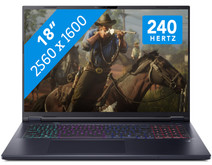
Our choice for an 18-inch gaming laptop you can use to play demanding games
|
Powerful enough for gaming and streaming
| Intel Core Ultra 9 | 32GB | 1TB SSD
| NVIDIA GeForce RTX 5070
| 240Hz
| RGB backlit keyboard
- You can play demanding games like Elden Ring and Flight Simulator at 60 fps in Full HD or older games in QHD or even 4K, thanks to the RTX 5070 GPU.
- On the large 18-inch screen with a 240Hz refresh rate, you won't miss a single detail in your game.
- In addition to gaming, you can stream in 4K and edit your gameplay videos thanks to the Core Ultra 9 processor and 32GB RAM.

Our choice for a MacBook for the most demanding apps and tasks
|
Apple M5 Max chip
| 36GB RAM
| 32-core GPU
- The M5 Max chip is suitable for the most demanding tasks, such as 3D design and app development.
- You can connect up to 4 external screens, so you can divide your work and programs.
- Thanks to the high RAM, you can smoothly work in various demanding apps at the same time.
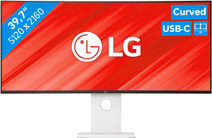
Our choice for an ultrawide monitor for demanding graphic design
|
40 inches
| 5120x1440 resolution
| HDMI, USB-C
- Thanks to the large 40-inch screen size, you can open multiple programs at once, such as Adobe Photoshop and Premiere Pro.
- You can edit images with razor-sharp details thanks to the 5K resolution and DisplayHDR 600 support.
- You can enjoy high color contrasts thanks to the DCI-P3 color space, so you can see more differences between light and dark colors.

Our choice for a Chromebook for internet, email, and text processing
|
ChromeOS instead of Windows
| Intel Celeron - 8GB - 128GB eMMC
| Privacy switch
| Anti-glare screen
- You can smoothly work in different apps like Google Chrome, Google Docs, or YouTube.
- You can also store documents offline on your Chromebook thanks to the 128GB local storage.
- You're less bothered by light and fingerprints thanks to the anti-glare screen.

Our choice for a Chromebook for on the go
|
ChromeOS instead of Windows
| Intel N150 | 4GB | 128GB Flash
| Foldable touchscreen
| Lightweight
- You can take this Chromebook easily with you thanks to the low 1.5kg weight.
- You can also store files locally on this Chromebook thanks to the 128GB storage, so you can easily keep working online.
- You can flip the touchscreen 360 degrees to use this Chromebook as a tablet.

Our choice for a gaming laptop that you can use to smoothly play Minecraft
|
Powerful enough for gaming
| AMD Ryzen 7 - 16GB - 512GB SSD
| NVIDIA GeForce RTX 4050
| 144Hz
| Backlit keyboard
- Thanks to the RTX 4050 video card, you can play in the large Minecraft maps without issues with this gaming laptop.
- You can stream your Minecraft gameplay via Twitch thanks to the AMD Ryzen 7 processor and 16GB RAM.
- When you want to game in the evening, you can turn on the keyboard backlight for a comfortable gaming experience in the dark.

Our choice for a Windows laptop for light video editing
|
Suitable for demanding programs
| Intel Core i7 | 16GB | 1TB SSD
| OLED display
| Backlit keyboard
- You can see all colors and contrasts well on the OLED display with DisplayHDR 600 True Black.
- You can smoothly edit videos in programs like Adobe Premiere Pro.
- You can also continue working a bit on your videos at night, because you quickly see the right keys thanks to the backlit keyboard.
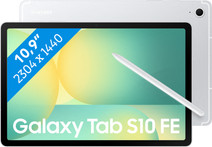
Our choice for an Android tablet for movies and series
|
10.9-inch screen
| 128GB storage capacity
| Internet via WiFi
- Thanks to the large screen, you see more details and you can enjoy your favorite movies and series.
- Thanks to the clear, colorful screen, movies and series really come to life.


Our choice for a smartphone for games
|
512GB storage capacity
| 6.59-inch Quad HD screen
| Android 16

- Thanks to the powerful processor, you can play demanding 3D games without any issues.
- On the large 6.59-inch screen, you can see every detail in your games.
- Thanks to the high refresh rate of the screen, animations in games look smooth.
