


anything for a smile
Our choice for a portable monitor for on the go
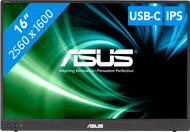
16 inches - Full HD - IPS - USB-C
After my old Asus Zenscreen MB16AC broke, I ordered this one with the idea that it would be almost the same. The old model only has a USB-C port that you can connect to your laptop with USB-C. I have a (work-provided) Lenovo Thinkpad with 1 single USB-C port, which is used for charging. This already caused problems, because with a hub to a normal USB port it did not show any image because that port does not support alt dp mode. This could be solved by a software update.
However, this setup did not work with the new screen. I only got an image by plugging the USB-C cable (in the monitor) into the only USB-C port on the laptop. This meant that I could not charge and use the monitor at the same time.
Then you probably think; why not buy a splitter? No splitter that has an acceptable size supports image transfer (I have spoken to several companies).
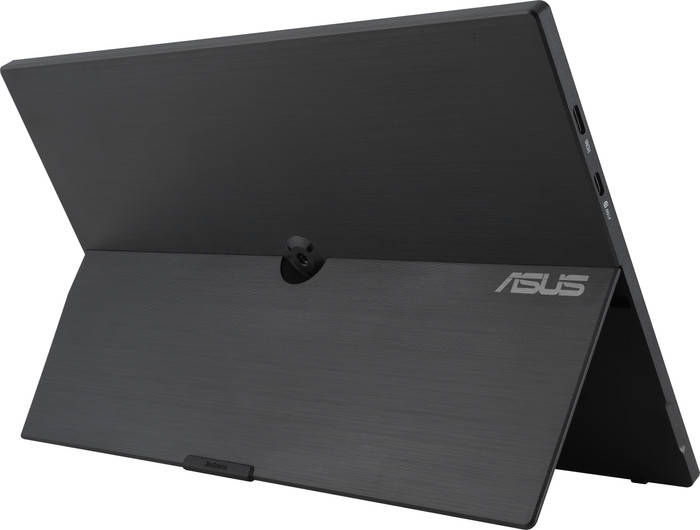
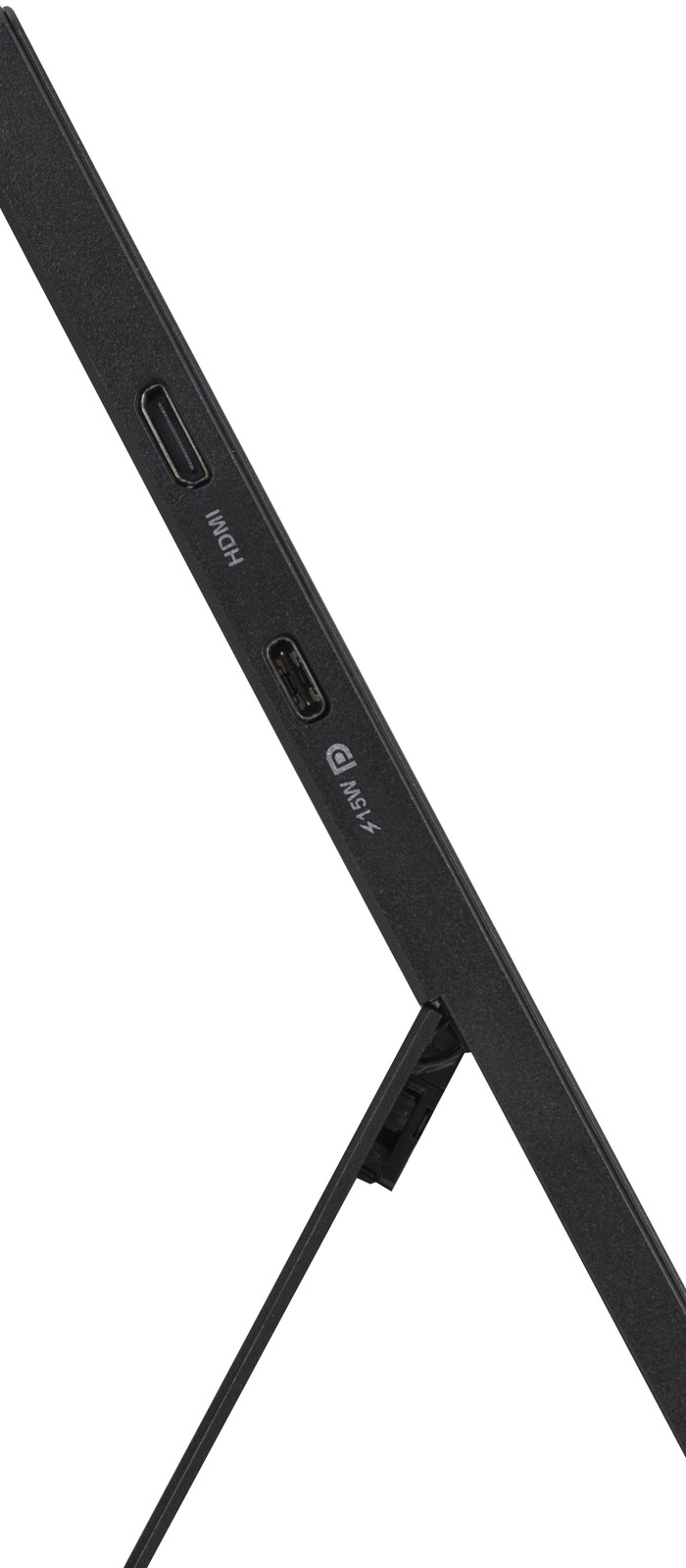
What does work; the monitor has an hdmi port BUT if you use this you also have to connect the monitor with a charging cable (this new model can also be powered by electricity, also has more ports than the old model). So if you don't mind connecting a thick hdmi cable and a power cable to your mobile screen, then this is a nice screen. I choose a mobile screen to be mobile, so as few cables as possible. This screen is going back!
Debby
9 November 2024
Automatically translated from Nederlands
Poor quality product. Used it for 2 months and the hinge broke off.
Jurgen
20 April 2026
Automatically translated from Nederlands
Legs break off, repair costs 123 euros. Don't buy it, real junk
Jeroen
11 October 2024
Automatically translated from Nederlands
Our digital expert will help you, but it can sometimes make mistakes, like humans do.
According to our monitor expert
Sharp on a small screen: texts, photos, and videos look sharp on this small screen thanks to the Full HD resolution.
Fewer cables on your desk: you can connect peripherals to the built-in USB-C port and save space.
Easy to take with you: the small size lets you take the screen anywhere.
Limited screen space: you have limited screen space because of the small size.
No touchscreen: the monitor doesn't have a touchscreen, so you can't quickly control it with your fingers.
Product number | 942367 | |
|---|---|---|
Manufacturer code | 90LM0383-B01N70 | |
Brand | ASUS | |
Warranty | 2 years | |
Processing of your defect | Via Coolblue |
Screen size | 15,6 inches | |
|---|---|---|
Recommended display resolution | 1920x1080 | |
Sharpness | Full HD (1080p) | |
Aspect ratio | Standard (16:9) | |
Refresh rate | 60 Hz | |
Response time | 5 ms | |
Panel type | IPS panel | |
Brightness | 250 cd/m2 | |
Local dimming | ||
HDR support | ||
Contrast ratio | 800 | |
Touchscreen | ||
Screen reflection | Anti-glare | |
Blue light filter | ||
Flicker-free technology | ||
Color depth | Less than 17 million colors (less than 8-bit) | |
Adaptive Sync | ||
Resolution width | 1920 pixels | |
Resolution height | 1080 pixels | |
Anti-reflection type | Anti glare | |
Horizontal viewing angle | 178 ° |
Height | 22,5 cm | |
|---|---|---|
Width | 35,8 cm | |
Depth | 1 cm | |
Weight | 0,9 kg | |
Color | Gray | |
Including stand | ||
Material | Plastic | |
Cable management | ||
Appearance | Business, Neutral | |
Curved |
Number of HDMI connectors | 1 | |
|---|---|---|
Number of Female HDMI Type C 1.4 ports | 1 | |
Number of USB-C ports | 2 | |
Type of USB port | USB-C | |
Number of USB ports | 2 | |
Suitable for daisy chaining | ||
USB-C dock | ||
Maximum USB-C dock power | 15 W |
Included by default | USB-C cable | |
|---|---|---|
Not included by default | HDMI cable |
Adjustable in height | ||
|---|---|---|
Tiltable | ||
Pivotable stand | ||
Pivot function | ||
VESA mount option |
Energy label | B | |
|---|---|---|
Energy consumption standby | 0,5 W | |
Energy consumption active | 6 W | |
Energy consumption per 1000h | 6 kWh | |
Annual energy consumption | 8,76 kWh | |
Annual energy costs | 3,5 euros |
Built-in speakers | ||
|---|---|---|
Webcam | ||
Split screen | ||
Kensington lock | ||
Best tested |
Recommended for use | Internet, email, and text processing, Office work, On the go, Watching movies in Full HD |
|---|
Receive more coverage in case of damage than with your standard warranty. Coolblue takes care of everything: from taking out the insurance to repairs. Is a repair not possible? You receive the purchase price as CoolblueCredit.
XCover is allowed to arrange and process insurances on behalf of the insurer. The insurances are governed by Belgium law. If you have a complaint, you can contact the or our customer service.
First, add your monitor to your shopping cart. On the next page, choose the Protection Plan below. You always have a 30-day return window and pay no deductible in case of damage.
The insurance can be canceled every year, even if you have paid in advance. If you cancel earlier, you will receive a refund for the overpaid amount.

185,-
185,-
Current product

Full HD (1080p)
2.2K
WQXGA
WUXGA
Full HD (1080p)
Standard (16:9)
Standard (16:10)
Standard (16:10)
Standard (16:10)
Standard (16:9)
60 Hz
60 Hz
155 Hz
60 Hz
60 Hz
5 ms
8 ms
5 ms
6 ms
5 ms
185,-
299,-
249,-
179,-
298,-
Delivered tomorrow
Delivered tomorrow