


anything for a smile

589,-
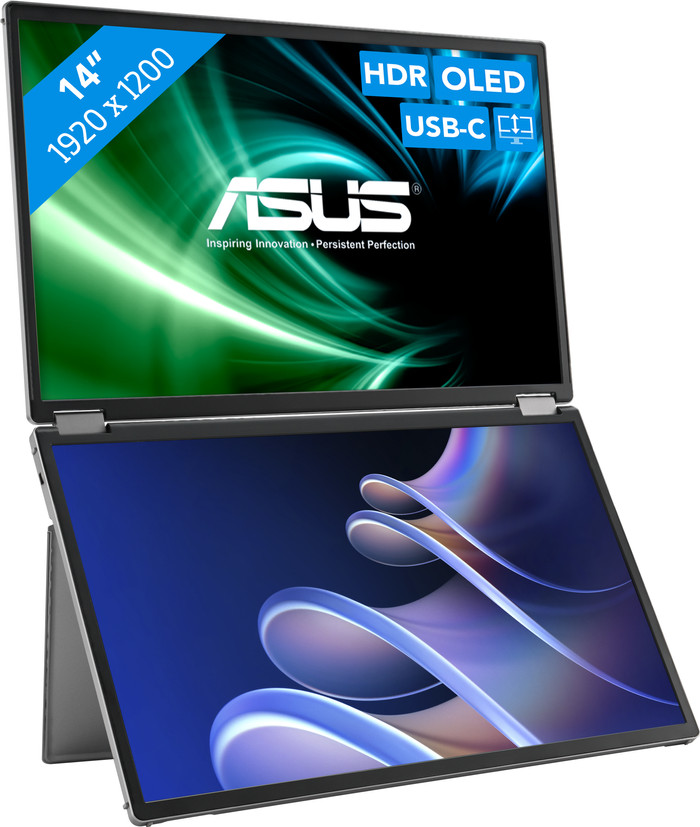
14 inches Duo - WUXGA - OLED - USB-C
Choose your monitor
Installation ease
Image quality
Price-quality ratio
Design
The ASUS ZenScreen Duo OLED MQ149CD is a handy monitor that allows me to work on multiple screens at the same time. This monitor has 2 14-inch screens, which allows me to keep an overview of my work. I can also adjust the screen in different ways. For example, I place it vertically when I read long PDFs. Due to its low weight, I can easily take the monitor with me in my bag.
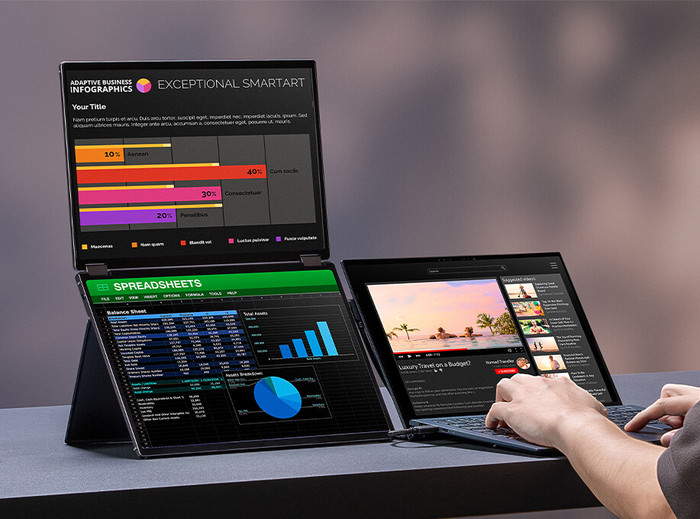
Multiple screens What is most striking about this monitor is that it has 2 screens. This allows me to expand the screen space, allowing me to work on different tabs at the same time. For example, I open a spreadsheet on the top screen and keep an eye on my mailbox on the other screen. I connect my laptop to the monitor with the supplied HDMI and USB C cables. There is also a plug included, with which I supply power to the monitor. My desk does get messy when I place the screen next to my laptop because of the long cables. If I only use the monitor, the long cables are handy, because I then place my laptop further away from the screen.
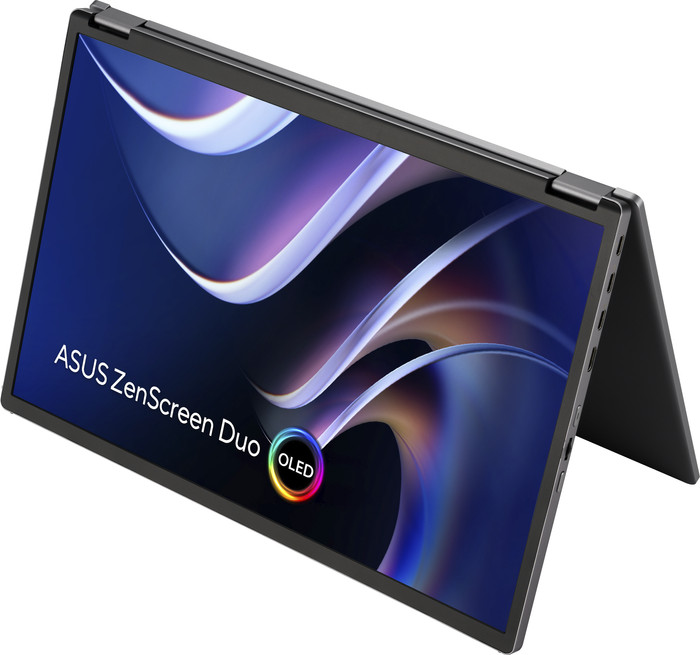
Adjustability The monitor has a handy fold-out stand that I can position in different ways. For example, I can place the screens at a comfortable height. I rotate the hinge in the middle of the screens 360 degrees. If I fold the top screen, I create a sturdy stand. I also rotate the monitor 90 degrees, which allows me to use it in vertical mode. This is useful when I read long PDFs, because I scroll less. In addition, this monitor has 3 USB C ports and an HDMI connection. With this, I not only connect the monitor to my laptop, but also to my tablet or mobile phone. This way, I open photos or videos that are on my mobile phone on a larger screen.
OLED panel The ZenScreen Duo OLED MQ149CD has WUXGA image resolution with an OLED panel. This makes the images on the screen look sharp and I enjoy vivid colors. Black pixels also switch off on an OLED panel, which allows me to see the contrast between light and dark colors better. The advantage of this is that letters in Office programs, for example, are easier to read on a white background. In addition, the colours of films and series look realistic.
Job. Monitoren specialist.
10 June 2025
Automatically translated from Nederlands
Good quality overall. When you use the built-in plastic leg, bottom half of the monitor is still as low as your laptop screen obviously - so you still look downwards, making your neck strained. Buying a separate stand helped me lift the monitor above the laptop screen - I found this way much more ergonomic to work. The stand on the photo is purchased separately. It’s Asus MTS02D.
Nariman
21 May 2026
I hesitated a bit because of the high price for "just" a portable screen, but I'm glad I invested in a premium screen - OLED is truly a great image
Pascal
17 September 2025
Automatically translated from Nederlands
Our digital expert will help you, but it can sometimes make mistakes, like humans do.
According to our monitor expert
A WUXGA monitor gives you more vertical screen space, so you can keep a better overview of your work.
Thanks to the DCI-P3 color space, you can edit photos and videos with realistic colors.
Thanks to the high color contrast of the OLED panel, you can see even more differences between light and dark colors when you edit photos or videos.
You can’t see every detail clearly with the WUXGA resolution.
Because the monitor doesn’t have a built-in webcam, you’ll need a separate one if you want to make video calls.
589,-
Product number | 961671 | |
|---|---|---|
Manufacturer code | 90LM0AKV-B01N70 | |
Brand | ASUS | |
Warranty | 3 years | |
Processing of your defect | Via Coolblue |
Screen size | 14 inches | |
|---|---|---|
Recommended display resolution | 1920x1200 | |
Sharpness | WUXGA | |
Aspect ratio | Standard (16:10) | |
Refresh rate | 60 Hz | |
Response time | 1 ms | |
Panel type | OLED | |
Brightness | 400 cd/m2 | |
Local dimming | ||
HDR support | ||
Contrast ratio | 100000 | |
Touchscreen | ||
Type of HDR | HDR10 | |
Screen reflection | Glossy | |
Blue light filter | ||
Flicker-free technology | ||
Color space | Adobe RGB, DCI-P3, sRGB | |
Color depth | 1 billion colors (10-bit) | |
Adaptive Sync | ||
Resolution width | 1920 pixels | |
Resolution height | 1200 pixels | |
Horizontal viewing angle | 176 ° |
Height | 21,2 cm | |
|---|---|---|
Width | 31,9 cm | |
Depth | 1,5 cm | |
Weight | 1,07 kg | |
Color | Silver | |
Including stand | ||
Material | Metal, Plastic | |
Cable management | ||
Appearance | Business, Neutral | |
Curved |
Number of HDMI connectors | 1 | |
|---|---|---|
Number of USB-C ports | 3 | |
Type of USB port | USB-C | |
Number of USB ports | 3 | |
Suitable for daisy chaining | ||
Type of USB cable included | USB-C to USB-C | |
USB-C dock |
Included by default | HDMI cable, USB cable, USB-C cable |
|---|
Adjustable in height | ||
|---|---|---|
Tiltable | ||
Pivotable stand | ||
Pivot function | ||
VESA mount option |
Energy label | C | |
|---|---|---|
Energy consumption standby | 0,3 W | |
Energy consumption active | 9,3 W | |
Energy consumption per 1000h | 9 kWh | |
Annual energy consumption | 13,14 kWh | |
Annual energy costs | 5,26 euros |
Built-in speakers | ||
|---|---|---|
Webcam | ||
Split screen | ||
Kensington lock |
Recommended for use | Internet, email, and text processing, Office work, Watching movies in Full HD |
|---|
Delivered tomorrow
Delivered tomorrow
Receive more coverage in case of damage than with your standard warranty. Coolblue takes care of everything: from taking out the insurance to repairs. Is a repair not possible? You receive the purchase price as CoolblueCredit.
XCover is allowed to arrange and process insurances on behalf of the insurer. The insurances are governed by Belgium law. If you have a complaint, you can contact the or our customer service.
First, add your monitor to your shopping cart. On the next page, choose the Protection Plan below. You always have a 30-day return window and pay no deductible in case of damage.
The insurance can be canceled every year, even if you have paid in advance. If you cancel earlier, you will receive a refund for the overpaid amount.


