Written by Rowan
Edited on
6 August 2026
·
12:17
Compare the MacBook to the iMac
What's better, the Apple MacBook or Apple iMac? It mainly depends on your usage situation. The Apple MacBook is a laptop from Apple and you can easily take it with you on the go. The Apple iMac is an all-in-one PC and has a larger screen on which you can open more windows. In this article, you can read everything on the differences and similarities between MacBook and iMac.
Compare Apple MacBook and Apple iMac
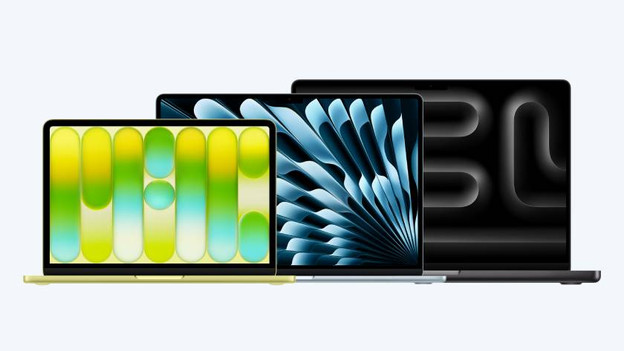
Apple MacBook
- Apple MacBook is a laptop that you can easily take with you.
- You can choose from a 13, 14, 15, or 16-inch screen size
- There's an Apple MacBook model for every usage situation.
- If you often work in 1 spot and mainly perform daily tasks, we recommend the Apple iMac.
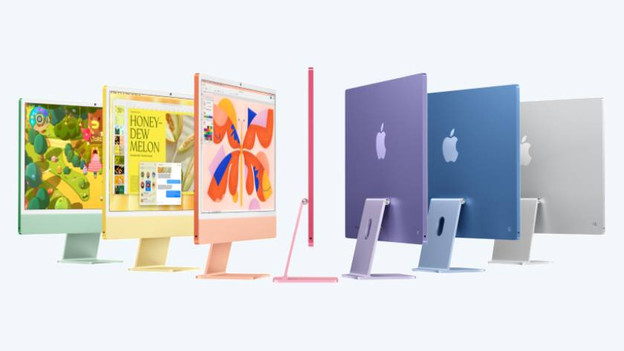
Apple iMac
- The Apple iMac is an all-in-one PC that you can use in 1 fixed place.
- The Apple iMac is available with a large 24-inch screen.
- With the powerful M4 chip, you can easily open the most apps and files.
- If you often work on the go or use a lot of demanding apps, we recommend the Apple MacBook.
MacBook and iMac comparison
| Apple MacBook | Apple iMac | |
|---|---|---|
| Model | Laptop | All-in-one PC |
| Size | 13 inches / 14 inches / 15 inches / 16 inches | 24 inches |
| Processor | Apple A18 Pro / Apple M4 / Apple M4 Pro / Apple M4 Max / Apple M5 / Apple M5 Pro / Apple M5 Max | Apple M4 |
| RAM | Up to 64GB | Up to 24GB |
| Storage | Up to 2TB | Up to 1TB |
| Connectors | Up to 3 Thunderbolt ports, an HDMI connector, a memory card reader, and a headphones connector | Up to 4 Thunderbolt ports, a headphones connector, and an Ethernet connector |
Usage situation

MacBook: ideal for on the go
The Apple MacBook is the laptop from Apple. This means that you can easily take your MacBook with you, so you can also work on the go. You can choose from 3 different series: MacBook Pro, MacBook Air, and MacBook Neo. The MacBook Pro is the most powerful and has a large 14 or 16-inch screen. The MacBook Air has a light and thin design and a 13 or 15-inch screen. The MacBook Neo has a 13-inch screen and is suitable for all your light, daily tasks.

iMac: suitable for a fixed workplace
The Apple iMac is an all-in-one PC from Apple. This means that all important parts are integrated in the iMac screen. You don't need a heavy computer case or cables. The iMac is only available with a 24-inch screen. This means you can't take your iMac with you, but you use it in a single fixed place. You also receive a wireless Magic Keyboard and a wireless Magic Mouse, so you can get to work right away.
Power and speed
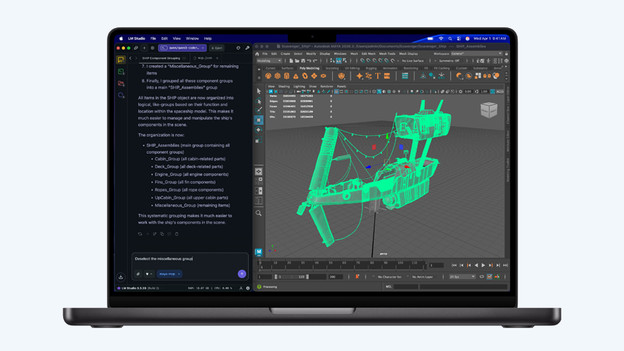
MacBook: a processor for every situation
With MacBook, you can choose from a few models with different processors. With the MacBook Pro with M4 Pro, M5 Pro, M4 Max, or M5 Max chip, you can even perform the most demanding tasks easily. You can develop apps and perform complex calculations. With MacBook Pro or MacBook Air with M4 or M5 chip, you can work effortlessly in the most apps. The MacBook Neo with A18 Pro chip is suitable for light tasks like browsing the internet and updating your email.
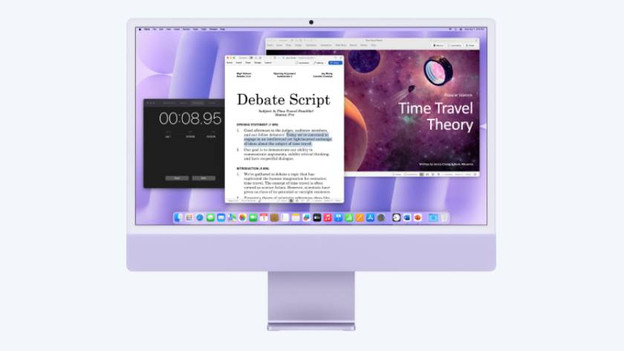
iMac: only available with M4
The Apple iMac is only available with the older Apple M4 chip. With this chip, you can work smoothly in the most apps and files. This way, you can create presentations and work in spreadsheets. The M4 processor is also powerful enough for light photo and video editing. You can smoothly open large apps like Photoshop or Lightroom and edit all your favorite photos.
Screen

MacBook: razor-sharp image in portable size
All MacBook models have a sharp and colorful Liquid Retina display. Thanks to this, you can enjoy photos and videos in high quality. The Apple MacBook Pro even has a Liquid Retina XDR display. This screen is even sharper, so you can even see the smallest details razor-sharply. The MacBook Pro also supports HDR. That way, colors look lifelike and black seems truly black.

iMac: large screen, but less sharp
The Apple iMac has a 24-inch Retina display. This means that the pixels in the screen are so small that you can't see them with the naked eye. These screens are less sharp and colorful than the Liquid Retina and Liquid Retina XDR displays of the Apple MacBook. Thanks to the large screen size, you can easily divide your work over the screen of your iMac. For example, you can easily copy information from a spreadsheet to a presentation, without changing windows.
Connectors
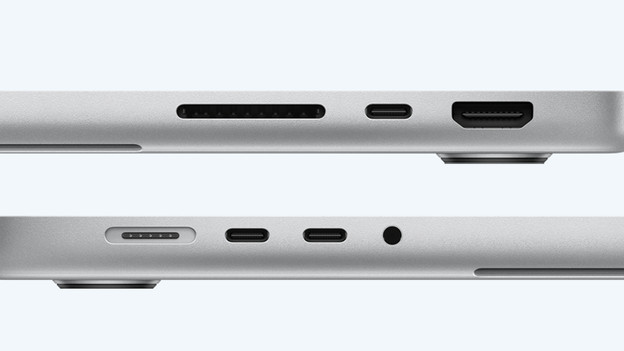
MacBook: connectors differ per model
Which connectors your MacBook has depends on the model. For example, the MacBook Neo only has 2 USB-C ports and a headphones connector. The Apple MacBook Air also has a MagSafe port to charge your MacBook faster. The MacBook Pro has all these connectors and an SDXC card slot and HDMI connector. Do you need more connectors? You can easily expand the number of ports of your MacBook with a docking station.
iMac: connectors for all your accessories
You can easily connect all your favorite accessories to the Apple iMac. For example, every iMac has 2 Thunderbolt connectors and a headphones connector. If you choose an iMac with 10 graphic cores, 2 Thunderbolt connectors and an Ethernet port are included as well. Your iMac also includes a Magic Keyboard and a Magic Mouse. They are both wireless, so you have enough space left for other accessories.
Conclusion: MacBook or iMac?
The choice for Apple MacBook or Apple iMac depends on your personal preference and usage situation. Choose Apple iMac if you often work in 1 spot and mainly perform daily or administrative tasks. Do you often work on the go, or do you use many demanding apps and files? The Apple MacBook is the better choice.
Article by Rowan
Apple Expert.