Written by Lucinda
Edited on
2 September 2024
·
15:55
How do you install a new iOS update?
A new iOS update brings improvements when it comes to securities. In addition, the latest version also includes new functions. That makes an iOS update both useful and fun. In this article, you can read how to install the iOS version on your Apple iPhone and how to make an iCloud backup beforehand.

Update the Apple iPhone
In order to update your iPhone, you have to go through the following steps:
- Make a backup with iCloud.
- Update the iOS version manually.
- Update the iOS version automatically.
Make a backup with iCloud
With a recent backup of your information, you know for sure nothing gets lost when you update your iPhone. You can make an iCloud backup in a couple of steps.
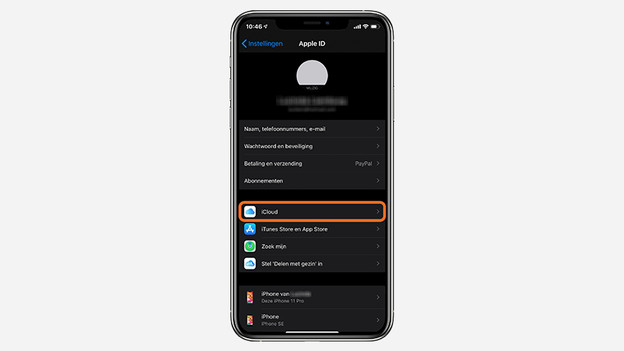
- Go to Settings. Tap your name and choose iCloud.
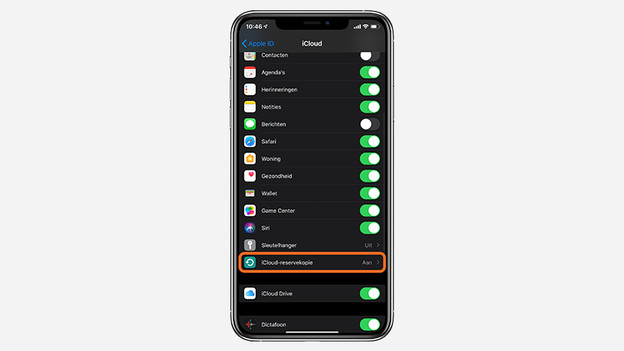
- Scroll down and tap iCloud Backup.
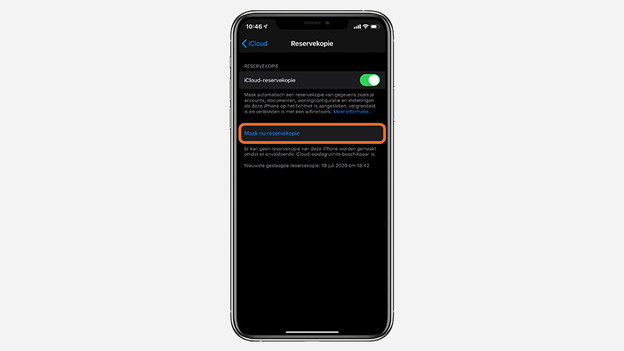
- Choose Back Up Now.
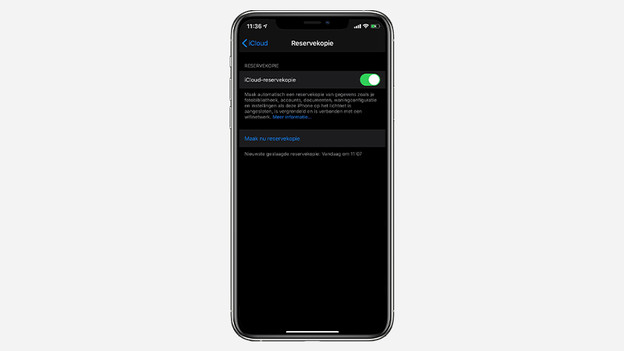
- At the bottom, you see the data and time of your most recent backup. That way, you can tell if the backup was successful.
Tip: Do you want your iPhone to make an iCloud backup automatically? Make the slider at the top of the backup menu green. Your iPhone will now make a daily backup of all your data and files.
Go to 'iCloud'
Tap 'iCloud Backup'
Choose 'Back Up Now'
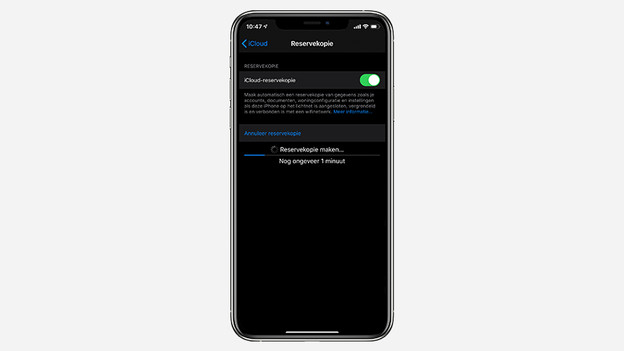
Wait a while
Your backup is complete
Update the iOS version manually
You're notified about every iOS updated. Tap 'Install Now' in this notification if you want to install the update right away. Want to do it later on? Go through these steps:
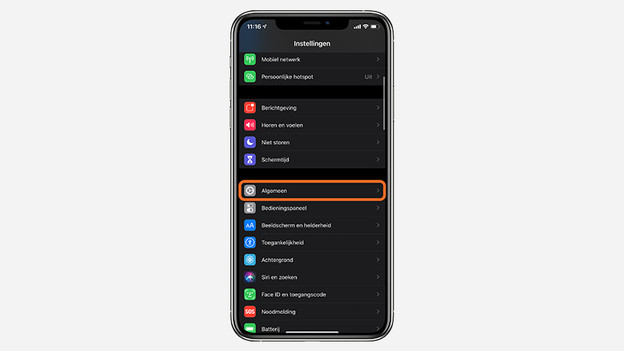
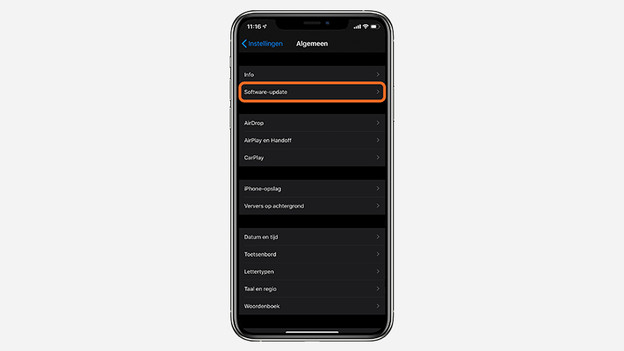
- Go to Settings and tap General.
- Choose Software Update.
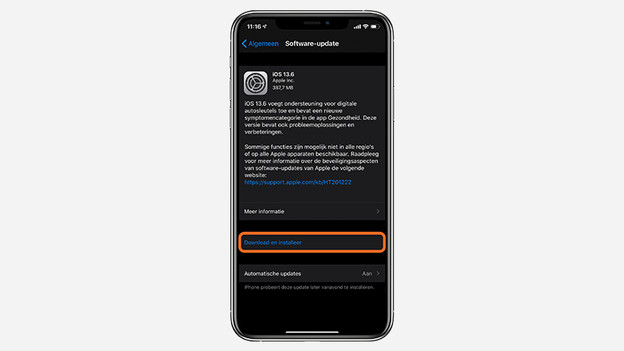
- Tap Download and Install. If the software requires extra storage space, the system will ask you to agree to deleting a couple of apps. You can reinstall these after the update.
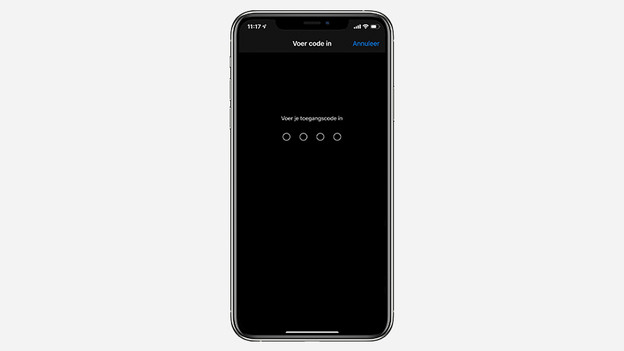
- Choose 'Install Now'. Enter your passcode if prompted.
- Your iPhone is up to date and you can get started with the latest version of iOS right away.
Tap 'General'
Choose 'Software Update'
Tap 'Install now'
Enter your passcode
The iOS version will update automatically
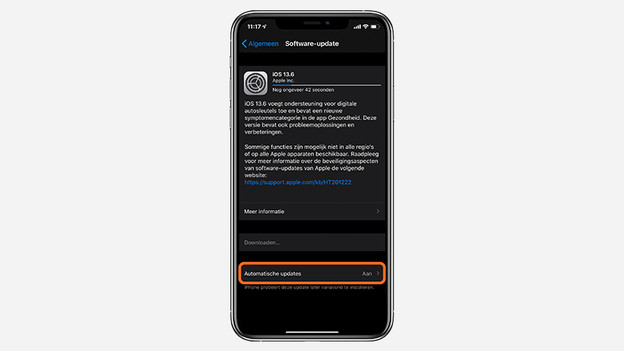
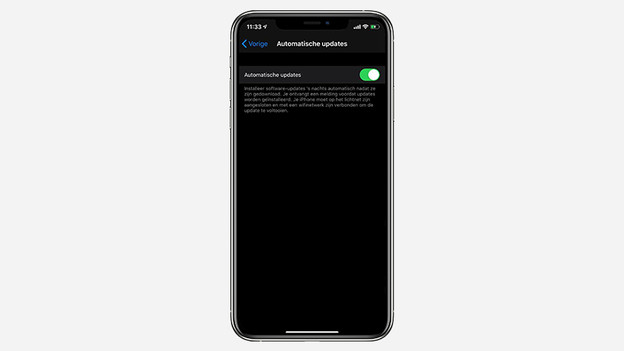
Do you want your iPhone to install all iOS updates automatically? Choose Automatic Updates in the Software Update menu and make the slider green. You'll receive a notification before a new update is installed. The update will then be installed at night, while your iPhone is charging and you're sleeping.
Go to 'Software Update'
Make the slider green