There's a Windows 11 laptop for everyone. It doesn't matter if you stream series, edit graphic designs in Adobe software, or play games. You can always find the Windows laptop that suits you best. With Windows 11 laptops, you can install any software you want. For example, work in Word, PowerPoint, and Excel or chat with your friends via Discord. Are you getting started with Windows for your business? Choose a Windows Pro laptop. You get extra security and business functions with this, such as Remote Desktop.


- You can easily make sketches, drawings, or designs on the screen, because you can turn this laptop into a tablet.
- You can smoothly working in demanding accounting apps like Adobe Photoshop or Premiere Pro
- Thanks to the small size and low weight, you can easily take this laptop with you to lectures.
899,-
Delivered tomorrow

- You can smoothly edit photos in programs like Adobe Photoshop.
- You can also edit photos at night, because you can see the keys clearly in the dark thanks to the backlit keyboard.
- This laptop is better protected from falls, moisture, high and low temperatures, and dust, because it passed military-grade testing.
799,-
Delivered tomorrow
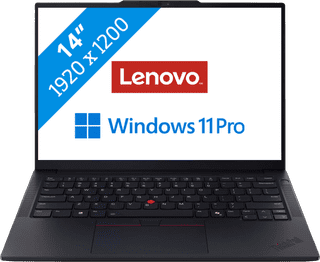
- You can quickly perform data analyses thanks to the Intel Core Ultra 7 processor and 32GB RAM.
- Thanks to the discrete TPM chip, your data and other sensitive information is well-protected.
- Thanks to the built-in NPU chip, you can enjoy a longer battery life.
1.449,-
Delivered tomorrow
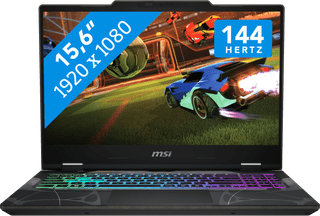

- You can play medium demanding games like Cyberpunk 2077 and Hogwarts Legacy smoothly at 60 fps in Full HD, thanks to the RTX 5060 video card.
- Thanks to the 144Hz refresh rate, fast-moving images look smooth and you can spot your opponents in time.
- In addition to gaming, you can stream in Full HD and edit your gameplay videos thanks to the i7 processor
1.459,-
Delivered tomorrow
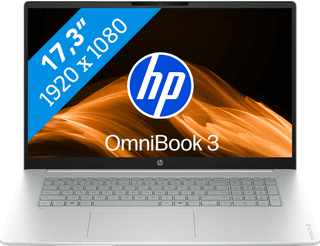

- On the large 17-inch screen, you can keep a clear overview of your work and easily use 2 windows side by side.
- You can smoothly keep track of your email, write texts, or browse the internet while you listen to music.
- You're less bothered by strained eyes thanks to the built-in blue light filter.
799,-
Delivered tomorrow
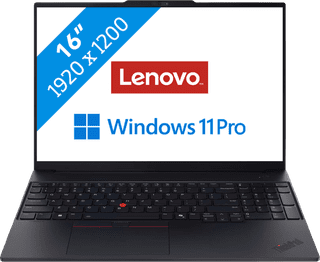
- Open multiple spreadsheets for your budgets side by side and run pivots and make calculations thanks to the Intel Core Ultra 7 processor and 32GB RAM.
- Your laptop and data are well-protected thanks to the discrete TPM chip, so hackers almost can't get into your laptop.
- Thanks to the NPU, you can enjoy a long battery life to keep working longer with the laptop.
1.749,-
Temporarily sold out

- You can see all details of your photos sharply thanks to the WQXGA resolution.
- You can enjoy bright and vibrant colors thanks to the OLED panel.
- You can smoothly edit large photo files in apps like Adobe Photoshop and Lightroom.
1.199,-
Delivered tomorrow

- Thanks to the WUXGA resolution, you can edit photos and video for campaigns with lots of details.
- You can edit company photos in Adobe Photoshop without any problems thanks to the Intel Core Ultra 7 processor and 24GB RAM.
- Thanks to the IPS panel, the colors look lively from every viewing angle.
1.299,-
Delivered tomorrow
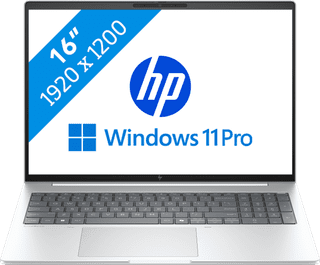
- You can work in programs like Adobe Photoshop and InDesign smoothly thanks to the Core Ultra 7 processor with AI support.
- Thanks to the IPS panel, you can work with bright colors from every viewing angle.
- Thanks to the 100% coverage of the sRGB color space, you can enjoy realistic colors.
1.499,-
Delivered tomorrow

- With the RTX 5070 video card, you can smoothly play demanding games like Microsoft Flight Simulator and Elden Ring in Full HD at 60 fps.
- On the WQXGA screen with 240Hz refresh rate, you can see sharp images and extra smooth movements.
- The NPU and AI functions of the Ultra 9 processor adjust the frame rate and resolution automatically to each other, so you can always game smoothly.
2.599,-
Temporarily sold out

- You can smoothly edit videos in programs like Adobe Premiere Pro.
- You can also continue working a bit on your videos at night, because you quickly see the right keys thanks to the backlit keyboard.
- You can listen to clear sound of your videos via the Dolby Audio speakers.
1.299,-
Temporarily sold out

- You can easily take this laptop with you and use it on the go thanks to the compact size and the low 1.4kg weight.
- You don't have to worry much about bumps and scratches thanks to the sturdy casing.
- You can quickly find the right keys in the dark thanks to the backlit keyboard.
831,-
Temporarily sold out
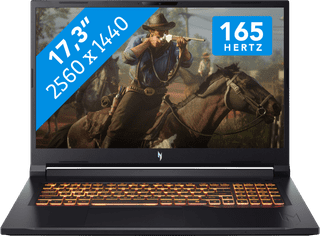
- With the RTX 5070 video card, you can smoothly play demanding games like Microsoft Flight Simulator and Elden Ring in Full HD at 60 fps.
- The 165Hz screen displays fast-moving images smoothly, so you can see your opponents in time.
- In addition to gaming, you can stream in Full HD and edit your gameplay videos thanks to the Ryzen 7 processor
1.999,-
Temporarily sold out
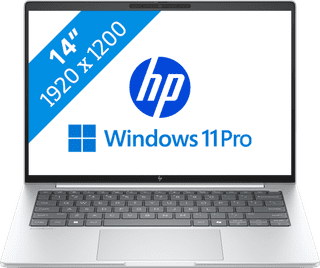
- Thanks to the compact size, you can easily take the laptop with you and continue working on your projects on the train.
- With Windows Pro, you can remotely log in via Remote Desktop, so you can easily continue working on the go.
- Thanks to the aluminum casing, this laptop is well-protected from scratches or bumps.
1.499,-
Delivered tomorrow
- You can enjoy fast-moving images and you can stay one step ahead of your opponent thanks to the RTX 5050 video card and the 144HZ screen.
- You can stream your Fortnite gameplay via Twitch in Full HD thanks to the Intel Core i7 processor and 16GB RAM.
- You can enjoy a true light show while gaming thanks to the RGB backlit keyboard.
1.299,-
Delivered tomorrow
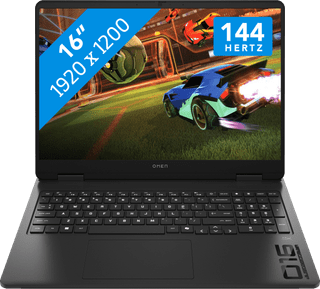
- Play light games in Full HD at 60 fps with the RTX 5050 video card.
- The 2K screen with 144Hz refresh rate provides sharp images and smoothly displays fast movements.
- You don't miss a single command with the anti-ghosting keyboard, because it processes multiple keystrokes at the same time.
1.559,-
Temporarily sold out
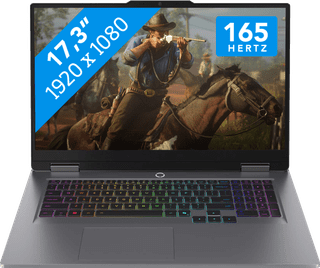
- You can play medium demanding games like Cyberpunk 2077 and Hogwarts Legacy smoothly at 60 fps in Full HD, thanks to the RTX 5060 video card.
- The 165Hz screen displays fast-moving images smoothly, so you can see your opponents in time.
- You don't miss a single command with the anti-ghosting keyboard, because it processes multiple keystrokes at the same time.
2.199,-
Delivered tomorrow
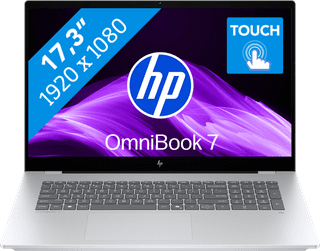
- You can see all the details of your videos well and you can easily work with 2 windows side by side on the large 17-inch screen.
- You can edit photos and videos comfortably and switch between demanding programs smoothly thanks to the powerful processor.
- You can easily make edits to your videos via the touchscreen.
1.429,-
Delivered tomorrow


- You can smoothly switch between different light programs, such as a text document and your browser.
- You can quickly enter numbers and formulas via the numeric keypad.
- You don't have to worry about fingerprints on the screen thanks to the anti-glare layer.
749,-
Delivered tomorrow

- Play light games in Full HD at 60 fps with the RTX 5050 video card.
- With the programmable RGB lighting per individual key, you can give important keys different colors so they stand out more while gaming.
- In addition to gaming, you can stream in Full HD and edit your gameplay videos thanks to the Ryzen 7 processor
1.399,-
Delivered tomorrow