With a business USB-C monitor, you combine power, data, and image in one. You can easily connect your laptop or other device via the USB-C connector of these business monitors. This connector transmits image signals, transfers data, and in most cases charges your device during use. Thanks to this, you only need 1 cable and your desk stays tidy and organized. Do you have a MacBook? Check out business monitors with Thunderbolt 3 connectors. This connector is 2 times faster than USB-C and works even better with Mac computers.
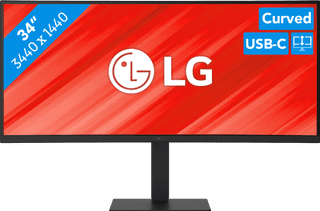

Our choice for a business monitor for data and finance tasks|Curved|None pivot function|1440 pixels
- The large ultrawide size allows you to open multiple windows side by side, such as an Excel sheet and a Word document.
- Thanks to the Quad HD resolution, you can see numbers in columns and rows more sharply.
- Thanks to the 100Hz refresh rate, you can smoothly scroll through long spreadsheets and web pages without the text becoming blurry.
377,-
Delivered tomorrow


Our choice for a 27-inch monitor for photo and video editing|Not curved|USB-C connector|Pivot function
- You can edit the tiniest details of photos and videos thanks to the 4K resolution, DisplayHDR 400 support, and DCI-P3 color coverage.
- Thanks to the IPS panel, you can see bright colors and sharp images from every viewing angle.
- Thanks to the USB-C dock, you can charge your laptop, transfer data, and transmit image signals with 1 cable.
409,-
399,-
Delivered tomorrow