Coolblue's Choice Monitors with HDMI connection
35 monitors
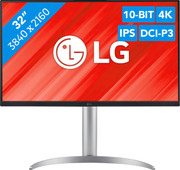
Our choice for a monitor for demanding graphic design
|
31,5 inches
|
Refresh rate 60 Hz
|
4K (UHD)
- You can enjoy sharp images and realistic colors thanks to the 4K resolution and HDR support.
- Thanks to the IPS panel, you can see bright colors from every viewing angle.
- You can enjoy high color contrasts thanks to the DCI-P3 color space, so you can see more differences between light and dark colors.
Our choice for Quad HD gaming or better with an RTX 5070 video card
|
34 inches
|
Refresh rate 180 Hz
|
Quad HD (1440p)
- You can game with smooth images because of the 180Hz refresh rate and 1ms response time.
- Thanks to the Quad HD resolution and HDR10 support, the virtual world around you looks lifelike.
- The G Sync support adjusts the fps of your video card to your monitor refresh rate, so you can game without screen tearing.
Our choice for a business monitor for data and finance tasks
|
34 inches
|
Refresh rate 100 Hz
|
Quad HD (1440p)
- The large ultrawide size allows you to open multiple windows side by side, such as an Excel sheet and a Word document.
- Thanks to the Quad HD resolution, you can see numbers in columns and rows more sharply.
- Thanks to the 100Hz refresh rate, you can smoothly scroll through long spreadsheets and web pages without the text becoming blurry.
Our choice for a smart monitor for streaming series or movies
|
32 inches
|
Refresh rate 60 Hz
|
4K (UHD)
- You can use this monitor with or without a computer thanks to the built-in smart hub, so the screen also works as a television.
- Thanks to the 4K resolution, you can enjoy your favorite movies or series with sharp images.
- Thanks to the USB-C dock, you can provide your connected peripherals with power and transfer data and images with 1 cable.
Our choice for a gaming monitor for Fortnite
|
27 inches
|
Refresh rate 144 Hz
|
Full HD (1080p)
- Thanks to the 144Hz refresh rate and 1ms response time, you see every opponent quickly and sharply while playing Fortnite.
- Thanks to the IPS panel, you can enjoy lifelike colors from every viewing angle.
- You can tilt the screen so you're less bothered by reflecting images due to sunlight, for example
Our choice for a gaming monitor for Elden Ring
|
32 inches
|
Refresh rate 165 Hz
|
4K (UHD)
- Thanks to the 4K resolution on the large 32-inch screen, the Elden Ring landscapes look even more realistic.
- You can enjoy the best color contrasts and black levels thanks to the OLED panel with DisplayHDR 400 support.
- Thanks to the 165Hz refresh rate, you can control your character smoothly through the Elden Ring world.
Our choice for a gaming monitor for 4K gaming or better with an RTX 4090 video card
|
32 inches
|
Refresh rate 240 Hz
|
4K (UHD)
- You can game with the sharpest images and the best color contrasts thanks to the 4K resolution and the OLED panel.
- Because of the 240Hz refresh rate and 0.03ms response time, opponents come into frame quickly and sharply.
- The G-Sync support adjusts the fps of your video card to the monitor refresh rate, so you can game without screen tearing.
Our choice for a 24-inch monitor for photo and video editing
|
23,8 inches
|
Refresh rate 75 Hz
|
Quad HD (1440p)
- Thanks to the high color coverage of 116% of the sRGB color gamut, you can see vibrant and accurate colors.
- You can see bright colors from every viewing angle thanks to the IPS panel.
- You can enjoy sharp images thanks to the Quad HD resolution, so you can see more details in your photos and videos.
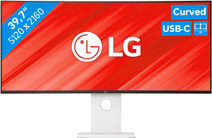
Our choice for an ultrawide monitor for demanding graphic design
|
39,7 inches
|
Refresh rate 120 Hz
|
5K
- Thanks to the large 40-inch screen size, you can open multiple programs at once, such as Adobe Photoshop and Premiere Pro.
- You can edit images with razor-sharp details thanks to the 5K resolution and DisplayHDR 600 support.
- You can enjoy high color contrasts thanks to the DCI-P3 color space, so you can see more differences between light and dark colors.
Our choice for a 27-inch monitor for daily use
|
27 inches
|
Refresh rate 100 Hz
|
Full HD (1080p)
- Thanks to the large 27-inch screen, you can work on multiple windows at the same time.
- You won't be bothered by neck and back complaints thanks to the ergonomically adjustable screen, so you can work for longer.
- Thanks to the built-in blue light filter, you're less bothered by strained eyes, so you can keep working for longer.
Our choice for a 27-inch monitor for photo and video editing
|
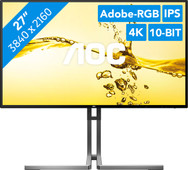
27 inches
|
Refresh rate 60 Hz
|
4K (UHD)
- You can edit the tiniest details of photos and videos thanks to the 4K resolution, DisplayHDR 400 support, and DCI-P3 color coverage.
- Thanks to the IPS panel, you can see bright colors and sharp images from every viewing angle.
- Thanks to the USB-C dock, you can charge your laptop, transfer data, and transmit image signals with 1 cable.
Our choice for a gaming monitor for QHD gaming or better with an RTX 5060 video card
|
23,8 inches
|
Refresh rate 180 Hz
|
Quad HD (1440p)
- You can game with smooth images because of the 180Hz refresh rate and 1ms response time.
- Thanks to the Quad HD resolution and HDR10 support, the virtual world around you looks lifelike.
- The G Sync support adjusts the fps of your video card to your monitor refresh rate, so you can game without screen tearing.
Our choice for 4K gaming or better with an RTX 5080 video card
|
27 inches
|
Refresh rate 240 Hz
|
4K (UHD)
- Thanks to the 4K resolution, the details of your favorite game look razor-sharp
- You can enjoylifelike colors and vibrant images thanks to the OLED panel.
- Thanks to the 240Hz refresh rate and 0.03ms response time, you can game with smooth images and you're not bothered by screen tearing.