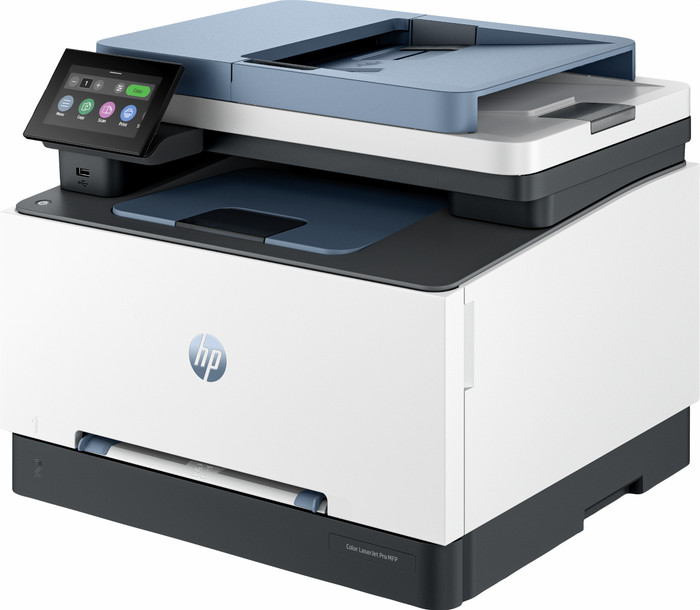



anything for a smile
Our choice for a printer for freelancers or a small office
No extra ink

Better model
If you purchase this printer, you receive a 3-year warranty. This way, you have the default 1-year warranty and 2 extra years of warranty. You can register your promotional product for the HP promotion until 60 days after purchase. Go to the promotional Terms and Conditions for more information.

Product number | 948625 | |
|---|---|---|
Manufacturer code | 499Q8F | |
Brand | HP | |
Warranty | 2 years | |
Processing of your defect | Via Coolblue |
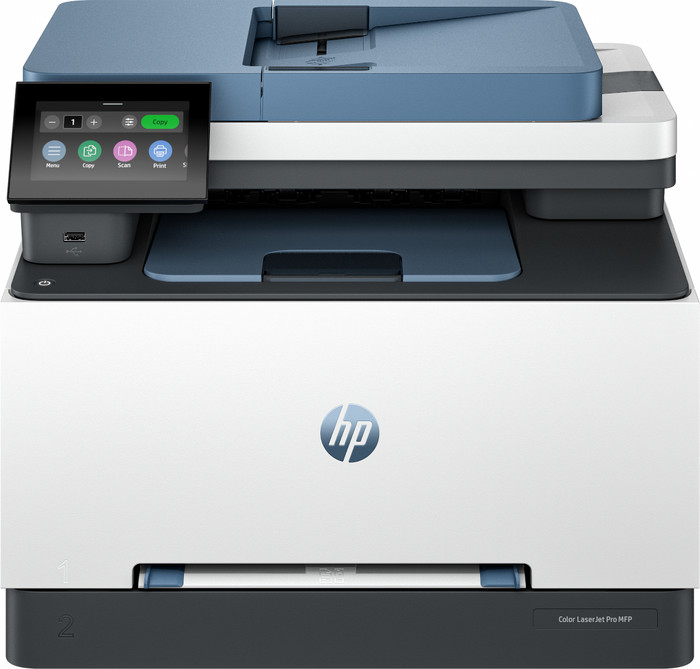
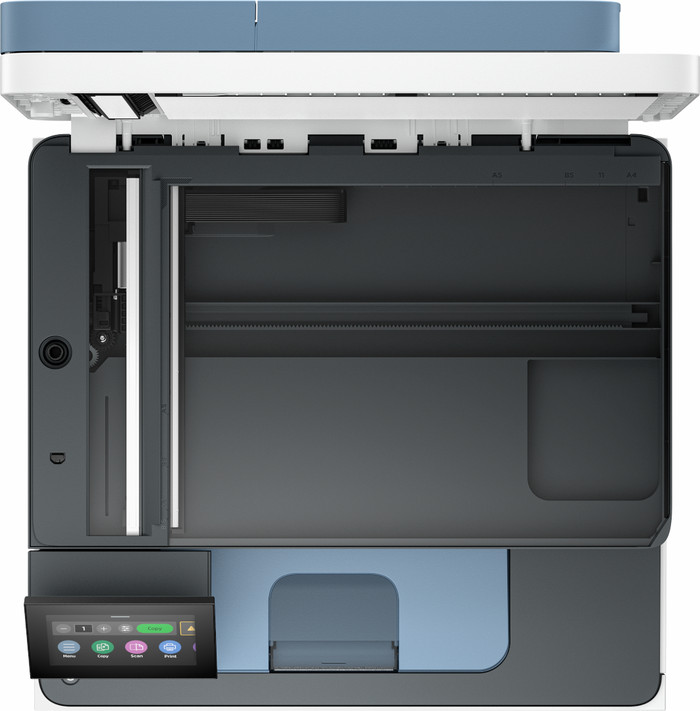
Printer size | Large | |
|---|---|---|
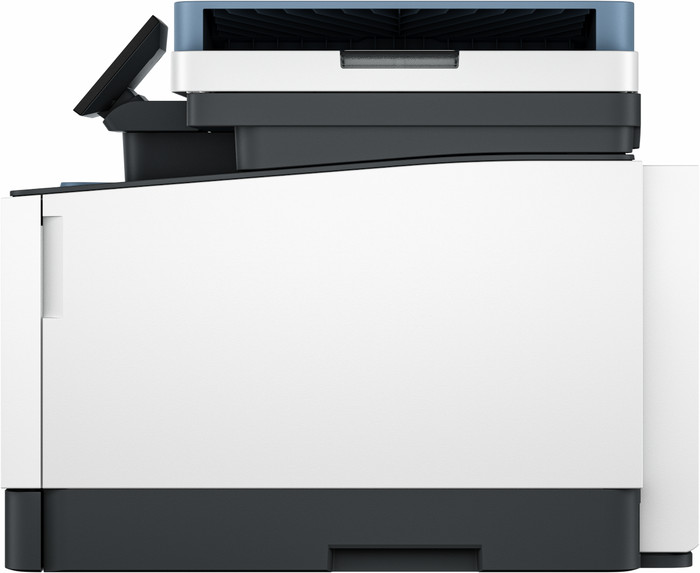
Width | 41,8 cm | |
Depth | 41,91 cm | |
Height | 34,13 cm | |
Color | White | |
Weight | 17,1 kg |
Printer type | All-in-one | |
|---|---|---|
Photo printer | ||
Print quality photos | Mediocre | |
Portable (mobile use) | ||
Recommended for use printers | Business printing |
Usage costs for 1 page | 4 eurocents | |
|---|---|---|
Toner cartridge line | HP 219 | |
Print technology | Laser | |
Type of ink | Toner cartridges | |
Number of cartridges/toner cartridges | 4 | |
Color printer | ||
Print speed black (ISO) | 25 ppm | |
Print speed color (ISO) | 25 ppm | |
First black page ready after | 11,5 seconds | |
Speed class | Very good | |
Maximum print resolution height | 600 dpi | |
Maximum print resolution width | 600 dpi | |
Maximum print size | A4 | |
Automatic duplex printing | ||
Borderless printing | ||
Maximum print size duplex printing | A4 |
Scan functionality | ||
|---|---|---|
Automatic duplex scanning | ||
Maximum optical scan resolution width | 1200 dpi | |
Maximum optical scan resolution height | 1200 dpi | |
Scanner type | File scanner, Flatbed scanner | |
Maximum scan size | A4 (21x29.7cm) | |
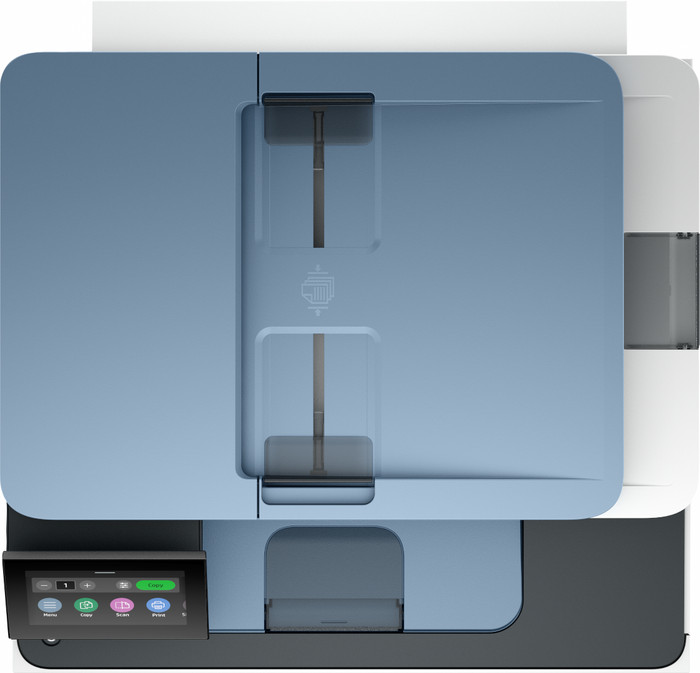
Automatic document feeder (ADF) | ||
Maximum paper size ADF | A4 | |
Scan sizes | A4, A5 | |
Scan speed (PPM) | 19 ppm | |
Color depth output | 24 bpp | |
Scan to | App, Application, Cloud, Email, Email address, File, Folder, Image, Network, PC (local), PC (network), PDF | |
ADF capacity | 50 | |
OCR |
Copying functionality | ||
|---|---|---|
Copy speed black (ISO) | 34 ppm | |
Copy speed color (ISO) | 16 ppm | |
Maximum copy resolution height | 600 dpi | |
Maximum copy resolution width | 600 dpi |
Fax functionality | ||
|---|---|---|
Color fax |
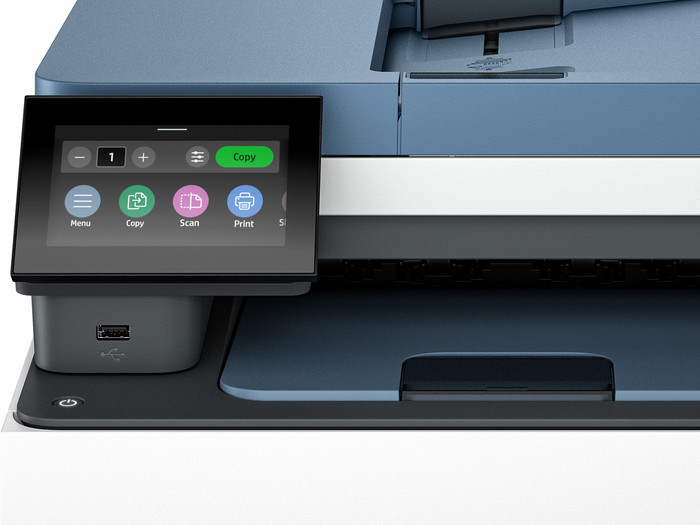
Built-in screen | ||
|---|---|---|
Color screen | ||
Touchscreen |
Compatible with operating system | Android, Linux, Windows, iOS, macOS | |
|---|---|---|
Connection type | Wired, Wireless | |
Apple AirPrint | ||
Email print | ||
WPS (Wireless Protected Setup) | ||
Female standard USB-A port version | 2.0 | |
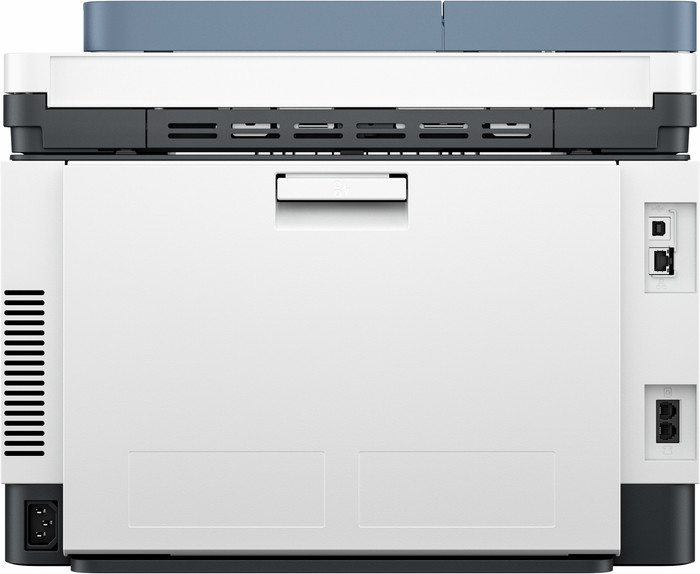
Ethernet port | ||
Number of Ethernet ports | 1 | |
NFC | ||
Built-in WiFi | ||
WiFi frequency printers | 2.4GHz, 5GHz | |
WiFi direct | ||
Bluetooth | ||
Bluetooth version | 5.1 | |
USB port |
Location paper input | Front | |
|---|---|---|
Manual input tray | ||
Photo paper drawer | ||
Output capacity output drawer | 100 | |
Maximum print size standard paper tray | A4 | |
Input capacity standard paper tray | 250 | |
Number of standard paper trays | 1 |
Memory card reader |
|---|
Quality mark sustainable company | CDP A List, EcoVadis Platinum, Responsible Business Alliance, Science Based Targets initiative (SBTi) | |
|---|---|---|
Quality mark sustainable product | EPEAT Silver, Energy Star |
Receive more coverage in case of damage than with your standard warranty. Coolblue takes care of everything: from taking out the insurance to repairs. Is a repair not possible? You receive the purchase price as CoolblueCredit.
XCover is allowed to arrange and process insurances on behalf of the insurer. The insurances are governed by Belgium law. If you have a complaint, you can contact the or our customer service.
First, add your printer to your shopping cart. On the next page, choose the Protection Plan below. You always have a 30-day return window and pay no deductible in case of damage.
The insurance can be canceled every year, even if you have paid in advance. If you cancel earlier, you will receive a refund for the overpaid amount.

Installation ease
Options
Print quality
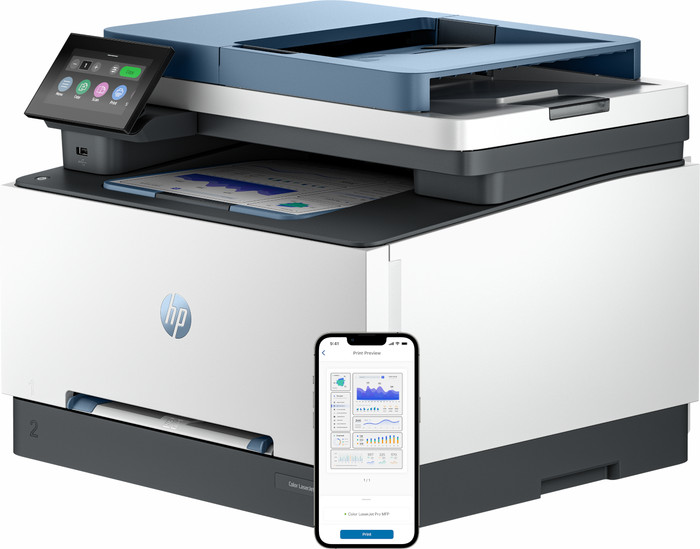
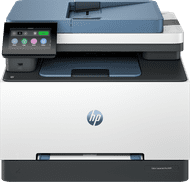
With the HP Color LaserJet I have a secure office printer that automatically scans and prints on both sides. The printer is large and heavy, which makes it difficult for me to move it.
Quick installation With this printer, the toners are already in the printer, which saves a lot of time during installation. I also immediately connect the printer to WiFi. I am on the same WiFi network with my Macbook and immediately send my first print job. Because I print via WiFi direct or Apple AirPrint, I don't need any additional drivers or apps. This way, I have my first document in my hands within 10 minutes of setting up the printer. I find the HP Smart app useful because I can set shortcuts on it. The printer also has a USB input, so I can also print via a USB cable or stick. Due to the large size and heavy weight, I cannot easily move the printer.
Double-sided printing and scanning The great thing about this laser printer is that it has many different functions. So I not only scan, copy and print, but I even send a fax. I often copy large documents, and I do this easily and quickly with this printer. I place my document in the automatic document feeder and the printer does the rest. This way I can quickly have my handout ready. I automatically print double-sided, which also saves on paper. I even scan double-sided automatically. This is useful when I scan or copy double-sided documents.
Good quality and speed The printer has surprisingly good print quality. My texts are very sharp on paper and even the colors pop off the paper. The quality of copied documents is also good. The printer prints at a speed of approximately 25 pages per minute, which is average for an office printer. When printing on both sides, the printer takes longer.
Many security options The Color LaserJet 3302fdw was specially developed for the office, so I use several safety options. For example, I set a unique administrator password, which prevents other colleagues from adjusting the printer settings. I can see all print jobs in my print history. I also add multiple users to the printer. I also adjust the printer's sleep mode, which uses less energy.
Kayleigh. Printer specialist.
5 July 2024
Automatically translated from Nederlands
All printers have always been HP here at home. So I was looking forward to this new special printer, giant for a home user small office: the HP 3302 fdw. Below is a review of the quality of the printer and scanner (fax not installed) as well as the experiences with HP helpdesk. Installing the printer is easy for the average user. You can choose from an extensive multi-user office setup and a standard small office (I did the latter). It takes little effort and time. For the scanner you will spend a little more time because the special software HP scan (in addition to HP smart) still needs an update that is not easy (even the helpdesk did not succeed - later I succeeded). This software appears to be no longer supported by HP so this is actually redundant software that is added during installation. HP Smart is sufficient as user software for scanning. Then you check a few things. Print quality is fine and can even reach great heights with the best quality. Little or nothing to complain about. It is strange that the printer comes with refilled cartridges, which HP then reports in HP Smart with the remark that the warranty expires for refilled copies ... Further testing shows that the date entered during installation in the Tasks does not lead to the same date: the factory date is still taken as the starting point (and calculated from that date). Initially, HP indicated that they were not aware of this problem and would repeat the installation. That did not provide a solution. In the second instance, it was noted and during the very last of the many contacts with HP, I was asked whether I was bothered by it and if not, that the problem was not actually disruptive (so no whining ...). When you want to reset or perform other printer-specific tasks, you come across a password to be entered for a user or administrator, while you never activated it during installation. The manual does not mention anything about this. The HP chat helpdesk lets you reinstall everything and then simply breaks off the call. When you contact them again later (via chat or by phone), you have to go through the entire procedure again because they don't care about an ID number. Via HP contact, I eventually got a link to a video on YouTube that indicates that this is the pin code that is in the printer. The scanner: I have been using an HP 8715 all-in-one for almost seven years without any problems. Unfortunately, the HP 3302 fdw appears to have quirks when you scan. Sometimes it works well and sometimes (often) it doesn't: the scan bar gets stuck while the display indicates that the scan has been sent or the scan bar moves but a white scan is visible on the PC screen. After the printer has been turned off and restarted, the scanner works again (for as long as it takes). More about this under the review about HP helpdesk. After extensive testing, it seems that this mainly happens when there is some time between scanning different documents. In addition, the display is an obstacle when scanning, for example, a music book (I do this for my tablet that I use when making music so that I can leave the books at home). This is really inconveniently placed and means that you have to hold the books folded or half up in order to be able to scan one page properly. The various problems mentioned have led to me testing approximately five different copies in just over two months: a replacement device was sent each time. Some of these also gave problems with offline and online. (NB: the deliveries and returns of the devices with UPS were a drama: they never arrived on the planned / communicated day. But that was not the problem of the Helpdesk, I was told). The HP helpdesk was therefore consulted many times during this period. First via the international chat (USA employee). This was downright dramatic: they work through a flowchart and expect you to stupidly carry out every step even if you indicate that you have already done this three times before without success. In the worst case, they simply do not respond anymore. Then I was “assigned” a special employee of HP NL. This amiable and technically skilled man took all the time and together with me he went through all the steps of the installation again. He was an oasis of calm and expertise in these turbulent weeks. But unfortunately he too could not figure it out and sent a new copy several times after which the problems persisted. Eventually this man was removed from the company by HP after a few weeks and I got a very dominant, unfriendly woman on the phone who seemed to have only goals of not wanting to listen to the customer, to accuse the customer that this was all very expensive for HP, to want to close the case and even claimed that I had arranged replacement of the printer myself while this had always been done by employees and never suggested by me. She attributed the scanning problem to the Wi-Fi amplifiers while the printer was now connected to the network with an Ethernet cable and had also been tested by me with a direct connection between the printer and the PC with the router. She was obviously not interested in that. Her conclusion, undisturbed and very impetuously worded, was that she had solved the case and did not want to talk about it any more and HP was done with support. Her colleagues would receive further training ... Counterarguments, verbal or written, were declared inadmissible. Case closed. Conclusion more than two months later: excellent printer with nice prints, easy installation, incorrect date processing, unreliable scanner, hopeless HP helpdesk.
TestJVR
12 February 2025
Automatically translated from Nederlands
A good choice thanks to the sellers' good explanations and help.
Mark
17 September 2024
Automatically translated from Nederlands
Our digital expert will help you, but it can sometimes make mistakes, like humans do.
According to our printer expert
All in 1 device: you can print, scan, and copy with this all-in-one printer.
For regular printing: the print speed is fast, so you won't have to wait long for your print.
Save paper: thanks to the automatic duplex printing function, the printer prints on both sides of the paper.
Not for A3 paper: an A4 printer only prints on A4 and smaller sizes, not on A3 or A3+ paper.
Takes up a lot of space: the printer doesn't fit on your desk because of its large size.
379,-
379,-
Current product
All-in-one
All-in-one
All-in-one
All-in-one
All-in-one
Very good
Excellent
Very good
Excellent
Good
379,-
519,-
349,-
476,-
347,-
Delivered tomorrow
Delivered tomorrow