

Coolblue's Choice LG monitors
7 monitors
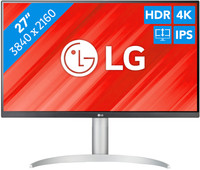

Our choice for a monitor for video editing
|
27 inches
| 3840x2160 resolution
| HDMI, DisplayPort

- You can edit the best videos with razor-sharp images and colorful details thanks to the 4K resolution, HDR10, and DisplayHDR 400 support.
- You can enjoy high color contrasts thanks to the DCI-P3 color space, so you can see more differences between light and dark colors.
- The screen is tiltable and adjustable in height, so you can work with a comfortable sitting posture and you're not bothered by your neck or back.
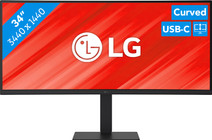
Our choice for a business monitor for data and finance tasks
|
34 inches
| 3440x1440 resolution
| HDMI, DisplayPort, USB-C
- The large ultrawide size allows you to open multiple windows side by side, such as an Excel sheet and a Word document.
- Thanks to the Quad HD resolution, you can see numbers in columns and rows more sharply.
- Thanks to the 100Hz refresh rate, you can smoothly scroll through long spreadsheets and web pages without the text becoming blurry.
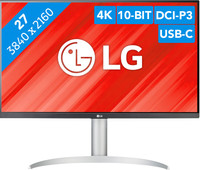
Our choice for a monitor with USB-C for your MacBook or iMac
|
27 inches
| 3840x2160 resolution
| HDMI, DisplayPort, USB-C
- You can connect your MacBook or iMac to this USB-C monitor without a converter.
- Thanks to the 4K resolution, this monitor displays images from your MacBook or iMac sharply and in detail.
- You can adjust the monitor in height or tilt it for an ergonomic sitting posture, so you're less bothered by neck or back complaints.
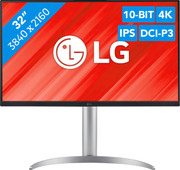
Our choice for a monitor for demanding graphic design
|
32 inches
| 3840x2160
| HDMI, DisplayPort, USB-A, USB-B, USB-C

- You can enjoy sharp images and realistic colors thanks to the 4K resolution and HDR support.
- Thanks to the IPS panel, you can see bright colors from every viewing angle.
- You can enjoy high color contrasts thanks to the DCI-P3 color space, so you can see more differences between light and dark colors.

Our choice for a gaming monitor for immersive games
|
27 inches
| 2560x1440 resolution
| HDMI, DisplayPort
- Thanks to the Quad HD resolution, the details of the characters and landscapes of your open world games look lifelike.
- Thanks to the IPS panel, you can enjoy lifelike colors from every viewing angle.
- You can game with smooth images without slowing down thanks to the 180Hz refresh rate and 1ms response time
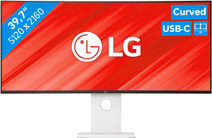
Our choice for an ultrawide monitor for demanding graphic design
|
40 inches
| 5120x1440 resolution
| HDMI, USB-C
- Thanks to the large 40-inch screen size, you can open multiple programs at once, such as Adobe Photoshop and Premiere Pro.
- You can edit images with razor-sharp details thanks to the 5K resolution and DisplayHDR 600 support.
- You can enjoy high color contrasts thanks to the DCI-P3 color space, so you can see more differences between light and dark colors.
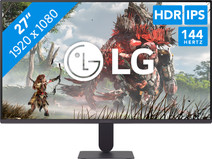
Our choice for a gaming monitor for Fortnite
|
27 inches
| 1920x1080 resolution
| HDMI

- Thanks to the 144Hz refresh rate and 1ms response time, you see every opponent quickly and sharply while playing Fortnite.
- Thanks to the IPS panel, you can enjoy lifelike colors from every viewing angle.
- You can tilt the screen so you're less bothered by reflecting images due to sunlight, for example
