Written by Giorgos
Edited on
5 December 2025
·
08:22
What's the HP OMEN Gaming Hub?
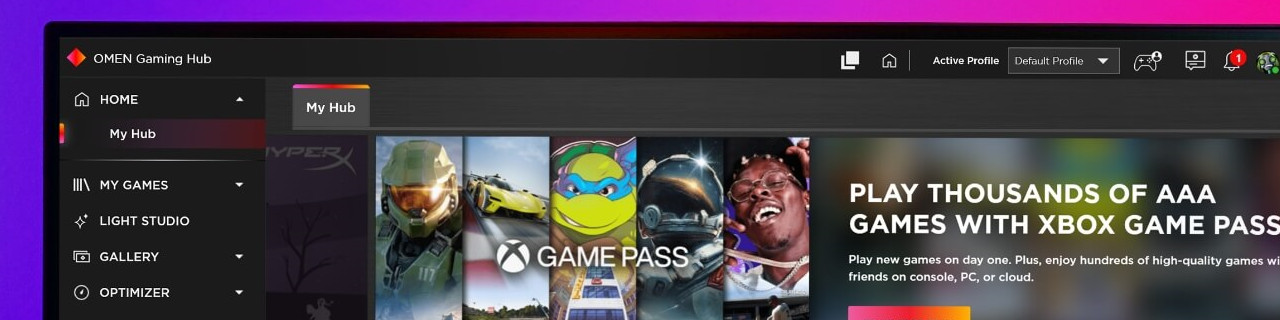
HP OMEN Gaming Hub is the app in which you can easily adjust and keep track of the settings of your HP gaming PC. You can set the RGB lighting, keep track of your performance, and have an overview of your game library here. In this advice article, we'll explain what you can do with the HP OMEN Gaming Hub.

What's the HP OMEN Gaming Hub?
In the HP OMEN Gaming Hub, you have an overview of everything that's happening on your gaming PC. The 3 most important functions are OMEN Oasis, Game Library, and Light Studio. With OMEN Oasis, you have an online meeting room that you can share gameplay and games with 15 others in. In Game Library, you have an overview of your games, and you can adjust the RGB lighting of your computer and all accessories in Light Studio. That way, you have all information at your fingertips.

What's OMEN Oasis?
OMEN Oasis is a digital playroom for you and 15 others where you can share gameplay and chat with each other. One person can stream the gameplay while others can watch or play along. OMEN Oasis has a few pre-installed games that you can play together on 1 screen. For this digital chatroom, you need a general HP account that you connect to the OMEN Gaming Hub. We also recommend a stable, wired connection for the organizer so you don't experience lag or screen tearing.

What's Game Library?
The Game Library is more than just a game library. In addition to an overview of all your games, Game Library gives you priority access to new games and you can win special prizes. You can also see the performance of your computer components while you're gaming. You can use this to adjust your game settings if you need a bit more frames, for example. You can adjust the Game Library to your own liking. With over 1000 background photos, you can customize this environment however you want.

What's HP Light Studio?
You can adjust the RGB lighting in HP Light Studio. In addition to your gaming laptop or gaming desktop, you can connect all your accessories. Have an RGB lamp or another fun accessory with light? Create a lay-out of the smallest details of your desk in this app and you'll have a good overview that you can choose the right light settings in.
Article by Giorgos
Laptop Expert.