

Coolblue's Choice End of Year Deals computer, tablet, and accessory deals
14 results
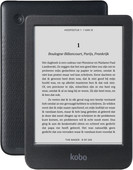

Our choice for an e-reader for on the go
|
6-inch E-ink touchscreen
| 16GB storage
| Water-resistant
- You can easily hold this e-reader with 1 hand.
- Connect your headphones or earbuds via Bluetooth and listen to audio books.
- We recommend the Kobo Clara BW if you often take your e-reader on the go.
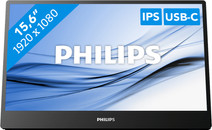
Our choice for a portable monitor for on the go
|
16 inches
| 1920x1080 resolution
| USB-C

- Thanks to the small screen size, you can take this monitor with you everywhere and you always have a second screen on hand.
- You won't be bothered by tired or irritated eyes thanks to the EasyRead Mode.
- Thanks to the tiltable screen, you're less bothered by reflecting images due to sunlight, for example.
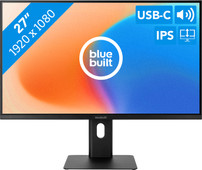
Our choice for a 27-inch monitor for daily use
|
27 inches
| 1920x1080 resolution
| Headphones, DisplayPort, HDMI, USB-C

- Thanks to the large 27-inch screen, you can work on multiple windows at the same time.
- You won't be bothered by neck and back complaints thanks to the ergonomically adjustable screen, so you can work for longer.
- Thanks to the built-in blue light filter, you're less bothered by strained eyes, so you can keep working for longer.
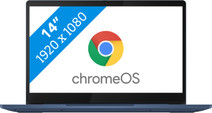
Our choice for a Chromebook for internet, email, and text processing
|
ChromeOS instead of Windows
| MediaTek Kompanio 520 - 4GB - 64GB Flash
| Anti-glare screen
- You can smoothly work in different apps like Google Chrome, Google Docs, or YouTube.
- You can easily use this Chromebook easily in different places and take it with you carefree thansk to the low weight.
- You're less bothered by light glare or fingerprints thanks to the anti-glare screen.

Our choice for a Windows laptop for browsing the internet, sending emails, and text processing
|
Internet, email, and text processing
| Intel Core 3 | 8GB | 512GB SSD
| Anti-glare screen
| Privacy switch
- You can browse the internet, write texts, and keep track of your emails in programs like Word and Outlook.
- You can quickly enter numbers and formulas via the numeric keypad.
- You don't have to worry about fingerprints on the screen thanks to the anti-glare layer.

Our choice for a 15-inch gaming laptop that you can use to play medium demanding games
|
Powerful enough for gaming
| Intel Core i7 | 16GB | 512GB SSD
| NVIDIA GeForce RTX 5060
| 144Hz
| Backlit keyboard
- You can play medium demanding games like Cyberpunk 2077 and Hogwarts Legacy smoothly at 60 fps in Full HD, thanks to the RTX 5060 video card.
- The 144Hz screen shows fast-moving images smoothly, so you see your opponents in shooters in time.
- In addition to gaming, you can stream in Full HD and edit your gameplay videos thanks to the Intel Core i7 processor and 16GB RAM.
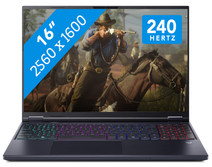
Our choice for a 16-inch gaming laptop that you can use to stream in 4K
|
Powerful enough for gaming and streaming
| Intel Core Ultra 9 | 32GB | 1TB SSD
| NVIDIA GeForce RTX 5070
| 240Hz
| RGB backlit keyboard
- You can play demanding games like Elden Ring and Flight Simulator at 60 fps in Full HD or older games in QHD or even 4K, thanks to the RTX 5070 GPU.
- Enjoy the fastest images and play your games with the highest frame rates on the 240Hz screen.
- In addition to gaming, you can stream in 4K and edit your gameplay videos thanks to the Intel Core Ultra 9 processor and 32GB RAM.

Our choice for a desktop for daily use
|
Intel Core i5-14400
| 16GB | 512GB SSD
| Intel UHD Graphics 730
- You can browse the internet, write texts, and keep track of your emails in programs like Word and Outlook.
- Thanks to the small size, you can place the desktop easily on every desk.
- You have enough ports to connect accessories, such as a mouse and keyboard.

Our choice for a monitor for demanding graphic design
|
31.5 inches
| 3840x2160 resolution
| HDMI, DisplayPort

- You can enjoy razor-sharp images and realistic colors thanks to the 4K resolution and HDR support.
- Thanks to the IPS panel, you can see bright colors from every viewing angle.
- You can enjoy high color contrasts thanks to the DCI-P3 color space, so you can see more differences between light and dark colors.
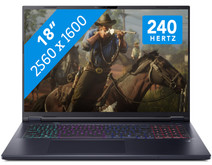
Our choice for an 18-inch gaming laptop you can use to play demanding games
|
Powerful enough for gaming and streaming
| Intel Core Ultra 9 | 32GB | 1TB SSD
| NVIDIA GeForce RTX 5070
| 240Hz
| RGB backlit keyboard
- You can play demanding games like Elden Ring and Flight Simulator at 60 fps in Full HD or older games in QHD or even 4K, thanks to the RTX 5070 GPU.
- On the large 18-inch screen with a 240Hz refresh rate, you won't miss a single detail in your game.
- In addition to gaming, you can stream in 4K and edit your gameplay videos thanks to the Core Ultra 9 processor and 32GB RAM.
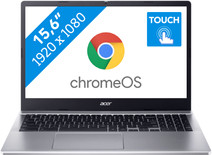
Our choice for a Chromebook for primary school
|
ChromeOS instead of Windows
| Intel N100 - 4GB - 64 eMMC
| Touchscreen
| Anti-glare screen
- You can easily open a number of apps at once, such as watching videos via YouTube or make small assignments via the browser.
- You can smoothly swipe through apps, play games, or take notes during class via the touchscreen.
- Brightly-lit classrooms won't bother you, because you have less reflections thanks to the anti-glare screen.

Our choice for a MacBook for video editing
|
Apple M4 Pro chip | 24GB RAM | 1TB storage
| 14 inches
| Liquid Retina XDR
- With the M4 Pro chip, you can edit large video files in demanding programs like Adobe Premiere Pro.
- On the 1600-nit Liquid Retina XDR display, you can see lifelike colors and every detail.
- This MacBook is the best choice for you if you edit many video files.
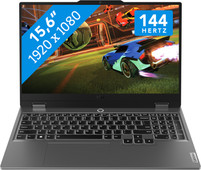
Our choice for a 15-inch gaming laptop that you can use to play light games
|
Powerful enough for gaming
| Intel Core i5 - 24GB - 512GB SSD - RTX 3050
| 144Hz
| Backlit keyboard
- You can play light games such as Fortnite, Call of Duty, and Minecraft thanks to the RTX 3050 and fast Intel Core i5 processor.
- The 144Hz screen displays fast-moving images smoothly, which is useful for fast-paced shooters like Apex Legends and Fortnite.
- In addition to gaming, you can talk easily with your friends via Discord or stream in high quality via Twitch.
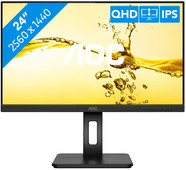
Our choice for a 24-inch monitor for photo and video editing
|
24 inches
| 2560x1440 resolution
| HDMI, DisplayPort, USB-A
- Thanks to the high color coverage of 116% of the sRGB color gamut, you can see vibrant and accurate colors.
- You can see bright colors from every viewing angle thanks to the IPS panel.
- You can enjoy sharp images thanks to the Quad HD resolution, so you can see more details in your photos and videos.
