Laptops with a mid-range screen
Laptops with a mid-range screen have an IPS, OLED, OR AMOLED panel type and a resolution from Full HD to Quad HD. You can see all details sharply on the screen this way, which is nice when you work in image editing. The screen also has a brightness of at least 251 nits, so you can also see the image well in brightly-lit spaces.
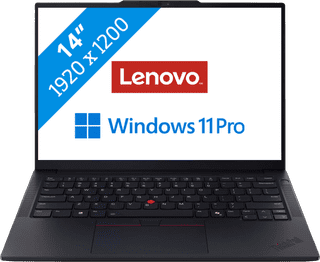

Our choice for a business laptop for data analysis|Powerful enough for business use|Intel Core Ultra 7 255H | 32GB | 1TB SSD|AI support
- You can quickly perform data analyses thanks to the Intel Core Ultra 7 processor and 32GB RAM.
- Thanks to the discrete TPM chip, your data and other sensitive information is well-protected.
- Thanks to the built-in NPU chip, you can enjoy a longer battery life.
1.449,-


Our choice for a business laptop for marketing and content management|Powerful enough for business use|Intel Core Ultra 5 225U | 24GB | 512GB SSD|AI support
- Thanks to the WUXGA resolution, you can edit photos and video for campaigns with lots of details.
- You can edit company photos in Adobe Photoshop without any problems thanks to the Intel Core Ultra 7 processor and 24GB RAM.
- Thanks to the IPS panel, the colors look lively from every viewing angle.
1.299,-
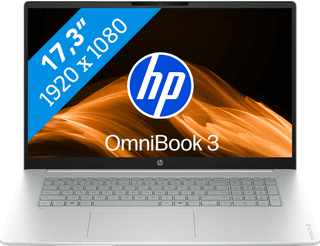
Our choice for a 17-inch Windows laptop for browsing the internet, sending emails, and text processing|Suitable for light programs|AMD Ryzen 5 | 16GB | 512GB SSD|Anti-glare screen
- On the large 17-inch screen, you can keep a clear overview of your work and easily use 2 windows side by side.
- You can smoothly keep track of your email, write texts, or browse the internet while you listen to music.
- You're less bothered by strained eyes thanks to the built-in blue light filter.
799,-
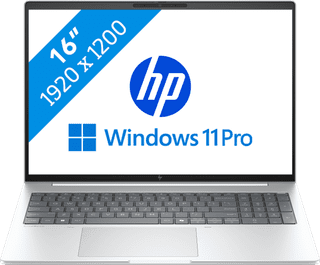
Our choice for a business laptop suitable for photo editing|Powerful enough for business use|Intel Core Ultra 7 256V | 16GB | 512GB SSD|Discrete TPM
- You can work in programs like Adobe Photoshop and InDesign smoothly thanks to the Core Ultra 7 processor with AI support.
- Thanks to the IPS panel, you can work with bright colors from every viewing angle.
- Thanks to the 100% coverage of the sRGB color space, you can enjoy realistic colors.
1.399,-
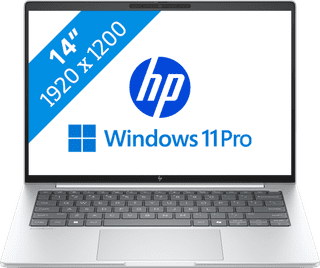
Our choice for a business laptop suitable for on the go|Powerful enough for business use|Intel Core Ultra 7 256V | 16GB | 512GB SSD|Discrete TPM
- Thanks to the compact size, you can easily take the laptop with you and continue working on your projects on the train.
- With Windows Pro, you can remotely log in via Remote Desktop, so you can easily continue working on the go.
- Thanks to the aluminum casing, this laptop is well-protected from scratches or bumps.
1.399,-
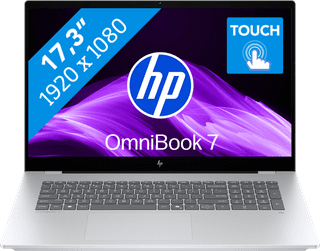
Our choice for a 17-inch Windows laptop for light video editing|Suitable for demanding programs|Intel Core Ultra 7 | 16GB | 1TB SSD|Touchscreen
- You can see all the details of your videos well and you can easily work with 2 windows side by side on the large 17-inch screen.
- You can edit photos and videos comfortably and switch between demanding programs smoothly thanks to the powerful processor.
- You can easily make edits to your videos via the touchscreen.
1.429,-
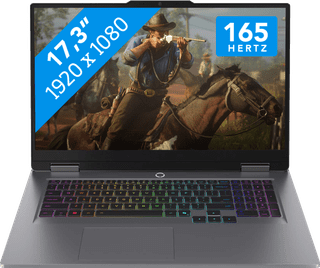
Our choice for a 17-inch gaming laptop that you can use to play medium demanding games|Powerful enough for gaming and streaming|Intel Core i7 | 32GB | 1TB SSD|NVIDIA GeForce RTX 5060
- You can play medium demanding games like Cyberpunk 2077 and Hogwarts Legacy smoothly at 60 fps in Full HD, thanks to the RTX 5060 video card.
- The 165Hz screen displays fast-moving images smoothly, so you can see your opponents in time.
- You don't miss a single command with the anti-ghosting keyboard, because it processes multiple keystrokes at the same time.
2.199,-

Our choice for a Chromebook for on the go|ChromeOS instead of Windows|Intel N150 | 4GB | 128GB Flash|Foldable touchscreen
- You can take this Chromebook easily with you thanks to the low 1.5kg weight.
- You can also store files locally on this Chromebook thanks to the 128GB storage, so you can easily keep working online.
- You can flip the touchscreen 360 degrees to use this Chromebook as a tablet.
479,--17%
399,-