Everything on setting up your home office
Working at home is easier and more comfortable with the right supplies. Think of an extra monitor for next to your laptop or even a second monitor for your computer. You can also connect all your equipment centrally to a docking station. That way, you create your own home office, making it look like you're really working in the office. Whatever you're looking for to complete your workplace, we have it.
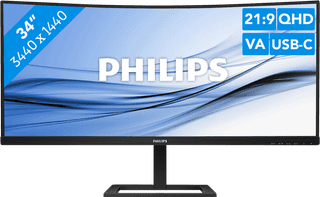


Our choice for an ultrawide monitor for daily use|34 inches|3440x1440 resolution|HDMI, DisplayPort, USB-C
- Thanks to the ultrawide format, you can open multiple windows or programs side by side.
- You can read graphs and tables better and enjoy sharp images thanks to the Quad HD resolution.
- Thanks to the curved screen, you have to twist your head less and you're less likely to get a sore neck.
249,--12%
219,-




Our choice for a mouse for daily use|Wireless Bluetooth|Right-handed|No ergonomic design
- You can use the mouse with maximum 3 devices at the same time via Bluetooth, so you can use everywhere.
- With the 2 programmable thumb buttons, you can easily navigate your browser and other programs.
- Thanks to the laser sensor, you can use this mouse on every surface.
34,99


Our choice for a mouse to work faster|Wireless USB and Bluetooth|Right-handed|Ergonomic design
- Navigate quickly through your favorite settings and shortcuts with the Action Ring.
- Thanks to the Haptic Sense panel, you can feel precise and realistic feedback when you use the mouse.
- With the horizontal scroll wheel and MagSpeed, you can navigate faster through pages and spreadsheets.
119,-




Our choice for a silent mouse|Wireless USB|Left-handed and right-handed|No ergonomic design
- Thanks to the silent buttons, you're no longer bothered by clicking noises and you can work more focused.
- With a wireless mouse, you have more freedom of movement than with a wired mouse.
- This mouse is suitable for both left-handed and right-handed users.
29,99


Our choice for a gaming monitor for competitie gameplay|27 inches|2560x1440 resolution|HDMI, DisplayPort
- Thanks to the 260Hz refresh rate and 1ms response time, you see every opponent in your shooter quickly and sharply.
- You can enjoy sharp images while gaming thanks to the Quad HD resolution.
- Thanks to the IPS panel, you can enjoy lifelike colors from every viewing angle.
169,--12%
149,-


Our choice for an original Apple mouse|Wireless Bluetooth|Left-handed and right-handed|Not ergonomic
- You can swipe, scroll, and click through all of your pages with the multi-touch surface, just like on your iPhone.
- Thanks to the wireless Bluetooth connection, you can take the mouse anywhere.
- The Apple Magic Mouse is the best mouse for you if you're looking for a wireless Apple Mouse for your Apple device.
89,-

Our choice for a docking station for 1 extra monitor with your laptop|USB-C|DisplayPort Alt Mode (MST and SST)|Up to 2 monitors
- You can connect an extra 4K monitor to your laptop for more screen space with this docking station.
- You can charge your laptop with this dock via the USB-C port.
- Connect accessories such as a mouse, keyboard, or hard drive to this docking station.
102,--18%
84,-


Our choice for a mouse that you can connect to multiple devices via Bluetooth|Wireless Bluetooth|Right-handed|Ergonomic design
- Connect the mouse via Bluetooth and use it with up to 3 devices at the same time.
- The Multi-Surface Sensor lets you use the mouse on almost any surface.
- With the 6 programmable buttons, you can easily navigate your browser and your programs.
40,99-12%
35,99

Our choice for a business 24-inch monitor that's energy-efficient|24 inches|1920x1080 resolution|HDMI, DisplayPort, VGA, DVI
- You can save on energy costs thanks to the B energy label and the low energy consumption.
- The automatic brightness adjustment, it lowers the consumption during low activity.
- This monitor is made of recycled plastics, which makes it more sustainable.
139,--7%
129,-


Our choice for a business printer with low printing costs|All-in-one|Inkjet|Color printer
- You can print, scan, and copy with this all-in-one printer.
- With 1 set of ink bottles, you can print up to 7500 black and white pages and 6000 color pages.
- This printer is the best choice for your if you're looking for a business printer with low printing costs.
365,--10%
329,-


Our choice for a mouse that you can often take with you|Wireless Bluetooth|Right-handed|No ergonomic design
- You can easily take this mouse with you in your bag thanks to the smaller size.
- You can easily connect the mouse to multiple devices via Bluetooth and quickly switch between your PC, laptop, and tablet at the press of a button.
- You can use this mouse on every surface thanks to the Darkfield sensor, which is useful if you work in various locations.
78,-

Our choice for a home printer with low printing costs that prints duplex|All-in-one|Inkjet|Color printer
- Thanks to the ink tank technology, you can print thousands of pages with ink bottles.
- Save paper with the automatic duplex printing function.
- This printer is the right choice for you if you're looking for a home printer with low printing costs that allows you to print photos in duplex as well.
243,--18%
199,-




Our choice for an ergonomic mouse|Wireless Bluetooth and USB|Right-handed|Ergonomic design
- Prevent arm and wrist complaints thanks to the ergonomic design of the mouse.
- Quickly and easily scroll through spreadsheets and documents with the smart-flying and horizontal scroll wheels.
- Connect the mouse via Bluetooth or the USB receiver and use the mouse with multiple devices at the same time.
55,--9%
50,-
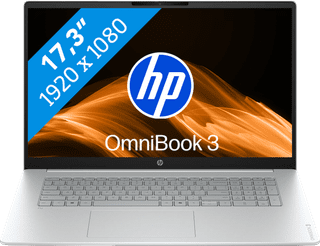

Our choice for a 17-inch Windows laptop for browsing the internet, sending emails, and text processing|Suitable for light programs|AMD Ryzen 5 | 16GB | 512GB SSD|Anti-glare screen
- On the large 17-inch screen, you can keep a clear overview of your work and easily use 2 windows side by side.
- You can smoothly keep track of your email, write texts, or browse the internet while you listen to music.
- You're less bothered by strained eyes thanks to the built-in blue light filter.
799,--13%
699,-
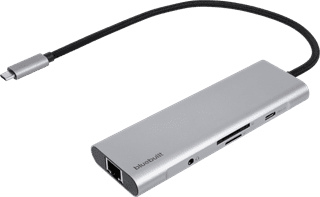
Our choice for a docking station for a flexible workspace with 1 extra monitor|USB-C|DisplayPort Alt Mode (MST and SST)|Up to 1 monitor
- With this dock, you can connect 1 extra 4K monitor to your laptop with USB-C connection.
- Thanks to the small size, you can easily put the dock in your bag and take it anywhere with you.
- Via the Ethernet port of this docking station, you can use stable wired internet.
72,--25%
54,-
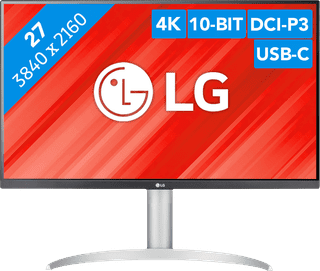

Our choice for a monitor with USB-C for your MacBook or iMac|27 inches|3840x2160 resolution|HDMI, DisplayPort, USB-C
- You can connect your MacBook or iMac to this USB-C monitor without a converter.
- Thanks to the 4K resolution, this monitor displays images from your MacBook or iMac sharply and in detail.
- You can adjust the monitor in height or tilt it for an ergonomic sitting posture, so you're less bothered by neck or back complaints.
269,--7%
249,-
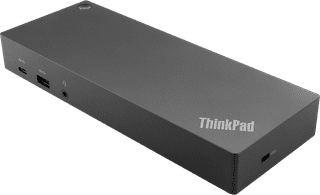

Our choice for a docking station for up to 2 extra monitors with your MacBook|Connect via USB-C or USB-A|USB-A, USB-C, Ethernet, DisplayPort, HDMI, 3.5mm jack|For Windows laptops
- You can connect 2 extra 4K monitors to your MacBook with this dock, so you can have more screen space.
- You can charge your MacBook with this dock via the USB-C port.
- Work with accessories like a keyboard and an ergonomic mouse that you can connect via the USB-A ports.
183,--13%
159,-
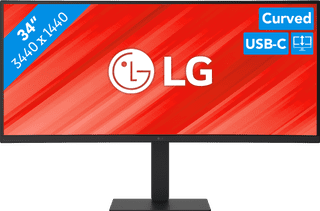
Our choice for a business monitor for data and finance tasks|34 inches|3440x1440 resolution|HDMI, DisplayPort, USB-C
- The large ultrawide size allows you to open multiple windows side by side, such as an Excel sheet and a Word document.
- Thanks to the Quad HD resolution, you can see numbers in columns and rows more sharply.
- Thanks to the 100Hz refresh rate, you can smoothly scroll through long spreadsheets and web pages without the text becoming blurry.
377,--7%
349,-

Our choice for a MacBook for watching movies and series|Apple M5 chip|16GB RAM|10 graphics cores
- You don't miss a single detail of your series on the large 15-inch screen.
- On the Liquid Retina display, details look sharp and colors are clear.
- Thanks to the low weight, you can comfortably use your MacBook wherever you are.
1.549,-

Our choice for a MacBook for on the go|Apple M5 chip|16GB RAM|8 graphics cores
- Thanks to the small size, your MacBook is easy to use and fits on small tables.
- This MacBook is very light, so you can easily take it with you in your bag.
- Thanks to the 18-hour battery life, you can use your MacBook the entire day without charging.
1.369,--7%
1.279,-
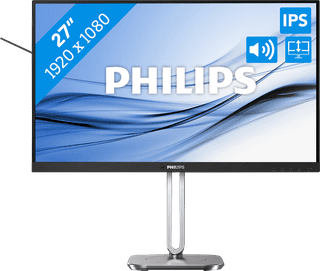
Our choice for a 27-inch monitor for your (home) office|27 inches|1920x1080 resolution|HDMI, DisplayPort
- The Philips LightSensor and PowerSensor adjust the screen brightness automatically, so the energy consumption decreases.
- You have a better overview of your work, can open more windows side by side, and you can multitask better on the large 27-inch screen.
- You can rotate, tilt, and adjust the screen in height for a comfortable sitting posture.
169,--18%
139,-

Our choice for a photo printer to print A3 photos with|All-in-one|Inkjet|Color printer
- You can print and scan in up to A3 size.
- You can print photos with a higher contrast thanks to the extra photo black cartridge.
- Thanks to the high print quality, you can also print photos.
679,--12%
599,-