Written by Tobias
Edited on
26 March 2025
·
13:55
How do you transfer files from a laptop to a new one?
You have a new laptop and want to transfer the files from your old laptop. In this article, you can read how to transfer data from your old laptop to your new laptop.
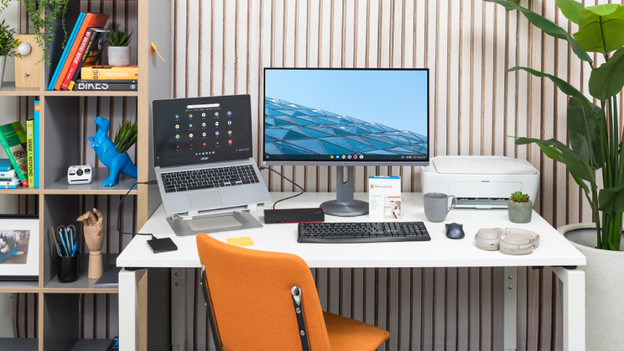
Ways to transfer files
First, remove old files that you don't want to transfer. Then check how much gigabyte of files you're going to transfer. There are different ways of transferring files.
- Use Google Drive
- Use OneDrive
- Use an external hard drive
Option 1: use Google Drive
Do you often use Google services? Transfer your files via Google Drive. You have 15GB of free cloud storage on a Google account.
-
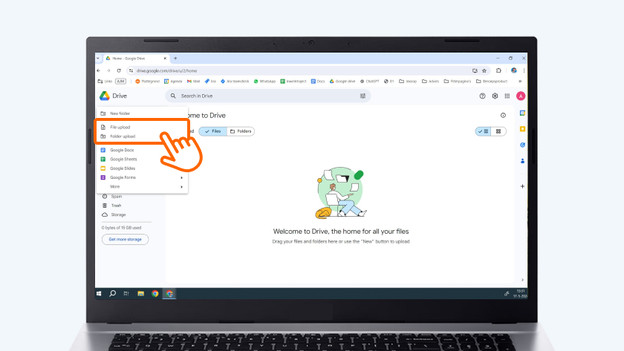
Open Google Drive on your old laptop and upload all files and folders you want to transfer. You do this by clicking on New and then choose File upload or Folder upload.
-
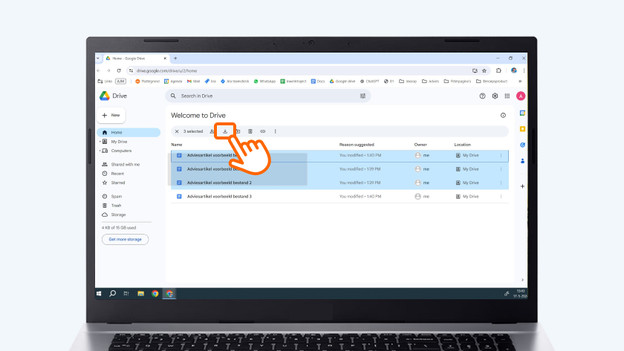
Open Google Drive on your new laptop and download all files and folders. Select all files and download them in one go by clicking on the download icon. You can recognize this by the box with the down arrow.
Open Google Drive on your old laptop.
Open Google Drive on your new laptop.
Option 2: use OneDrive
Do you often use Microsoft services? Transfer your files via Google Drive. You have 5GB of free cloud storage on a Microsoft account.
- Open OneDrive on your old laptop and upload all files and folders you want to transfer. You do this by clicking on Upload and then choose Files or Folder.
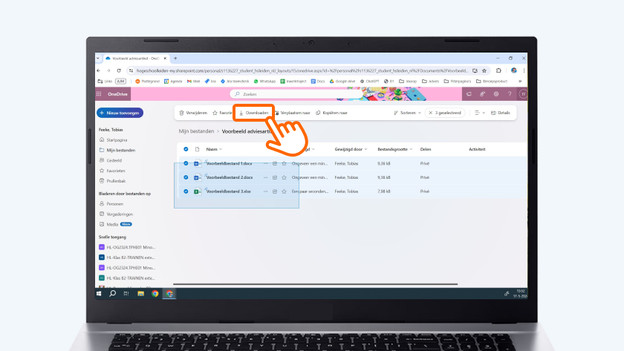
- Open OneDrive on your new laptop and download all files and folders. Select all files and download them in one go by clicking on the download icon. You can recognize this by the dash with the down arrow.
Open OneDrive on your old laptop.
Open OneDrive on your new laptop.


Option 3: use an external hard drive
If you don't have enough space for all your files with Google Drive or OneDrive, use an external hard drive.
- Connect the external hard drive to your old laptop and move the files you want to transfer to the external hard drive. You do this by selecting the files in File Explorer and drag them to the external hard drive. The external hard drive is located in the left menu of the File Explorer.
- When all files are on the hard drive, disconnect it by removing it from the laptop. Then, connect the external hard drive to your new laptop and move the files to your new laptop. Go to the external hard drive in File Explorer. Select all files and drag them to This PC in the left menu of File Explorer.
Article by Tobias
Laptop Expert.