Laptops with touchscreen
On touchscreen laptops you work with your fingers like on a smartphone. For example, you can scroll through websites or long documents with simple finger movements across the screen. You can also make a pinching motion to zoom in or out. Naturally, you can also operate a touch laptop with a keyboard and mouse. Choose a touchscreen laptop if you also want to operate the device with your own fingers instead of just with a computer mouse.
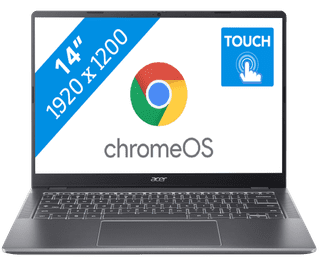
Our choice for a Chromebook for your school or studies|ChromeOS instead of Windows|Intel Core 3 - 8GB - 128GB SSD|Touchscreen
- You can smoothly switch between multiple apps, so you can write your reports while doing research via your browser.
- You can easily take this Chromebook to your school thanks to the low weight.
- You can easily take notes and quickly swipe through apps via the touchscreen.
439,--14%
379,-

Our choice for a Chromebook that you can also use as a tablet|ChromeOS instead of Windows|Intel N100 - 8GB - 128GB eMMC|Foldable touchscreen
- You can flip the touchscreen 360 degrees and turn the Chromebook into a tablet.
- You can smoothly take notes or make sketches and swipe through apps via the touchscreen.
- You can easily work on your files on the go, because this Chromebook has a lot of local storage and it only weighs 1.4kg.
429,--7%
399,-
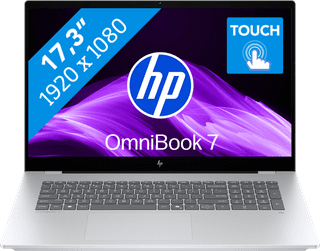

Our choice for a 17-inch Windows laptop for light video editing|Suitable for demanding programs|Intel Core Ultra 7 | 16GB | 1TB SSD|Touchscreen
- You can see all the details of your videos well and you can easily work with 2 windows side by side on the large 17-inch screen.
- You can edit photos and videos comfortably and switch between demanding programs smoothly thanks to the powerful processor.
- You can easily make edits to your videos via the touchscreen.
1.429,-


Our choice for a Windows laptop suitable for a creative degree|Suitable for demanding programs|AMD Ryzen 7 | 16GB | 512GB SSD|Foldable touchscreen
- You can easily make sketches, drawings, or designs on the screen, because you can turn this laptop into a tablet.
- You can smoothly working in demanding accounting apps like Adobe Photoshop or Premiere Pro
- Thanks to the small size and low weight, you can easily take this laptop with you to lectures.
987,-

Our choice for a Chromebook for on the go|ChromeOS instead of Windows|Intel N150 | 4GB | 128GB Flash|Foldable touchscreen
- You can take this Chromebook easily with you thanks to the low 1.5kg weight.
- You can also store files locally on this Chromebook thanks to the 128GB storage, so you can easily keep working online.
- You can flip the touchscreen 360 degrees to use this Chromebook as a tablet.
479,--17%
399,-


Our choice for a Chromebook for light graphic tasks|ChromeOS instead of Windows|Intel Core i5 - 8GB - 256GB SSD|Touchscreen
- You can work smoothly on light, graphic tasks thanks to the powerful processor and RAM.
- You can smoothly perform graphics tasks and use AI while you work, because this powerful Chromebook is a Chromebook Plus.
- You can smoothly take notes or make sketches and quickly swipe through apps via the touchscreen.
659,-
