

Coolblue's Choice Laptops for home use
16 laptops


Our choice for a business laptop to work on spreadsheets and presentations
|
16 inches
|
Intel Core i5/Intel Core 5
|
16 GB
RAM
- You can work smoothly multiple spreadsheets and presentations at the same time thanks to the Intel Core i5 processor and 16GB RAM.
- Thanks to the large size, you can open various spreadsheets or programs side by side and keep a good overview of your work.
- Thanks to the USB-C port with DisplayPort Mode, you can easily connect a beamer or external monitor when you give a presentation.
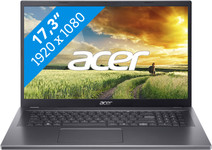
Our choice for a 17-inch Windows laptop for hobby photo editing
|
17,3 inches
|
Intel Core i5/Intel Core 5
|
16 GB
RAM
- You can edit photos and you can see details well on the Full HD screen.
- You can keep a clear overview of your photos and you can easily work with 2 windows side by side on the large 17-inch screen.
- You're less bothered by light glare and fingerprints thanks to the anti-glare screen.

Our choice for a Windows laptop for browsing the internet, sending emails, and text processing
|
15,6 inches
|
Intel Core i3/Intel Core 3
|
8 GB
RAM
- You can browse the internet, write texts, and keep track of your emails in programs like Word and Outlook.
- You can quickly enter numbers and formulas via the numeric keypad.
- You don't have to worry about fingerprints on the screen thanks to the anti-glare layer.

Our choice for a Windows laptop for your studies
|
14 inches
|
AMD Ryzen 5
|
16 GB
RAM
- You can smoothly switch between programs, so you can do research via your browser while you write a report.
- You can easily take this laptop with you to school and use it on the go thanks to the compact size and the low 1.4kg weight.
- You can charge the HP laptop for 50% within 45 minutes, so you can quickly go to your next class.

Our choice for a business laptop for marketing and content management
|
16 inches
|
Intel Core Ultra 5
|
16 GB
RAM
- Thanks to the WUXGA resolution, you can edit photos and video for campaigns with lots of details.
- You can edit company videos in Adobe Photoshop without problems thanks to the Intel Core Ultra 5 processor.
- Thanks to the IPS panel, the colors look lively from every viewing angle.
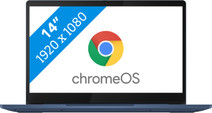
Our choice for a Chromebook for internet, email, and text processing
|
14 inches
|
MediaTek Kompanio 520
|
4 GB
RAM
- You can smoothly work in different apps like Google Chrome, Google Docs, or YouTube.
- You can easily use this Chromebook easily in different places and take it with you carefree thansk to the low weight.
- You're less bothered by light glare or fingerprints thanks to the anti-glare screen.

Our choice for a Windows laptop to make spreadsheets and presentations
|
15,6 inches
|
Intel Core i5/Intel Core 5
|
16 GB
RAM
- You can smoothly make spreadsheets and presentations in programs like Microsoft Excel and PowerPoint without your laptop slowing down.
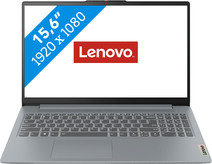
Our choice for a Windows laptop for hobby photo editing
|
15,6 inches
|
Intel Core i5/Intel Core 5
|
16 GB
RAM
- You can smoothly edit photos in programs like Adobe Photoshop.
- You're less bothered by strained eyes thanks to the built-in blue light filter.
- This laptop is better protected from falls, moisture, high and low temperatures, and dust, because it passed military-grade testing.

Our choice for a Chromebook for high school
|
14 inches
|
Intel Core i3/Intel Core 3
|
8 GB
RAM
- You can smoothly write reports, make assignments, and do research via the browser at the same time.
- You can store all your files online and offline thanks to the 128GB local storage space.
- You can easily take this Chromebook with you to high school, because it only weighs 1.4kg.
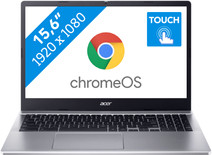
Our choice for a Chromebook for primary school
|
15,6 inches
|
Intel N
|
4 GB
RAM
- You can easily open a number of apps at once, such as watching videos via YouTube or make small assignments via the browser.
- You can smoothly swipe through apps, play games, or take notes during class via the touchscreen.
- Brightly-lit classrooms won't bother you, because you have less reflections thanks to the anti-glare screen.

Our choice for a Chromebook for making spreadsheets and presentations
|
14 inches
|
Intel N
|
8 GB
RAM
- You can smoothly switch between different apps, so you can listen to your favorite music during work.
- You acn store files both online and offline, this Chromebook has enough local storage space for that.
- You can charge this Chromebook quickly thanks to the HP Fast Charge technology.
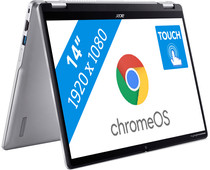
Our choice for a Chromebook that you can also use as a tablet
|
14 inches
|
Intel N
|
8 GB
RAM
- You can flip the touchscreen 360 degrees and turn the Chromebook into a tablet.
- You can smoothly take notes or make sketches and swipe through apps via the touchscreen.
- You can easily work on your files on the go, because this Chromebook has a lot of local storage and it only weighs 1.4kg.

Our choice for a Chromebook for watching movies and series
|
14 inches
|
MediaTek
|
4 GB
RAM
- You can place this Chromebook easily on your lap or take it with you thanks to the low weight and you can fold it into a tablet.
- You can comfortably watch all your favorite movies and series and see all details well on the Full HD screen.
- You can swipe easily through light apps like Netflix or Disney+ via the touchscreen.
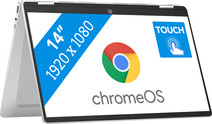
Our choice for a Chromebook for your school or studies
|
14 inches
|
Intel Core i3/Intel Core 3
|
8 GB
RAM
- You can flip the touchscreen 360 degrees to use this Chromebook as a tablet.
- You can smoothly switch between multiple apps, so you can write your reports while doing research via your browser.
- You can easily take this Chromebook to your school thanks to the low weight.

Our choice for a Chromebook for on the go
|
14 inches
|
Intel N
|
4 GB
RAM
- You can take this Chromebook easily with you thanks to the low 1.5kg weight.
- You can also store files locally on this Chromebook thanks to the 128GB storage, so you can easily keep working online.
- You can flip the touchscreen 360 degrees to use this Chromebook as a tablet.

Our choice for a Windows laptop that you can also use as a tablet
|
14 inches
|
Intel Core i5/Intel Core 5
|
16 GB
RAM
- You can easily turn this HP laptop into a tablet, so you can smoothly take notes and make sketches via the touchscreen.
- You can comfortably watch movies and series, because you can easily put this 2-in-1 laptop in different positions.
- You can easily continue working at night, because you can quickly see the right keys with the backlit keyboard.
