Small laptops (up to 14 inches)
A small laptop has a 14-inch or smaller screen size. These laptops are useful if you're often on the go. Thanks to the low weight and the compact size, you can take them easily with you. Put your small laptop easily in your bag and use it on the go, like on the train, at school, or at work. We have 12, 13, and 14-inch laptops. The larger the screen, the more details you can see.
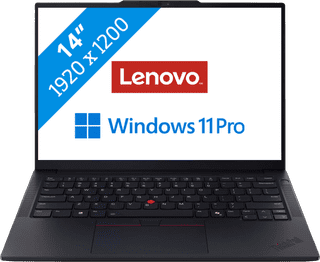

Our choice for a business laptop for data analysis|Powerful enough for business use|Intel Core Ultra 7 255H | 32GB | 1TB SSD|AI support
- You can quickly perform data analyses thanks to the Intel Core Ultra 7 processor and 32GB RAM.
- Thanks to the discrete TPM chip, your data and other sensitive information is well-protected.
- Thanks to the built-in NPU chip, you can enjoy a longer battery life.
1.449,-
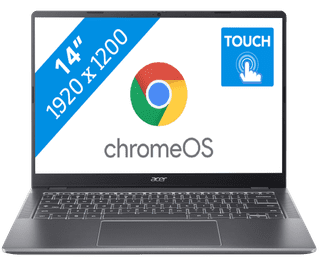

Our choice for a Chromebook for your school or studies|ChromeOS instead of Windows|Intel Core 3 - 8GB - 128GB SSD|Touchscreen
- You can smoothly switch between multiple apps, so you can write your reports while doing research via your browser.
- You can easily take this Chromebook to your school thanks to the low weight.
- You can easily take notes and quickly swipe through apps via the touchscreen.
439,--14%
379,-


Our choice for a MacBook for business use|Apple M5 chip | 16GB RAM | 1TB storage|14 inches|Liquid Retina XDR
- With the M5, you can make presentations and work in large data files.
- Thanks to the smaller 14-inch screen, you can easily take this MacBook with you to customers.
- You never have to worry about charging, thanks to the 24-hour battery life.
2.139,-

Our choice for a MacBook for on the go|Apple M5 chip|16GB RAM|8 graphics cores
- Thanks to the small size, your MacBook is easy to use and fits on small tables.
- This MacBook is very light, so you can easily take it with you in your bag.
- Thanks to the 18-hour battery life, you can use your MacBook the entire day without charging.
1.429,-

Our choice for a MacBook for daily use|A18 Pro chip|8GB RAM|512GB storage capacity
- With this MacBook, you can buy your new outfit online and take care of your finances.
- Thanks to the low weight, you can comfortably use your MacBook anywhere in your house.
- Thanks to the small size, your MacBook is easy to use and easy to store.
899,-

Our choice for a Chromebook that you can also use as a tablet|ChromeOS instead of Windows|Intel N100 - 8GB - 128GB eMMC|Foldable touchscreen
- You can flip the touchscreen 360 degrees and turn the Chromebook into a tablet.
- You can smoothly take notes or make sketches and swipe through apps via the touchscreen.
- You can easily work on your files on the go, because this Chromebook has a lot of local storage and it only weighs 1.4kg.
429,--7%
399,-

Our choice for a MacBook for students|Apple M5 chip|16GB RAM|10 graphics cores
- With the M5 chip, you can easily write reports and make presentations.
- Thanks to the low weight, you can easily take your MacBook with you in your school bag.
- You can use your MacBook the entire day without charging thanks to the 18-hour battery life.
1.689,-
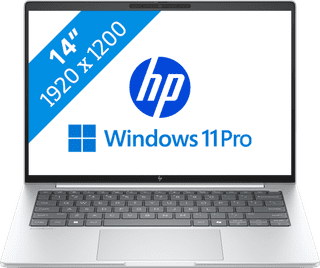

Our choice for a business laptop suitable for on the go|Powerful enough for business use|Intel Core Ultra 7 256V | 16GB | 512GB SSD|Discrete TPM
- Thanks to the compact size, you can easily take the laptop with you and continue working on your projects on the train.
- With Windows Pro, you can remotely log in via Remote Desktop, so you can easily continue working on the go.
- Thanks to the aluminum casing, this laptop is well-protected from scratches or bumps.
1.399,-
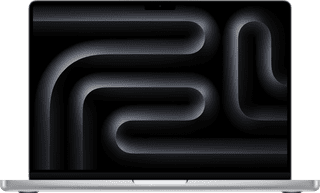
Our choice for a MacBook for photo and video editing|Apple M5 Pro chip|24GB RAM|16 graphics cores
- All your creations render quickly thanks to the powerful M5 Pro chip.
- You can enjoy razor-sharp images and bright colors on the Liquid Retina XDR display.
- Thanks to the high RAM, you can quickly switch between multiple large projects.
2.849,-
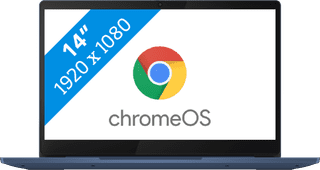
Our choice for a Chromebook for watching movies and series|ChromeOS instead of Windows|MediaTek Kompanio 520 - 4GB - 64GB Flash|Anti-glare screen
- You can comfortably watch all your favorite movies and series and see all details well on the Full HD screen.
- You're less bothered by reflections or light thanks to the anti-glare screen.
- You can smoothly open different apps like Disney+, Netflix, or YouTube.
369,-

Our choice for a Windows laptop suitable for a creative degree|Suitable for demanding programs|AMD Ryzen 7 | 16GB | 512GB SSD|Foldable touchscreen
- You can easily make sketches, drawings, or designs on the screen, because you can turn this laptop into a tablet.
- You can smoothly working in demanding accounting apps like Adobe Photoshop or Premiere Pro
- Thanks to the small size and low weight, you can easily take this laptop with you to lectures.
987,-

Our choice for a Chromebook for on the go|ChromeOS instead of Windows|Intel N150 | 4GB | 128GB Flash|Foldable touchscreen
- You can take this Chromebook easily with you thanks to the low 1.5kg weight.
- You can also store files locally on this Chromebook thanks to the 128GB storage, so you can easily keep working online.
- You can flip the touchscreen 360 degrees to use this Chromebook as a tablet.
479,--17%
399,-
