

Coolblue's Choice Laptops with Intel processor
24 laptops


Our choice for a Windows laptop to make spreadsheets and presentations
|
Windows Home
|
15,6 inches
|
Intel Core i5/Intel Core 5
- You can smoothly make spreadsheets and presentations in programs like Microsoft Excel and PowerPoint without your laptop slowing down.

Our choice for a business laptop to work on spreadsheets and presentations
|
Windows Pro
|
16 inches
|
Intel Core i5/Intel Core 5
- You can work smoothly multiple spreadsheets and presentations at the same time thanks to the Intel Core i5 processor and 16GB RAM.
- Thanks to the large size, you can open various spreadsheets or programs side by side and keep a good overview of your work.
- Thanks to the USB-C port with DisplayPort Mode, you can easily connect a beamer or external monitor when you give a presentation.
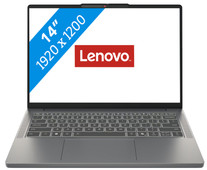
Our choice for a Windows laptop that you can easily use on the go
|
Windows Home
|
14 inches
|
Intel Core i5/Intel Core 5
- You can easily take this laptop with you and use it on the go thanks to the compact size and the low 1.4kg weight.
- You can easily work on your texts, reports, or other documents on the go, because the processor and the RAM are suitable for that.
- You can quickly find the right keys in the dark thanks to the backlit keyboard.

Our choice for a 15-inch gaming laptop that you can use to play medium demanding games
|
Windows Home
|
15,6 inches
|
Intel Core i7/Intel Core 7
- You can play medium demanding games like Cyberpunk 2077 and Hogwarts Legacy smoothly at 60 fps in Full HD, thanks to the RTX 5060 video card.
- The 144Hz screen shows fast-moving images smoothly, so you see your opponents in shooters in time.
- In addition to gaming, you can stream in Full HD and edit your gameplay videos thanks to the Intel Core i7 processor and 16GB RAM.
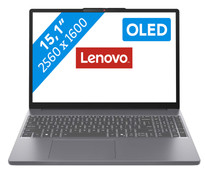
Our choice for a Windows laptop for professional photo editing
|
Windows Home
|
15,1 inches
|
Intel Core i5/Intel Core 5
- You can see all details of your photos sharply thanks to the WQXGA resolution.
- You can enjoy bright and vibrant colors thanks to the OLED panel.
- You can smoothly edit large photo files in apps like Adobe Photoshop and Lightroom.
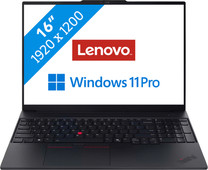
Our choice for a business laptop for accounting
|
Windows Pro
|
16 inches
|
Intel Core Ultra 7
- Open multiple spreadsheets for your budgets side by side and run pivots and make calculations thanks to the Intel Core Ultra 7 processor and 32GB RAM.
- Your laptop and data are well-protected thanks to the discrete TPM chip, so hackers almost can't get into your laptop.
- Thanks to the NPU, you can enjoy a long battery life to keep working longer with the laptop.
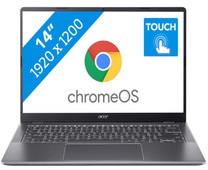
Our choice for a Chromebook for your school or studies
|
Google ChromeOS
|
14 inches
|
Intel Core i3/Intel Core 3
- You can smoothly switch between multiple apps, so you can write your reports while doing research via your browser.
- You can easily take this Chromebook to your school thanks to the low weight.
- You can easily take notes and quickly swipe through apps via the touchscreen.
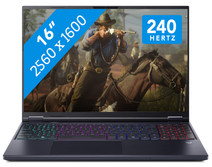
Our choice for a 16-inch gaming laptop that you can use to stream in 4K
|
Windows Home
|
16 inches
|
Intel Core Ultra 9
- You can play demanding games like Elden Ring and Flight Simulator at 60 fps in Full HD or older games in QHD or even 4K, thanks to the RTX 5070 GPU.
- Enjoy the fastest images and play your games with the highest frame rates on the 240Hz screen.
- In addition to gaming, you can stream in 4K and edit your gameplay videos thanks to the Intel Core Ultra 9 processor and 32GB RAM.

Our choice for a Windows laptop for browsing the internet, sending emails, and text processing
|
Windows Home
|
15,6 inches
|
Intel Core i5/Intel Core 5
- You can browse the internet, write texts, and keep track of your emails in programs like Word and Outlook.
- You can quickly enter numbers and formulas via the numeric keypad.
- You don't have to worry about fingerprints on the screen thanks to the anti-glare layer.

Our choice for a Chromebook for watching movies and series
|
Google ChromeOS
|
15,6 inches
|
Intel N
- You can comfortably watch all your favorite movies and series and see all details well on the Full HD screen.
- You're less bothered by reflections or light thanks to the anti-glare screen.
- You can smoothly open different apps like Disney+, Netflix, or YouTube.
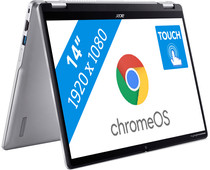
Our choice for a Chromebook that you can also use as a tablet
|
Google ChromeOS
|
14 inches
|
Intel N
- You can flip the touchscreen 360 degrees and turn the Chromebook into a tablet.
- You can smoothly take notes or make sketches and swipe through apps via the touchscreen.
- You can easily work on your files on the go, because this Chromebook has a lot of local storage and it only weighs 1.4kg.

Our choice for a Windows laptop that you can also use as a tablet
|
Windows Home
|
14 inches
|
Intel Core i5/Intel Core 5
- You can easily turn this HP laptop into a tablet, so you can smoothly take notes and make sketches via the touchscreen.
- You can comfortably watch movies and series, because you can easily put this 2-in-1 laptop in different positions.
- You can easily continue working at night, because you can quickly see the right keys with the backlit keyboard.
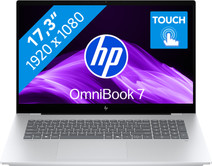
Our choice for a 17-inch Windows laptop for light video editing
|
Windows Home
|
17,3 inches
|
Intel Core Ultra 7
- You can see all the details of your videos well and you can easily work with 2 windows side by side on the large 17-inch screen.
- You can edit photos and videos comfortably and switch between demanding programs smoothly thanks to the powerful processor.
- You can easily make edits to your videos via the touchscreen.
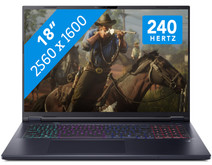
Our choice for an 18-inch gaming laptop you can use to play demanding games
|
Windows Home
|
18 inches
|
Intel Core Ultra 9
- You can play demanding games like Elden Ring and Flight Simulator at 60 fps in Full HD or older games in QHD or even 4K, thanks to the RTX 5070 GPU.
- On the large 18-inch screen with a 240Hz refresh rate, you won't miss a single detail in your game.
- In addition to gaming, you can stream in 4K and edit your gameplay videos thanks to the Core Ultra 9 processor and 32GB RAM.
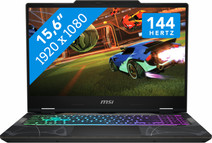
Our choice for a gaming laptop that you can use to smoothly play Fortnite
|
Windows Home
|
15,6 inches
|
Intel Core i7/Intel Core 7
- You can enjoy fast-moving images and you can stay one step ahead of your opponent thanks to the RTX 5050 video card and the 144HZ screen.
- You can stream your Fortnite gameplay via Twitch in Full HD thanks to the Intel Core i7 processor and 16GB RAM.
- You can enjoy a true light show while gaming thanks to the RGB backlit keyboard.

Our choice for a Chromebook for internet, email, and text processing
|
Google ChromeOS
|
15,6 inches
|
Intel Celeron
- You can smoothly work in different apps like Google Chrome, Google Docs, or YouTube.
- You can also store documents offline on your Chromebook thanks to the 128GB local storage.
- You're less bothered by light and fingerprints thanks to the anti-glare screen.
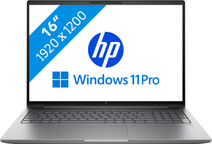
Our choice for a business laptop for 3D designs
|
Windows Pro
|
16 inches
|
Intel Core Ultra 7
- You can build large 3D models with the RTX PRO 2000 video card, the Intel Core Ultra 7 processor, and 32GB RAM.
- Thanks to the built-in NPU chip, your files are well-protected from hackers and malware.
- Thanks to the 1TB SSD, you can store your 3D models locally on the laptop.
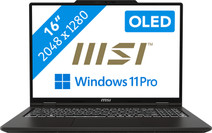
Our choice for a business laptop for video editing
|
Windows Pro
|
16 inches
|
Intel Core Ultra 9
- You work smoothly in demanding video editing programs thanks to the Intel Core Ultra 9 processor and 64GB DDR5 RAM.
- Thanks to the OLED panel, you can work with good color contrasts, so you can see more details between light and dark contrasts.
- Thanks to the 2TB storage space, you can easily store your large files locally on the laptop.

Our choice for a Windows laptop for light video editing
|
Windows Home
|
16 inches
|
Intel Core i7/Intel Core 7
- You can see all colors and contrasts well on the OLED display with DisplayHDR 600 True Black.
- You can smoothly edit videos in programs like Adobe Premiere Pro.
- You can also continue working a bit on your videos at night, because you quickly see the right keys thanks to the backlit keyboard.

Our choice for a Chromebook for on the go
|
Google ChromeOS
|
14 inches
|
Intel N
- You can take this Chromebook easily with you thanks to the low 1.5kg weight.
- You can also store files locally on this Chromebook thanks to the 128GB storage, so you can easily keep working online.
- You can flip the touchscreen 360 degrees to use this Chromebook as a tablet.

Our choice for a business laptop suitable for photo editing
|
Windows Pro
|
15,3 inches
|
Intel Core Ultra 7
- You can edit photos in programs such as Adobe Photoshop, InDesign, or Lightroom thanks to the Intel Core Ultra 7 processor and 32GB RAM.
- Thanks to the OLED panel, you can edit company photos with high color contrasts and deep black levels.
- Thanks to the Copilot+ support, you can reasily remove objects or people from your photos and smoothly switch between demanding programs.

Our choice for a Chromebook for light graphic tasks
|
Google ChromeOS
|
15,6 inches
|
Intel Core i5/Intel Core 5
- You can work smoothly on light, graphic tasks thanks to the powerful processor and RAM.
- You can smoothly perform graphics tasks and use AI while you work, because this powerful Chromebook is a Chromebook Plus.
- You can smoothly take notes or make sketches and quickly swipe through apps via the touchscreen.
