

Coolblue's Choice Laptops with a mid-range screen
16 laptops


Our choice for a Windows laptop to make spreadsheets and presentations
|
Windows Home
|
15,6 inches
|
Intel Core i5/Intel Core 5
- You can smoothly make spreadsheets and presentations in programs like Microsoft Excel and PowerPoint without your laptop slowing down.

Our choice for a business laptop to work on spreadsheets and presentations
|
Windows Pro
|
16 inches
|
Intel Core i5/Intel Core 5
- You can work smoothly multiple spreadsheets and presentations at the same time thanks to the Intel Core i5 processor and 16GB RAM.
- Thanks to the large size, you can open various spreadsheets or programs side by side and keep a good overview of your work.
- Thanks to the USB-C port with DisplayPort Mode, you can easily connect a beamer or external monitor when you give a presentation.

Our choice for a 15-inch gaming laptop that you can use to play medium demanding games
|
Windows Home
|
15,6 inches
|
Intel Core i7/Intel Core 7
- You can play medium demanding games like Cyberpunk 2077 and Hogwarts Legacy smoothly at 60 fps in Full HD, thanks to the RTX 5060 video card.
- The 144Hz screen shows fast-moving images smoothly, so you see your opponents in shooters in time.
- In addition to gaming, you can stream in Full HD and edit your gameplay videos thanks to the Intel Core i7 processor and 16GB RAM.
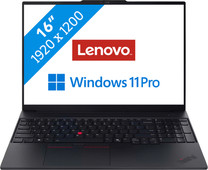
Our choice for a business laptop for accounting
|
Windows Pro
|
16 inches
|
Intel Core Ultra 7
- Open multiple spreadsheets for your budgets side by side and run pivots and make calculations thanks to the Intel Core Ultra 7 processor and 32GB RAM.
- Your laptop and data are well-protected thanks to the discrete TPM chip, so hackers almost can't get into your laptop.
- Thanks to the NPU, you can enjoy a long battery life to keep working longer with the laptop.

Our choice for a 17-inch Windows laptop for browsing the internet, sending emails, and text processing
|
Windows Home
|
17,3 inches
|
AMD Ryzen 5
- On the large 17-inch screen, you can keep a clear overview of your work and easily use 2 windows side by side.
- You can smoothly keep track of your email, write texts, or browse the internet while you listen to music.
- You're less bothered by strained eyes thanks to the built-in blue light filter.

Our choice for a Windows laptop for your studies
|
Windows Home
|
14 inches
|
AMD Ryzen 5
- You can smoothly switch between programs, so you can do research via your browser while you write a report.
- You can easily take this laptop with you to school and use it on the go thanks to the compact size and the low 1.4kg weight.
- You can charge the HP laptop for 50% within 45 minutes, so you can quickly go to your next class.

Our choice for a Windows laptop for browsing the internet, sending emails, and text processing
|
Windows Home
|
15,6 inches
|
Intel Core i5/Intel Core 5
- You can browse the internet, write texts, and keep track of your emails in programs like Word and Outlook.
- You can quickly enter numbers and formulas via the numeric keypad.
- You don't have to worry about fingerprints on the screen thanks to the anti-glare layer.

Our choice for a Chromebook for watching movies and series
|
Google ChromeOS
|
15,6 inches
|
Intel N
- You can comfortably watch all your favorite movies and series and see all details well on the Full HD screen.
- You're less bothered by reflections or light thanks to the anti-glare screen.
- You can smoothly open different apps like Disney+, Netflix, or YouTube.
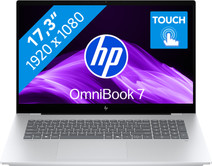
Our choice for a 17-inch Windows laptop for light video editing
|
Windows Home
|
17,3 inches
|
Intel Core Ultra 7
- You can see all the details of your videos well and you can easily work with 2 windows side by side on the large 17-inch screen.
- You can edit photos and videos comfortably and switch between demanding programs smoothly thanks to the powerful processor.
- You can easily make edits to your videos via the touchscreen.

Our choice for a Windows laptop that you can also use as a tablet
|
Windows Home
|
14 inches
|
Intel Core i5/Intel Core 5
- You can easily turn this HP laptop into a tablet, so you can smoothly take notes and make sketches via the touchscreen.
- You can comfortably watch movies and series, because you can easily put this 2-in-1 laptop in different positions.
- You can easily continue working at night, because you can quickly see the right keys with the backlit keyboard.

Our choice for a Chromebook for on the go
|
Google ChromeOS
|
14 inches
|
Intel N
- You can take this Chromebook easily with you thanks to the low 1.5kg weight.
- You can also store files locally on this Chromebook thanks to the 128GB storage, so you can easily keep working online.
- You can flip the touchscreen 360 degrees to use this Chromebook as a tablet.

Our choice for a gaming laptop that you can use to smoothly play Minecraft
|
Windows Home
|
15,6 inches
|
AMD Ryzen 7
- Thanks to the RTX 4050 video card, you can play in the large Minecraft maps without issues with this gaming laptop.
- You can stream your Minecraft gameplay via Twitch thanks to the AMD Ryzen 7 processor and 16GB RAM.
- When you want to game in the evening, you can turn on the keyboard backlight for a comfortable gaming experience in the dark.

Our choice for a Windows laptop for light video editing
|
Windows Home
|
16 inches
|
Intel Core i7/Intel Core 7
- You can see all colors and contrasts well on the OLED display with DisplayHDR 600 True Black.
- You can smoothly edit videos in programs like Adobe Premiere Pro.
- You can also continue working a bit on your videos at night, because you quickly see the right keys thanks to the backlit keyboard.
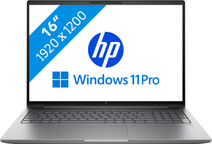
Our choice for a business laptop for 3D designs
|
Windows Pro
|
16 inches
|
Intel Core Ultra 7
- You can build large 3D models with the RTX PRO 2000 video card, the Intel Core Ultra 7 processor, and 32GB RAM.
- Thanks to the built-in NPU chip, your files are well-protected from hackers and malware.
- Thanks to the 1TB SSD, you can store your 3D models locally on the laptop.
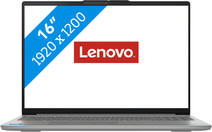
Our choice for a Windows laptop for hobby photo editing
|
Windows Home
|
16 inches
|
Intel Core i5/Intel Core 5
- You can smoothly edit photos in programs like Adobe Photoshop.
- You see more details of your photos on the larger screen, thanks to the Full HD resolution.
- You have more screen space thanks to the wider 16:10 aspect ratio, so you can keep a better overview of all your photos.
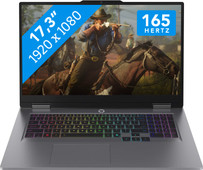
Our choice for a 17-inch gaming laptop that you can use to play medium demanding games
|
Windows Home
|
17,3 inches
|
Intel Core i7/Intel Core 7
- You can play medium demanding games like Cyberpunk 2077 and Hogwarts Legacy smoothly thanks to the RTX 5070 video card.
- You can see fast-moving images clearly on the large 17-inch screen with a 165Hz refresh rate.
- The Lenovo LOQ 17IRX10 83JH004CMB is the best 17-inch gaming laptop for playing medium demanding games.
