

Coolblue's Choice Everything on setting up your home office
125 results
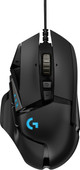

Our choice for a wired gaming mouse
|
11 buttons
| 25.600DPI
| Wired
- You can easily connect the mouse via the USB-A/C cable.
- A wired mouse has a stable connection.
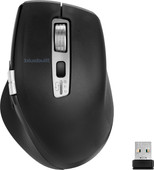
Our choice for an ergonomic mouse
|
Wireless Bluetooth and USB
| Right-handed
| Ergonomic design
- Prevent arm and wrist complaints thanks to the ergonomic design of the mouse.
- Quickly and easily scroll through spreadsheets and documents with the smart-flying and horizontal scroll wheels.
- Connect the mouse via Bluetooth or the USB receiver and use the mouse with multiple devices at the same time.

Our choice for a business laptop to work on spreadsheets and presentations
|
Suitable for business use
| Intel Core i5 - 16GB - 512GB SSD
| Intel Iris Xe
| RAM and SSD expandable
- You can work smoothly multiple spreadsheets and presentations at the same time thanks to the Intel Core i5 processor and 16GB RAM.
- Thanks to the large size, you can open various spreadsheets or programs side by side and keep a good overview of your work.
- Thanks to the USB-C port with DisplayPort Mode, you can easily connect a beamer or external monitor when you give a presentation.

Our choice for a MacBook for business use
|
Apple M5 chip | 16GB RAM | 1TB storage
| 14 inches
| Liquid Retina XDR
- With the M5, you can make presentations and work in large data files.
- Thanks to the smaller 14-inch screen, you can easily take this MacBook with you to customers.
- You never have to worry about charging, thanks to the 24-hour battery life.
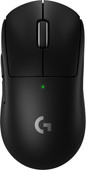
Our choice for a gaming mouse to make fast movements
|
2 extra thumb buttons
| 44,000DPI
| Wireless
| 95-hour battery life
- Thanks to the high DPI, you can quickly move the mouse over your screen.
- This mouse is suitable for any type of game thanks to the high DPI.
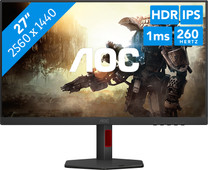
Our choice for a gaming monitor for competitie gameplay
|
27 inches
| 2560x1440 resolution
| HDMI, DisplayPort

- Thanks to the 260Hz refresh rate and 1ms response time, you see every opponent in your shooter quickly and sharply.
- You can enjoy sharp images while gaming thanks to the Quad HD resolution.
- Thanks to the IPS panel, you can enjoy lifelike colors from every viewing angle.

Our choice for a Windows laptop to make spreadsheets and presentations
|
Suitable for light programs
| Intel Core i5 | 16GB | 512GB SSD
| Backlit keyboard
| Privacy switch
- You can smoothly make spreadsheets and presentations in programs like Microsoft Excel and PowerPoint without your laptop slowing down.
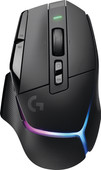
Our choice for a wireless gaming mouse
|
13 buttons
| 25.600DPI
| Wireless
| 140-hour battery life
- You can easily connect the mouse to your platform with the USB dongle.
- With this wireless headset, you're not bothered by cables while you game.
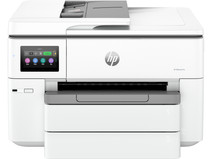
Our choice for a printer to print on A3 size with
|
All-in-one
| Inkjet
| Color printer
- You can print and scan in up to A3 size.
- You can print in high quality thanks to the extra cartridges.
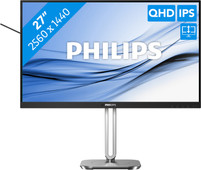


Our choice for a 27-inch monitor that's energy-efficient
|
27 inches
| 2560x1440 resolution
| HDMI, DisplayPort

- You can save on energy costs thanks to the B energy label and low energy consumption.
- Thanks to the light and power sensor, you can adjust the brightness automatically and save on energy costs.
- This monitor is made of recycled plastics, which makes it more sustainable.
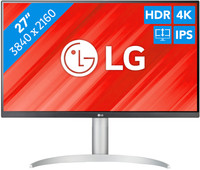
Our choice for a monitor for video editing
|
27 inches
| 3840x2160 resolution
| HDMI, DisplayPort
- You can edit the best videos with razor-sharp images and colorful details thanks to the 4K resolution, HDR10, and DisplayHDR 400 support.
- You can enjoy high color contrasts thanks to the DCI-P3 color space, so you can see more differences between light and dark colors.
- The screen is tiltable and adjustable in height, so you can work with a comfortable sitting posture and you're not bothered by your neck or back.
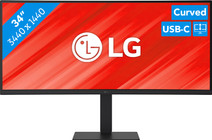
Our choice for a business monitor for data and finance tasks
|
34 inches
| 3440x1440 resolution
| HDMI, DisplayPort, USB-C
- The large ultrawide size allows you to open multiple windows side by side, such as an Excel sheet and a Word document.
- Thanks to the Quad HD resolution, you can see numbers in columns and rows more sharply.
- Thanks to the 100Hz refresh rate, you can smoothly scroll through long spreadsheets and web pages without the text becoming blurry.
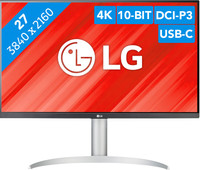
Our choice for a monitor with USB-C for your MacBook or iMac
|
27 inches
| 3840x2160 resolution
| HDMI, DisplayPort, USB-C
- You can connect your MacBook or iMac to this USB-C monitor without a converter.
- Thanks to the 4K resolution, this monitor displays images from your MacBook or iMac sharply and in detail.
- You can adjust the monitor in height or tilt it for an ergonomic sitting posture, so you're less bothered by neck or back complaints.

Our choice for a MacBook for daily use
|
A18 Pro chip
| 8GB RAM
| 512GB storage capacity
- With this MacBook, you can buy your new outfit online and take care of your finances.
- Thanks to the low weight, you can comfortably use your MacBook anywhere in your house.
- Thanks to the small size, your MacBook is easy to use and easy to store.
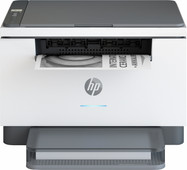
Our choice for a laser printer for text documents
|
All-in-one
| Laser
| No color printer
- With a laser printer, you can print text extra sharply.
- You can print, scan, and copy with this all-in-one printer.
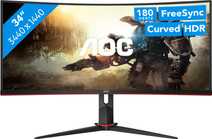
Our choice for a gaming monitor for Flight Simulator
|
34 inches
| 3440x1440
| HDMI, DisplayPort, USB-A

- Thanks to the large ultrawide size, you're completely immersed in the surroundings of Flight Simulator.
- The details of your game look realistic, thanks to the Quad HD resolution.
- You can play with smooth images without slowing down thanks to the 180Hz refresh rate and 1ms response time.
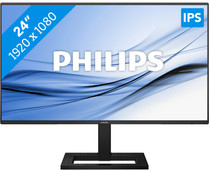
Our choice for a 24-inch monitor for your (home) office
|
24-inches
| 1920x1080
| HDMI, VGA, USB-A, USB-C

- This combination of properties makes this AOC Coolblue's Choice for a monitor for your home office.
- Thanks to the IPS panel, you can work with sharp images and bright colors from every viewing angle.
- Thanks to the built-in blue light filter, you're less bothered by strained eyes, so you can keep working for longer.
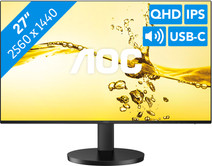
Our choice for a monitor for photo editing
|
27 inches
| 2560x1440 resolution
| HDMI, USB-C
- Thanks to HDR10 support and Quad HD resolution, you can edit the best photos with razor-sharp details and high color contrasts.
- Thanks to the 117% coverage of the sRGB color space, you can edit your photos with realistic colors.
- You can see bright colors from every viewing angle thanks to the IPS panel.
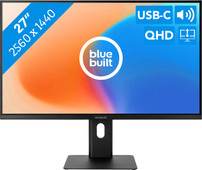
Our choice for a 27-inch monitor for your studies
|
27 inches
| 2560x1440 resolution
| Headphones, DisplayPort, HDMI, USB-C
- Connect your laptop to the monitor via the USB-C port and use 1 cable for image, power, and data.
- You can tilt, turn, or adjust the monitor in height for a comfortable sitting posture, so you can work on your projects for longer.
- Thanks to the Quad HD resolution, every detail looks sharp on the screen
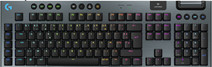
Our choice for a wireless gaming keyboard with a numeric keypad that you can also use for your studies
|
Mechanical
| Complete (100%)
| Wireless
- You can use this gaming keyboard wirelessly, so you have more freedom of movement while you game.
- This is a keyboard with a numpad, so you can also use the gaming keyboard for school and work.
- The Logitech G915 X LIGHTSPEED Wireless is the best choice for you with haptic feedback and freedom of movement while gaming.

Our choice for a gaming laptop that you can use to smoothly play Minecraft
|
Powerful enough for gaming
| AMD Ryzen 7 - 16GB - 512GB SSD
| NVIDIA GeForce RTX 4050
| 144Hz
| Backlit keyboard
- Thanks to the RTX 4050 video card, you can play in the large Minecraft maps without issues with this gaming laptop.
- You can stream your Minecraft gameplay via Twitch thanks to the AMD Ryzen 7 processor and 16GB RAM.
- When you want to game in the evening, you can turn on the keyboard backlight for a comfortable gaming experience in the dark.
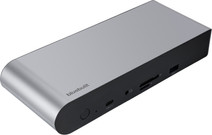
Our choice for a docking station for up to 2 extra monitors with your laptop
|
USB-C + USB-A
| DisplayLink
| Up to 2 monitors
- With this dock, you can connect 2 extra 4K monitors to your laptop via DisplayPort HDMI.
- You can charge your laptop with this dock if your laptop supports Power Delivery.
- Work with accessories like a keyboard and an ergonomic mouse that you can connect via the USB-A ports.
