Welcome to your environment! You can order everything from your assortment with your personal budget here.

You can always return to the normal Coolblue website by clicking here.

Your outstanding budget (incl. VAT) is always visible here, so you know exactly how much you can spend.

Coolblue home

Help with your product
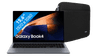
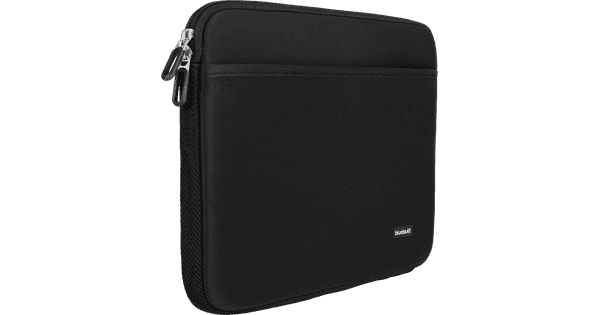
Samsung Galaxy Book4 NP750XGJ-KG1BE AZERTY + BlueBuilt Laptop Sleeve Black

With the Samsung Galaxy Book4 NP750XGJ-KG1BE AZERTY + BlueBuilt Laptop Sleeve Black bundle, you can bring your new laptop safely everywhere. On the sturdy 15.6-inch laptop, you can switch smoothly between demanding programs and edit videos in Adobe Premiere Pro. In addition, you can make complex or extensive presentation while you listen to music via Spotify. The 13th generation Intel Core i7 processor and 16GB DDR4 RAM are powerful enough for that. Thanks to the sturdy aluminum casing of this laptop, you don't have to worry about a little bump. With the BlueBuilt Laptop Sleeve Width 36cm 15-16 inches S Black, you can protect your Samsung Galaxy Book4 from scratches and damage on the go. In a hurry and want to quickly grab your laptop from your bag? Thanks to the double zipper closure, you can grab your laptop easily from the sleeve. You leave the sleeve in your bag easily. There's also enough space in this sleeve for all your accessories. Advice from our laptop expert Internet, email, and text processing: suitable Watching movies and series: suitable Photo editing: suitable Video editing: suitable Industrial design: unsuitable, at least an i7/Ryzen 7 processor and an RTX/RX/Quadro video card Game design and 3D animation: unsuitable, at least an i9/Ryzen 9 processor and an RTX/RX/Quadro video card Gaming: unsuitable, at least an RTX 3050 or RX 6500/5500 video card Receive an email with a personal voucher code for 1 free year of Norton 360 Deluxe antivirus 24 hours after purchase, worth € 94.99.

Read all tips here

How do you upgrade to Windows 11 with end of support of Windows 10?

On 14 October 2025, Microsoft will stop supporting Windows 10. We call that end of support, which means there will no longer be technical support and security updates for Windows 10. That's why we recommend switching to Windows 11. You can update Windows 10 to Windows 11 or get a new PC. In this article, we'll explain what to do with end of support for Windows 10.

How do you turn on the keyboard lighting on your laptop?

Some laptops have a backlit keyboard, but how do you turn on the keyboard backlight? In this article, we'll explain how to turn on the backlight, because every laptop is different.


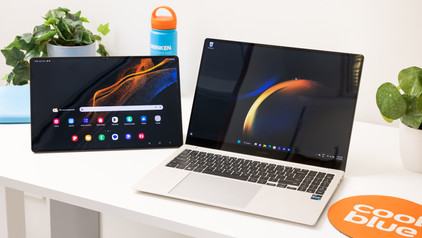
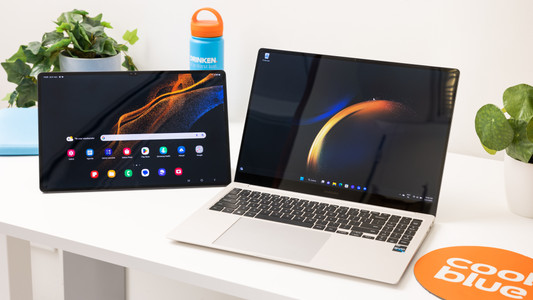
3 tips to use your Samsung tablet with your Galaxy Book laptop

Your Samsung Galaxy tablet and Samsung Galaxy Book laptop work well together. You can use your Samsung tablet as a second screen or easily transfer your photos to your Galaxy Book laptop without cables. It's also possible to quickly switch between your tablet and laptop. We'll give 3 tips to use your Samsung tablet with your Samsung laptop.

How do you upgrade to Windows 11?

Do you want to upgrade Windows 10 to Windows 11, but don't know how that works? In this article, we'll help you out. You can update many Windows 10 laptops and desktops to Windows 11 for free. This is the latest Windows version. You can easily install the Windows 11 upgrade in 4 steps.

How do you transfer files from a laptop to a new one?

You have a new laptop and want to transfer the files from your old laptop. In this article, you can read how to transfer data from your old laptop to your new laptop.

How do you upgrade to Windows 11 with end of support of Windows 10?

On 14 October 2025, Microsoft will stop supporting Windows 10. We call that end of support, which means there will no longer be technical support and security updates for Windows 10. That's why we recommend switching to Windows 11. You can update Windows 10 to Windows 11 or get a new PC. In this article, we'll explain what to do with end of support for Windows 10.

How do you turn on the keyboard lighting on your laptop?

Some laptops have a backlit keyboard, but how do you turn on the keyboard backlight? In this article, we'll explain how to turn on the backlight, because every laptop is different.
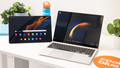
3 tips to use your Samsung tablet with your Galaxy Book laptop

Your Samsung Galaxy tablet and Samsung Galaxy Book laptop work well together. You can use your Samsung tablet as a second screen or easily transfer your photos to your Galaxy Book laptop without cables. It's also possible to quickly switch between your tablet and laptop. We'll give 3 tips to use your Samsung tablet with your Samsung laptop.

How do you upgrade to Windows 11?

Do you want to upgrade Windows 10 to Windows 11, but don't know how that works? In this article, we'll help you out. You can update many Windows 10 laptops and desktops to Windows 11 for free. This is the latest Windows version. You can easily install the Windows 11 upgrade in 4 steps.

How do you transfer files from a laptop to a new one?

You have a new laptop and want to transfer the files from your old laptop. In this article, you can read how to transfer data from your old laptop to your new laptop.

Subjects
Didn't find your answer?

Find an answer to your question quickly and easily via our customer service.

Coolblue specialist
Personal chat Digitalk.
You're now chatting with Coolblue customer service
This chat is closed
foo
Oeps File size is larger than 5MB. Upload a smaller file.